
How to Download Music From Youtube on Mac: A Step-by-step Guide
Are you tired of wasting time searching for music on YouTube only to find that you can’t download it? Do you want to enjoy your favorite songs offline while traveling or during long car rides? Look no further! In this article, we will show you how to download music from YouTube on Mac using various methods.
Method 1: Using Pwa And Youtube Premium
You might be surprised to know that you can install YouTube on Mac and use its Progressive Web App (PWA) feature to download videos for offline viewing. However, this method requires an active subscription to YouTube Premium, which costs €11.99 Per month. If you’re interested in trying out this option, we recommend checking out our guide on how to get YouTube Premium free.
To start, make sure you have Google Chrome installed on your Mac. You can download it from the official website if you haven’t already. Once installed, follow these steps:
- Open Google Chrome and navigate to the YouTube website.
- Click on the three dots in the top-right corner of the browser window and select “Install” from the drop-down menu.
- Wait for the PWA to install and launch.
- Log in to your YouTube account using the credentials associated with your Google account.
- Search for the song you want to download and click on it.
- Click on the three dots next to the video title and select “Download” from the menu.
Method 2: Using Youtube Music
If you don’t want to download entire videos, you can use YouTube Music to access songs without videos. This service is free and allows you to listen to music in streaming mode or download it for offline listening. To get started:
- Open Google Chrome and navigate to the YouTube Music website.
- Click on the icon with an arrow pointing downwards next to the browser address bar.
- Select “Install” from the menu to install the PWA.
- Log in to your YouTube account using the credentials associated with your Google account.
- Search for the song you want to download and click on it.
- Click on the three dots next to the video title and select “Download” from the menu.
Method 3: Using 4K Youtube to Mp3
This method involves downloading a third-party app called 4K YouTube to MP3, which allows you to extract audio from YouTube videos in various formats, including MP3. To use this method:
- Download and install the 4K YouTube to MP3 app from the official website.
- Copy the URL of the YouTube video you want to download into the clipboard.
- Launch the 4K YouTube to MP3 app and click on the “Accept” button.
- Paste the YouTube video URL into the app’s interface and select the desired quality for the audio file.
- Click on the “Hit the link” button to initiate the download process.
Method 4: Using Online Services
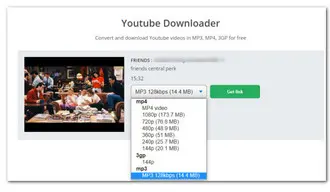
If you don’t want to install any software or apps, you can use online services like noTube to download YouTube videos directly from your browser. To try this method:
- Copy the URL of the YouTube video you want to download into the clipboard.
- Navigate to the noTube website and paste the YouTube video URL into the search bar.
- Select the desired format for the audio file (e.G., MP3) from the menu.
- Click on the “Download” button to initiate the download process.
Conclusion
As you can see, downloading music from YouTube on Mac is easier than you might have thought! Whether you prefer using PWA and YouTube Premium or third-party apps like 4K YouTube to MP3, we’ve got you covered. Remember to always respect copyright laws and only download content that’s available for free or with permission.
Frequently Asked Questions
- What is The Best Method For Downloading Music From Youtube on Mac?
The best method depends on your specific needs and preferences. If you want to enjoy offline listening without ads, using PWA and YouTube Premium might be the way to go. However, if you’re looking for a more straightforward option, 4K YouTube to MP3 or online services like noTube could work better. - Do I Need an Active Subscription to Youtube Premium to Use Pwa?
Yes, you’ll need an active subscription to YouTube Premium to access the PWA feature and download videos for offline viewing. - Can I Use Youtube Music to Download Entire Videos?
No, YouTube Music is designed for streaming music without videos. If you want to download entire videos, you might need to use a different method like 4K YouTube to MP3 or online services. - What Formats Can I Download Audio Files in Using 4K Youtube to Mp3?
You can download audio files in various formats, including MP3, M4A, and OGG, depending on the settings you choose within the app. - Are There Any Risks Associated With Downloading Third-party Apps or Online Services?
Yes, as with any software or service, there’s a risk of malware or security breaches when using third-party apps or online services. Always exercise caution and only download from reputable sources. - Can I Use Notube to Download Entire Videos?
No, noTube is designed specifically for downloading audio files from YouTube videos. If you want to download entire videos, you might need to explore other methods like 4K YouTube to MP3 or online services. - Do I Need a Mac to Follow These Instructions?
Yes, the instructions provided are specific to macOS and may not work on Windows or other operating systems.
We hope this guide has been helpful in answering your questions about downloading music from YouTube on Mac!


