
How to Search For Jobs on Linkedin: A Step-by-step Guide
Are you tired of searching for jobs without any success? Do you want to take advantage of the vast job opportunities available on LinkedIn? Look no further! In this article, we will guide you through the process of searching for jobs on LinkedIn.
Why Use Linkedin to Search For Jobs?
LinkedIn is a powerful social networking platform that allows users to connect with colleagues, find new job opportunities, and stay up-to-date with industry news. With over 700 million users worldwide, LinkedIn provides an unparalleled level of access to potential employers and job seekers alike. Whether you’re looking for a part-time or full-time job, freelancing opportunity, or simply want to expand your professional network, LinkedIn is the perfect place to start.
Step 1: Create a Profile on Linkedin
Before searching for jobs on LinkedIn, it’s essential to create a profile that showcases your skills, experience, and achievements. A well-crafted profile will help you stand out from the competition and increase your chances of getting noticed by potential employers.
- Update Your Profile Picture: Use a professional photo that clearly shows your face.
- Write a Compelling Summary: Craft a summary that highlights your skills, experience, and achievements.
- Add Relevant Sections: Add relevant sections such as “Work Experience,” “Education,” and “Skills” to showcase your qualifications.
Step 2: Organize Your Information
Once you’ve created your profile, it’s time to organize your information. This will help you easily find job opportunities that match your skills and experience.
- Use Keywords: Use relevant keywords in your profile to make it easier for recruiters and potential employers to find you.
- Categorize Your Work Experience: Categorize your work experience into different sections, such as “Work Experience” and “Volunteer Experience.”
- Add Relevant Sections: Add relevant sections such as “Projects” or “Certifications” to showcase your skills.
Step 3: Ask For Referrals
Asking for referrals is a great way to get noticed by potential employers. By asking your connections to refer you, you’ll increase the visibility of your profile and make it more likely that recruiters will find you.
- Ask Your Connections: Ask your connections to refer you to job opportunities or people in their network.
- Send Personalized Messages: Send personalized messages to your connections explaining why you’re interested in working with them.
Step 4: Share Your Profile
Once you’ve created and organized your profile, it’s time to share it with the world. By sharing your profile on social media platforms or in your email signature, you’ll increase its visibility and make it more likely that recruiters will find you.
- Share Your Profile: Share your profile on social media platforms such as Facebook, Twitter, or Instagram.
- Add a Link to Your Email Signature: Add a link to your LinkedIn profile in your email signature so people can easily access it.
Step 5: Search For Jobs
Now that you’ve created and shared your profile, it’s time to search for jobs. With millions of job listings available on LinkedIn, you’ll be able to find the perfect opportunity for you.
- Use Keywords: Use relevant keywords in your job search to make it easier to find opportunities that match your skills and experience.
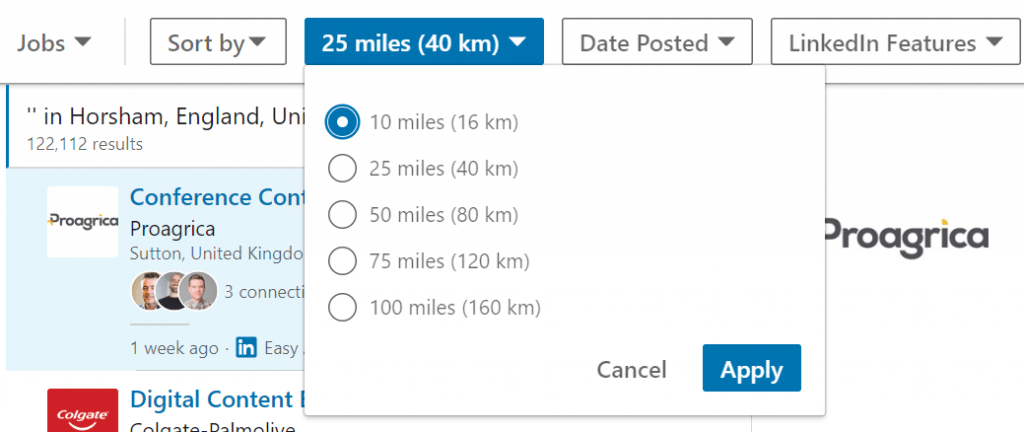
- Filter Your Results: Filter your results by factors such as location, industry, or company size to narrow down your options.
Step 6: Find Jobs With The Keyword
One of the most effective ways to search for jobs on LinkedIn is by using keywords. By including relevant keywords in your job search, you’ll be able to find opportunities that match your skills and experience.
- Use Relevant Keywords: Use relevant keywords such as “marketing,” “sales,” or “management” to find job opportunities.
- Filter Your Results: Filter your results by factors such as location, industry, or company size to narrow down your options.
Step 7: Write Articles on Linkedin
Writing articles on LinkedIn is a great way to establish yourself as an expert in your field and showcase your skills. By sharing your knowledge with others, you’ll increase the visibility of your profile and make it more likely that recruiters will find you.
- Use Relevant Keywords: Use relevant keywords such as “marketing,” “sales,” or “management” to attract readers who are interested in your topic.
- Share Your Articles: Share your articles on social media platforms or with your connections to increase their visibility.
Conclusion
Searching for jobs on LinkedIn doesn’t have to be a daunting task. By following these steps, you’ll be able to create a profile that showcases your skills and experience, organize your information, ask for referrals, share your profile, search for jobs, find jobs with the keyword, and write articles on LinkedIn.
Frequently Asked Questions
- How do I Create a Profile on Linkedin?
To create a profile on LinkedIn, simply sign up for an account, add a photo, and fill out your basic information. - What Are The Benefits of Using Keywords in my Job Search?
Using relevant keywords in your job search will make it easier to find opportunities that match your skills and experience. - How do I Ask For Referrals on Linkedin?
To ask for referrals on LinkedIn, simply send a message to your connections asking them to refer you to job opportunities or people in their network. - What Are The Benefits of Sharing my Profile on Social Media Platforms?
Sharing your profile on social media platforms will increase its visibility and make it more likely that recruiters will find you. - How do I Search For Jobs on Linkedin?
To search for jobs on LinkedIn, simply use relevant keywords in your job search and filter your results by factors such as location, industry, or company size. - What Are The Benefits of Writing Articles on Linkedin?
Writing articles on LinkedIn will help you establish yourself as an expert in your field and showcase your skills. - How do I Share my Articles on Social Media Platforms?
To share your articles on social media platforms, simply click the “share” button and select the platform you want to share it on.
I hope this article has been helpful in guiding you through the process of searching for jobs on LinkedIn. Remember to always follow these steps to increase your chances of finding a job that matches your skills and experience.


