
The Ultimate Guide to Zip Files: Top Programs And Services
Are you tired of sending multiple files as separate attachments via email? Do you want to save time and effort by compressing your files into a single zip file? Look no further! In this article, we will explore the best programs and services for zipping files on Windows, macOS, and Linux.
The Benefits of Zip Files
Before we dive into the top programs and services, let’s quickly discuss the benefits of using zip files. Zipping your files reduces their size, making it easier to send them via email or share them online. It also helps to save storage space on your computer or external hard drive. With a zip file, you can compress multiple files into one, reducing clutter and organization issues.
Top Programs For Zipping Files on Windows
- 7-Zip: This is the most popular and widely used program for zipping files on Windows. It’s free, open-source, and supports various compression formats, including ZIP, 7Z, TAR, GZIP, BZIP2, DMG, and ISO.
- Download: Www.7-Zip.Org
- Features: High compression ratio, support for multiple compression formats, password protection
- Winzip: Another popular program for zipping files on Windows, WinZip is user-friendly and supports various file formats.
- Download: Www.Winzip.Com
- Features: User-friendly interface, support for multiple file formats, encryption
Top Programs For Zipping Files on Macos
- The Unarchiver: This program allows you to create zip files and supports various compression formats.
- Download: Www.Theunarchiver.Com
- Features: Support for multiple compression formats, password protection
- Keka: A free and open-source program for zipping files on macOS, Keka supports various compression formats, including ZIP, 7Z, TAR, GZIP, BZIP2, DMG, and ISO.
- Download: Www.Keka.Io
- Features: Support for multiple compression formats, password protection
Top Services For Zipping Files Online
- Ezyzip: A web-based service that allows you to create zip files directly from your browser without installing any software.
- Website: Www.Ezyzip.Com
- Features: Support for multiple file formats, password protection
- Cloudconvert: A universal converter that supports various file formats, including ZIP.
- Website: Www.Cloudconvert.Com
- Features: Support for multiple file formats, password protection
Apps For Zipping Files on Mobile Devices
- Winzip (Android/iOS): A popular app for zipping files on Android and iOS devices.
- Download: Www.Winzip.Com/mobile
- Features: Support for multiple file formats, password protection
- Zarchiver (Android): An app for zipping files on Android devices that supports various compression formats.
- Download: Play.Google.Com/store/apps/details?id=com.Zarchiver
- Features: Support for multiple compression formats, password protection
- Izip (iOS/iPadOS): An app for zipping files on iOS and iPadOS devices that supports various compression formats.
- Download: Www.Izip.Com
- Features: Support for multiple compression formats, password protection
Conclusion
In conclusion, there are many programs and services available for zipping files on Windows, macOS, Linux, Android, iOS, and iPadOS devices. Whether you’re looking for a free and open-source program or a user-friendly app, we’ve got you covered.
Faqs
- What is The Best Program For Zipping Files on Windows?
- 7-Zip is the most popular and widely used program for zipping files on Windows.
- Can I Zip Files Online Without Installing Software?
- Yes, services like ezyZip and CloudConvert allow you to create zip files directly from your browser without installing any software.
- What Are The Benefits of Using Zip Files?
- Zip files reduce file size, making it easier to send them via email or share them online. They also help save storage space on your computer or external hard drive.
- How do I Unzip a File?
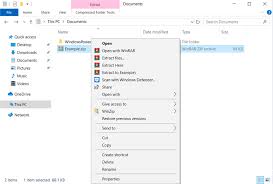
- To unzip a file, simply double-click on the zip file and select “Extract” or “Unzip” from the context menu.
- Can I Password Protect my Zip Files?
- Yes, many programs and services allow you to password protect your zip files for added security.
We hope this article has been helpful in finding the best program or service for zipping files on your device. Happy zipping!


