
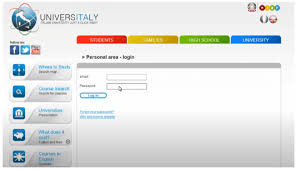
Accessing The Miur: A Step-by-step Guide
Are you interested in accessing the services provided by the Italian Ministry of Instruction and Merit (MIUR)? In this article, we will guide you through the process of registering on the MIUR website using SPID, CIE, or CNS.
What is Miur?
The MIUR is a ministry that oversees education and research in Italy. It provides various services for students, teachers, and parents, including access to educational resources, registration for schools, and payment of fees for school meals and extracurricular activities.
Why Do I Need to Register on The Miur Website?
Until February 2021, it was necessary to create an account on the MIUR website to access its services. However, with the introduction of the Decree Act Simplifications (D.L. 76/2020), This is no longer the case. Today, you can access the MIUR’s online services using SPID, CIE, or CNS.
How Do I Register on The Miur Website Using Spid?
To register on the MIUR website using SPID, follow these steps:
- Connect to the MIUR official website.
- Click on the “Access” button located in the top right corner.
- Select the “Area reserved” option.
- Choose the “Come with SPID” option and select your trusted identity provider (e.G., PosteID).
- Insert your SPID credentials in the designated fields and click on the “Accedi con SPID” button.
- If this is your first time using SPID to access MIUR services, you will be asked to accept the terms of service and confirm that you have read the privacy information.
How Do I Register on The Miur Website Without Spid?
If you do not have a SPID account, you can still register on the MIUR website using CIE or CNS. Here’s how:
- Connect to the MIUR official website.
- Click on the “Access” button located in the top right corner.
- Select the “Area reserved” option.
- Choose the “Come with CIE” option and insert your CIE credentials (level 1, 2, or 3) in the designated fields.
- Follow the prompts to complete the access process.
How Do I Register on The Miur Website For School Registration?
If you need to register your child for school using the MIUR website, follow these steps:
- Connect to the MIUR official website.
- Click on the “Access” button located in the top right corner.
- Select the “Area reserved” option.
- Choose the “Come with SPID,” “Come with CIE,” or “Come with CNS” option and complete the access process.
What Are The Benefits of Accessing Miur Services?
By accessing MIUR services, you can enjoy a range of benefits, including:
- Access to educational resources
- Registration for schools
- Payment of fees for school meals and extracurricular activities
Conclusion
In conclusion, registering on the MIUR website using SPID, CIE, or CNS is a straightforward process. By following these steps, you can access a range of services provided by the Italian Ministry of Instruction and Merit.
Frequently Asked Questions (FAQs)
- What is Spid?
SPID stands for Public System of Digital Identity, a system that allows citizens to identify themselves online. - How do I Obtain a Cie?
You can apply for a CIE at your local post office or online through the MIUR website. - What Are The Benefits of Using Cns?
CNS (National Card of Services) is an alternative to SPID that allows citizens to access public services online. - Can I Register my Child For School on The Miur Website?
Yes, you can register your child for school using the MIUR website by following the steps outlined above. - How do I Pay Fees For School Meals And Extracurricular Activities on The Miur Website?
You can pay fees for school meals and extracurricular activities online through the MIUR website using SPID, CIE, or CNS. - Is it Safe to Access Miur Services Online?
Yes, accessing MIUR services online is a secure process that protects your personal data. - Can I Access Miur Services on my Smartphone?
Yes, you can access MIUR services on your smartphone using the official MIUR app or by logging in through the website.
Additional Resources
If you need more information about registering on the MIUR website or accessing its services, we recommend checking out our additional resources:
- Miur Official Website: The official website of the Italian Ministry of Instruction and Merit.
- Spid User Guide: A comprehensive guide to using SPID for online access to public services.
- Cie Application Form: An application form for a CIE (Card of Electronic Identity).
- Cns Guide: A guide to using CNS for online access to public services.
We hope this article has been helpful in guiding you through the process of accessing MIUR services. If you have any further questions or need additional assistance, please don’t hesitate to contact us!


