
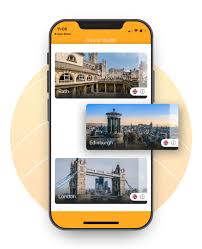
Exploring The Best Apps For Touring Cities: A Guide to Planning Your Trip
Are you planning a vacation but struggling to decide on what tour to take? Do you fear missing out on any notable landmarks or memorials in a country where you’ve never been before? Look no further! In this article, we’ll explore the best apps for touring cities, which can help you plan your trip with ease and ensure that you don’t miss out on any must-see attractions.
The Benefits of Using City Touring Apps
Using city touring apps has numerous benefits. Not only do they provide you with detailed information about various landmarks and memorials, but they also allow you to explore cities in total autonomy. These apps offer a range of features, including:
- Detailed maps and guides
- Reviews and tips from other travelers
- The ability to save places of interest and create customized lists
- Offline maps for use when internet connectivity is limited
Google Maps: A Comprehensive City Touring App
One of the most popular city touring apps is Google Maps. This app provides users with detailed maps and guides, as well as reviews and tips from other travelers. With Google Maps, you can:
- Explore cities in total autonomy
- Save places of interest and create customized lists
- View maps and guides offline
- Get real-time traffic updates and directions
How to Use Google Maps For City Touring
To use Google Maps for city touring, follow these steps:
- Download the app from the Play Store or App Store.
- Activate location services on your device.
- Search for the city you’re interested in exploring.
- View maps and guides offline.
- Save places of interest and create customized lists.
Citymaps2go: A Powerful City Touring App
Another popular city touring app is CityMaps2Go. This app offers a range of features, including:
- Offline maps for use when internet connectivity is limited
- Detailed information about various landmarks and memorials
- The ability to save places of interest and create customized lists
- Integration with Wikipedia for additional information
How to Use Citymaps2go For City Touring
To use CityMaps2Go for city touring, follow these steps:
- Download the app from the Play Store or App Store.
- Search for the city you’re interested in exploring.
- View maps and guides offline.
- Save places of interest and create customized lists.
Smartguide: A Comprehensive Guide to City Touring
SmartGuide is another comprehensive guide to city touring. This app offers a range of features, including:
- Detailed information about various landmarks and memorials
- The ability to save places of interest and create customized lists
- Integration with Google Maps for additional directions
How to Use Smartguide For City Touring
To use SmartGuide for city touring, follow these steps:
- Download the app from the Play Store or App Store.
- Activate location services on your device.
- Search for the city you’re interested in exploring.
- View maps and guides offline.
- Save places of interest and create customized lists.
Other Apps For City Touring
In addition to Google Maps, CityMaps2Go, and SmartGuide, there are several other apps available for city touring. These include:
- GPSmyCity: A comprehensive guide to city touring
- Tripadvisor: A review-based app for city touring
- Visit To City: An app that helps you plan your days in voyage
- Tiqets: An app that offers discounts on appeals, museums, and activities
Conclusion
In conclusion, using a city touring app can be a great way to explore cities with ease. These apps offer a range of features, including detailed maps and guides, reviews and tips from other travelers, and the ability to save places of interest and create customized lists. Whether you’re planning a vacation or simply want to learn more about a new city, these apps are definitely worth considering.
Frequently Asked Questions (FAQs)
Q: What is the best app for city touring?
A: The best app for city touring depends on your personal preferences and needs. However, Google Maps, CityMaps2Go, and SmartGuide are popular options that offer a range of features.
Q: Can I use these apps offline?
A: Yes, many of these apps allow you to view maps and guides offline. This can be especially useful when internet connectivity is limited.
Q: How do I save places of interest on these apps?
A: To save places of interest on these apps, follow the steps outlined in each app’s guide.
Q: Can I create customized lists on these apps?
A: Yes, many of these apps allow you to create customized lists of places of interest.
Q: Do these apps offer discounts on appeals, museums, and activities?
A: Some of these apps, such as Tiqets, do offer discounts on appeals, museums, and activities. However, this feature may not be available in all countries or cities.
Q: Can I use these apps to plan my days in voyage?
A: Yes, some of these apps, such as Visit To City, can help you plan your days in voyage.
Q: Are these apps free to download?
A: Some of these apps are free to download, while others may require a purchase or subscription.


