
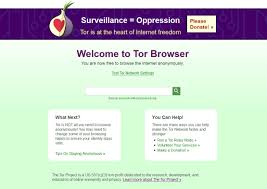
Unlocking Anonymity: A Guide to Capsizing IP With Tor
Are you curious about the world of anonymous browsing? Do you want to explore the depths of the internet without being tracked or censored? Look no further! In this article, we’ll delve into the fascinating realm of Tor and show you how to capsise your IP address for a safer and more private online experience.
What is Tor And Why Should You Care?
Tor (The Onion Router) is a free system that allows users to browse the internet anonymously by routing their traffic through a network of volunteer-run servers. This creates a virtual circuit that encrypts your data, making it difficult for anyone to track your online activities. Think of it like sending an onion-layered package – each layer adds another level of protection!
How Does Tor Work?
Imagine you’re sending a message to a friend who lives in another city. Normally, the message would be sent directly from your mailbox to theirs. But with Tor, the message is first sent to a nearby volunteer-run server (a “node”), which then forwards it to another node in a different location, and so on. This way, even if someone tries to intercept your message, they’ll only see the final destination – not the original sender.
Capsizing IP With Tor: A Step-by-step Guide
Windows Users
If you’re using Windows, follow these easy steps:
- Download the Tor Browser from the official website.
- Open the downloaded file and click on “OK” to begin the installation process.
- Choose a folder to extract the files and click on “Install and Close.”
- Double-click on the Tor Browser icon to start it up.
- Click on the “Connect” button to establish your connection to the Tor network.
- Wait for the browser to open, then check your new IP address using a site like WhatIsMyIPAddress.
Macos Users
If you’re using macOS, follow these steps:
- Download the Tor Browser from the official website.
- Open the downloaded file and click on “Open” to begin the installation process.
- Drag the Tor Browser icon to your Applications folder.
- Double-click on the Tor Browser icon to start it up.
- Click on the “Connect” button to establish your connection to the Tor network.
- Wait for the browser to open, then check your new IP address using a site like WhatIsMyIPAddress.
Android And Ios Users
If you’re using an Android or iOS device, follow these steps:
- Download the official Tor Browser app from the Google Play Store (for Android) or the App Store (for iOS).
- Open the app and follow the on-screen instructions to set it up.
- Click on the “Connect” button to establish your connection to the Tor network.
- Wait for the browser to open, then check your new IP address using a site like WhatIsMyIPAddress.
Tor vs Vpn: Which is Better?
While both Tor and VPNs offer anonymity and security features, they serve different purposes:
- Tor: Focuses on anonymous browsing and protects your IP address from being tracked.
- Vpn: Creates a secure and encrypted connection between your device and the internet, protecting data transmission.
If you’re looking for a more comprehensive security solution that goes beyond just browsing, consider using a VPN. However, if you want to maintain anonymity while surfing the web, Tor is an excellent choice.
Conclusion
Capsising IP with Tor is a straightforward process that can greatly enhance your online security and anonymity. By following these step-by-step guides for Windows, macOS, Android, and iOS devices, you’ll be well on your way to exploring the internet without fear of being tracked or censored. Remember to always use caution when engaging in online activities, and consider using a VPN if you need more comprehensive protection.
Frequently Asked Questions (FAQs)
-
What is Tor?
Tor is a free system that allows users to browse the internet anonymously by routing their traffic through a network of volunteer-run servers.
2. How Does Tor Work?Imagine sending an onion-layered package – each layer adds another level of protection! The message is first sent to a nearby volunteer-run server (a “node”), which then forwards it to another node in a different location, and so on.
3. What Are The Benefits of Using Tor?The benefits of using Tor include anonymity, security, and access to censored content.
4. Is Tor Safe?Yes, Tor is generally considered safe to use. However, it’s always important to exercise caution when engaging in online activities.
5. Can I Use Tor on my Smartphone?Yes, you can use Tor on your Android or iOS device by downloading the official app from the Google Play Store (for Android) or the App Store (for iOS).
6. What is a Vpn And How Does it Differ From Tor?A VPN creates a secure and encrypted connection between your device and the internet, protecting data transmission. It’s more comprehensive than Tor in terms of security features but less focused on anonymity.
7. Do I Need to Use Both Tor And a Vpn For Maximum Security?While it’s possible to use both, you may not necessarily need them simultaneously. If you’re looking for anonymous browsing, Tor might suffice; if you want comprehensive protection beyond just browsing, consider using a VPN instead.


