
Creating Perfect Photo Montages: A Step-by-step Guide
Are you looking to create stunning photo montages like a pro? Look no further! In this article, we’ll take you through the process of creating perfect photo montages using various software and online tools.
What is a Photo Montage?
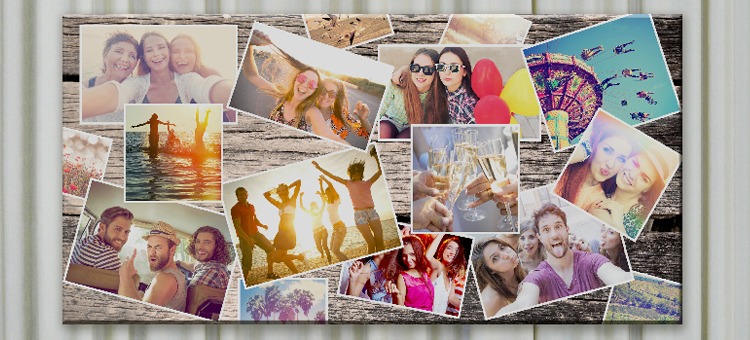
A photo montage is a composite image created by combining multiple photos into one. It’s a great way to tell a story, convey emotions, or simply create something visually appealing.
Software For Creating Photo Montages
There are many software options available for creating photo montages, ranging from free and open-source to paid and professional-grade.
Photoshop (Windows/macOS)
The first program we’ll be covering is Photoshop, the industry-standard image editing software. To create a photo montage in Photoshop, follow these steps:
- Open Photoshop and select “File” > “Open” to load your images.
- Choose the image you want to use as the base for your montage.
- Select “File” > “Open” again and choose the second image you want to add.
- Use the “Selection” tool to isolate the subject from its background.
- Create a new layer and paste the second image into it.
- Adjust the layers and settings as needed to create your desired montage.
Gimp (Windows/macOS/Linux)
GIMP is another popular free and open-source software option for creating photo montages. Here’s how to use GIMP:
- Open GIMP and select “File” > “Open” to load your images.
- Choose the image you want to use as the base for your montage.
- Select “File” > “Open” again and choose the second image you want to add.
- Use the “Selection” tool to isolate the subject from its background.
- Create a new layer and paste the second image into it.
- Adjust the layers and settings as needed to create your desired montage.
Other Software Options
There are many other software options available for creating photo montages, including:
- Photodirector: A user-friendly software that allows you to add multiple images, adjust settings, and export your finished product.
- Paint.Net: A free image editing software that offers various tools and filters for enhancing your photos.
- Coreldraw Graphics Suite: A professional-grade software that includes a range of tools for graphic design, photo editing, and more.
Online Tools For Creating Photo Montages
If you prefer not to download software or want a more convenient option, there are many online tools available for creating photo montages. Some popular options include:
Photofunia
PhotoFunia is an online platform that allows you to create stunning photo montages using various effects and filters.
- Visit the PhotoFunia website.
- Choose the type of montage you want to create.
- Upload your images and select the effects you’d like to use.
- Adjust settings as needed and export your finished product.
Loonapix
LoonaPix is another online platform that offers a range of tools for creating photo montages, including effects, filters, and more.
- Visit the LoonaPix website.
- Choose the type of montage you want to create.
- Upload your images and select the effects you’d like to use.
- Adjust settings as needed and export your finished product.
Pho.to
Pho.To is an online platform that allows you to create stunning photo montages using various effects and filters.
- Visit the Pho.To website.
- Choose the type of montage you want to create.
- Upload your images and select the effects you’d like to use.
- Adjust settings as needed and export your finished product.
Pixiz
Pixiz is an online platform that offers a range of tools for creating photo montages, including effects, filters, and more.
- Visit the Pixiz website.
- Choose the type of montage you want to create.
- Upload your images and select the effects you’d like to use.
- Adjust settings as needed and export your finished product.
Mobile Apps For Creating Photo Montages
If you prefer to work on-the-go, there are many mobile apps available for creating photo montages. Some popular options include:
Photodirector (Android/iOS/iPadOS)
PhotoDirector is a user-friendly app that allows you to add multiple images, adjust settings, and export your finished product.
- Download the PhotoDirector app from the App Store or Google Play.
- Choose the type of montage you want to create.
- Upload your images and select the effects you’d like to use.
- Adjust settings as needed and export your finished product.
Snapchat (Android/iOS/iPadOS)
Snapchat is a popular social media app that offers various filters and effects for creating photo montages.
- Download the Snapchat app from the App Store or Google Play.
- Choose the type of montage you want to create.
- Upload your images and select the effects you’d like to use.
- Adjust settings as needed and export your finished product.
Photo Lab (Android/iOS/iPadOS)
Photo Lab is a mobile app that allows you to add multiple images, adjust settings, and export your finished product.
- Download the Photo Lab app from the App Store or Google Play.
- Choose the type of montage you want to create.
- Upload your images and select the effects you’d like to use.
- Adjust settings as needed and export your finished product.
By following these steps and using the software and online tools mentioned above, you’ll be well on your way to creating perfect photo montages that will impress anyone.
Conclusion
Creating photo montages is an art form that requires patience, creativity, and practice. With the right software and online tools, you can create stunning images that will wow anyone. Whether you’re a beginner or a seasoned pro, there’s something for everyone in this article. So go ahead, experiment with different techniques and software options, and have fun creating your own photo montages!
Frequently Asked Questions
- Q: What is The Best Software For Creating Photo Montages?
A: The best software for creating photo montages depends on personal preference and skill level. Some popular options include Adobe Photoshop, GIMP, PhotoDirector, Paint.NET, and CorelDRAW Graphics Suite. - Q: How do I Create a Photo Montage Online?
A: There are many online platforms available for creating photo montages, including PhotoFunia, LoonaPix, Pho.To, Pixiz, and more. Simply upload your images, select the effects you’d like to use, and adjust settings as needed. - Q: Can I Create a Photo Montage on my Mobile Device?
A: Yes! There are many mobile apps available for creating photo montages, including PhotoDirector, Snapchat, and Photo Lab. Simply download the app, upload your images, select the effects you’d like to use, and adjust settings as needed.
Conclusion
Creating photo montages is an art form that requires patience, creativity, and practice. With the right software and online tools, you can create stunning images that will wow anyone. Whether you’re a beginner or a seasoned pro, there’s something for everyone in this article. So go ahead, experiment with different techniques and software options, and have fun creating your own photo montages!


