
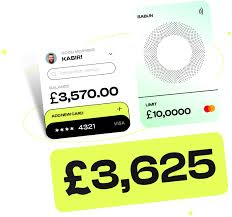
How to Access Your Postepay Account: A Step-by-step Guide
Are you a proud owner of a Postepay card? Do you want to know how to access your account, check your balance, and manage your transactions? Look no further! In this comprehensive guide, we’ll walk you through the process of accessing your Postepay account using both computer and mobile devices.
What is Postepay?
Before we dive into the nitty-gritty, let’s quickly recap what Postepay is. A Postepay card is a prepaid card issued by Italian Mail, which allows you to make payments in Italy and abroad, as well as at postal offices throughout Italy. There are two types of Postepay cards: Standard and Evolution. The Standard card does not require linking to your bank account, while the Evolution card comes with an IBAN (International Bank Account Number) and can be used for online transactions.
Accessing Your Postepay Account From a Computer
To access your Postepay account from a computer, follow these steps:
- Open a Web Browser: Go to the official Postepay website using any web browser on your computer.
- Log in to Your Account: Click on the “Personal Area” button on the top right corner of the page and enter your username and password.
- Access Your Balance And Transactions: Once logged in, you’ll see your current balance, available funds, and recent transactions.
Using The Postepay App
If you prefer to access your account using a mobile app, here’s how:
- Download The Postepay App: Open the Play Store (for Android devices) or the App Store (for iOS devices), search for “Postepay,” and install the app.
- Log in to Your Account: Enter your username and password, or use your SPID (Italian Public Spid) credentials.
- Access Your Balance And Transactions: Once logged in, you’ll see your current balance, available funds, and recent transactions.
Key Differences Between Postepay Types
Before we proceed, it’s essential to note that there are two types of Postepay cards: Standard and Evolution. While the Standard card is useful for making payments at postal offices and in Italy, the Evolution card comes with an IBAN and can be used for online transactions.
Accessing Your Postepay Evolution Account
To access your Postepay Evolution account, follow these steps:
- Log in to Your Account: Use the same login process as described earlier.
- Check Your Balance And Transactions: Once logged in, you’ll see your current balance, available funds, and recent transactions.
Tips And Resources
Need more information on how to manage your Postepay account? Here are some additional resources:
Conclusion
Accessing your Postepay account is a straightforward process that can be completed using either a computer or mobile device. By following the steps outlined in this guide, you’ll be able to check your balance, manage your transactions, and make informed decisions about your finances.
Frequently Asked Questions (FAQs)
Q: What is the difference between Postepay Standard and Evolution cards?
A: The Postepay Standard card does not require linking to a bank account, while the Postepay Evolution card comes with an IBAN and can be used for online transactions.
Q: Can I use my Postepay card abroad?
A: Yes, you can use your Postepay card to make payments in Italy and abroad at postal offices throughout Italy.
Q: How do I recover my password if I forget it?
A: Follow the guide on how to recover your password Postepay for assistance.


