
How to Use QR Codes: A Comprehensive Guide
Are you curious about how to use QR codes on your smartphone, tablet, or PC? You’re in the right place! In this article, we’ll explore various ways to scan and generate QR codes using different apps and services.
What is a QR Code?
A QR code (Quick Response code) is a two-dimensional barcode that contains information such as text, URLs, or contact details. It’s used for instant access to websites, social media profiles, events, or even product information.
Why Use QR Codes?
QR codes offer many benefits:
- Easy Sharing: Share content with others by scanning the code.
- Instant Access: Access information without typing long URLs or passwords.
- Contact Management: Store contact details and share them easily.
- Event Promotion: Promote events and registrations quickly.
Using QR Codes on Android Devices
If you’re using an Android device, there are several ways to scan and generate QR codes:
Binary Eye (Android)
This free app is available on the Google Play Store. To use it:
- Download and install Binary Eye from the Play Store.
- Open the app and grant camera permissions.
- Scan a QR code by positioning it within the square frame.
- To generate a QR code, tap the “+” icon in the top-right corner, select “QR Code” from the menu, enter the text or URL, and share or save it.
Native Scanning Feature (Android)
Many Android devices have a built-in scanning feature accessible via the global search bar. Check your device’s instructions for more information.
Using QR Codes on Ios Devices
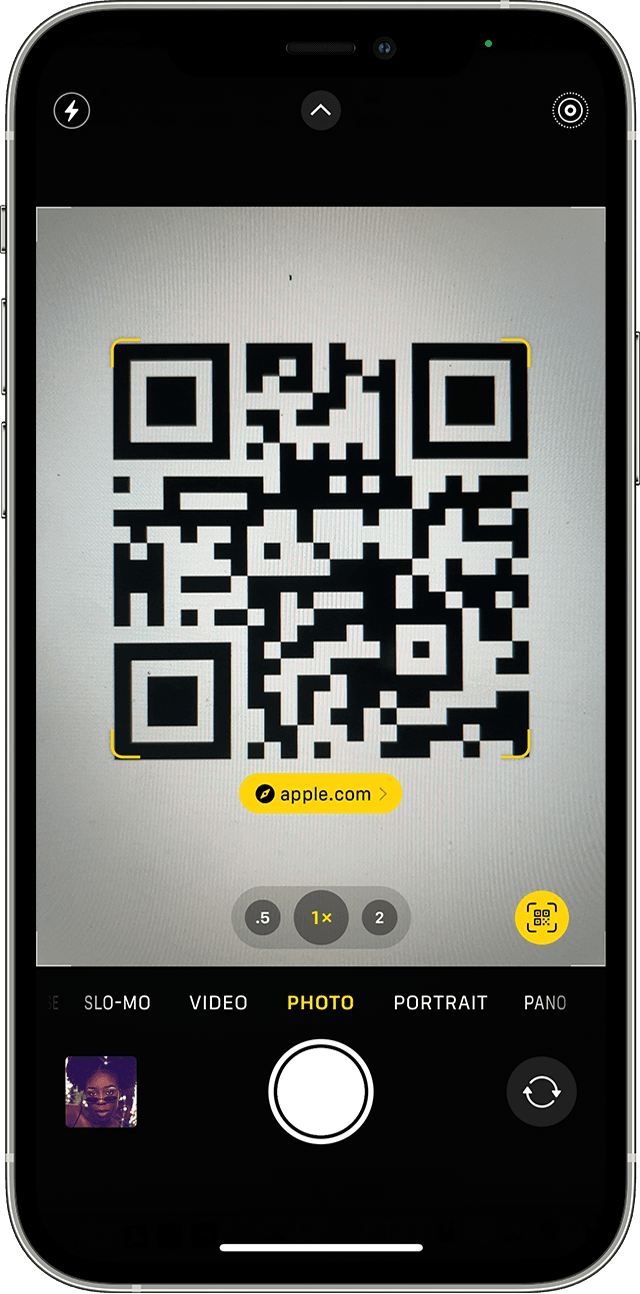
If you’re using an iPhone or iPad:
- Open the Camera app.
- Position the QR code within the frame.
- The content will be displayed automatically in the viewer.
Web QR (Online)
Want to scan QR codes without downloading an app? Try Web QR, a web-based service that allows you to read QR codes using your PC’s webcam and a modern browser.
- Visit the Web QR website and authorize camera access.
- Scan a QR code by positioning it within the frame.
- The content will be displayed automatically in the viewer.
QR Stuff (Online)
This online service offers various features, including:
- Free QR Code Generation: Create static or dynamic QR codes with customizable styles.
- QR Code Scanner: Scan and view QR code contents directly on your PC.
- Webcam-based Scanning: Use the webcam to scan QR codes without downloading an app.
Using QR Codes in Real-life Situations
QR codes are widely used in various industries:
- Posteid (Italy): Access public administration services, such as utility payments and tax returns, using this service.
- Green Pass (Italy): Verify the authenticity of the “green certificate” on the national territory using this app.
Conclusion
In conclusion, QR codes offer a convenient way to share information, access content, and manage contacts. With various apps and services available, you can choose the one that suits your needs best. Remember to always use reputable sources and follow safety guidelines when scanning or generating QR codes.
Frequently Asked Questions (FAQs)
- Q: What is a QR Code?
A: A QR code is a two-dimensional barcode containing information such as text, URLs, or contact details. - Q: How do I Scan a QR Code on my Android Device?
A: Use the Binary Eye app or check if your device has a native scanning feature accessible via the global search bar. - Q: Can I Use Web QR to Scan QR Codes Online?
A: Yes, visit the Web QR website and authorize camera access to scan QR codes using your PC’s webcam. - Q: What is The Difference Between Static And Dynamic QR Codes?
A: Static QR codes remain unchanged after generation, while dynamic QR codes can be updated in real-time without generating a new code. - Q: How do I Create a QR Code With QR Stuff?
A: Visit the QR Stuff website, select the desired content type (e.G., URL, text), and customize the style to generate a QR code.
By answering these questions, you should now have a better understanding of how to use QR codes in various situations. Happy scanning!


