
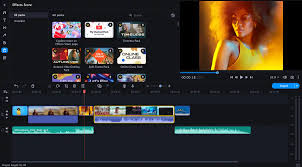
How to Create a Special Video With Photos: A Step-by-step Guide
Are you looking for a way to create a special video with photos that will make your memories last forever? Look no further! In this article, we will guide you through the process of creating a beautiful video with photos using various programs and applications.
What is a Photo Video?
A photo video is a digital video that combines a series of photos set to music. It’s a great way to preserve memories, tell stories, and even create short films. With the rise of smartphones and social media, making a photo video has become easier than ever.
Programs to Create a Photo Video: Windows And Macos
If you’re using a PC or Mac, there are several programs that can help you create a photo video. Here are some popular options:
- Microsoft Clipchamp: This is a free program developed by Microsoft that allows you to create a photo video with ease.
- Imovie: If you have a Mac, iMovie is a great option for creating a photo video. It’s free and comes pre-installed on your computer.
Other Programs to Create a Photo Video: Windows And Macos
If you’re looking for other options, here are some programs that can help you create a photo video:
- Wondershare Filmora: This is a user-friendly program that allows you to create a photo video with ease.
- Davinci Resolve: If you want to edit your photos and videos like a pro, DaVinci Resolve is a great option.
Creating a Photo Video Online
If you don’t have a PC or Mac, you can still create a photo video online using services like Canva. This is a free platform that allows you to create a photo video without any software installation.
Creating a Photo Video on Your Mobile Device
If you’re using a smartphone or tablet, there are several apps that can help you create a photo video. Here are some popular options:
- Capcut: This is a free app for Android and iOS devices that allows you to create a photo video with ease.
- Splice: If you have an iPhone or iPad, Splice is a great option for creating a photo video.
Tips And Tricks
Here are some tips and tricks to help you create a special photo video:
- Use music that complements your photos.
- Experiment with different transitions and effects.
- Don’t be afraid to add text or other elements to make your video more engaging.
Conclusion
Creating a photo video is easier than ever, thanks to the many programs and apps available. Whether you’re using a PC, Mac, or mobile device, there’s an option for everyone. Remember to have fun and experiment with different techniques to create a special video that will be cherished for years to come.
Frequently Asked Questions
Here are some frequently asked questions about creating a photo video:
- Q: What is The Best Program For Creating a Photo Video?
A: The best program for creating a photo video depends on your device and personal preferences. Some popular options include Microsoft Clipchamp, iMovie, Wondershare Filmora, and DaVinci Resolve. - Q: Can I Create a Photo Video Online?
A: Yes, you can create a photo video online using services like Canva. - Q: What is The Best App For Creating a Photo Video on my Mobile Device?
A: The best app for creating a photo video on your mobile device depends on your device and personal preferences. Some popular options include CapCut and Splice.
Additional Resources
If you’re looking for more information on creating a photo video, here are some additional resources to check out:
- Microsoft Clipchamp Tutorial: This is a step-by-step guide on how to use Microsoft Clipchamp to create a photo video.
- Imovie Tutorial: This is a step-by-step guide on how to use iMovie to create a photo video.
- Canva Tutorial: This is a step-by-step guide on how to use Canva to create a photo video.


