
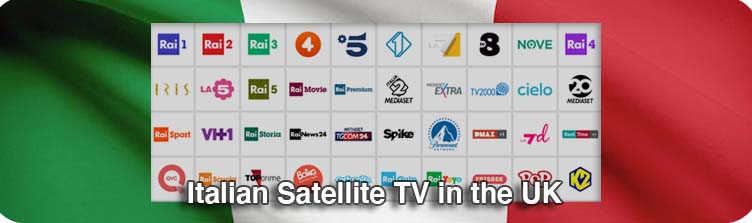
How to Watch Rai 4: A Step-by-step Guide
Are you interested in watching Rai 4, but unsure how to do so? Look no further! In this article, we will guide you through the various ways to access Rai 4, including TV, digital terrestrial, satellite, and streaming options.
What is Rai 4?
Rai 4 is a popular Italian television channel that offers a wide range of programs, including documentaries, movies, and entertainment shows. It is part of the Rai group, which is the public broadcasting service in Italy.
Watching Rai 4 on TV
If you have a TV with a digital terrestrial tuner, you can watch Rai 4 by tuning to the correct channel (21). However, if your TV does not have this feature or you are using an old decoder, you may need to upgrade to a new device that supports DVB-T2/HEVC technology.
Watching Rai 4 on Digital Terrestrial
To watch Rai 4 on digital terrestrial, you will need a TV or decoder that is compatible with the MPEG-4 standard. This standard was adopted by Rai and other Italian broadcasters in 2021, so make sure your device is updated to receive these channels.
If you are having trouble tuning into Rai 4, check that:
- Your antenna is working correctly
- The frequencies are set correctly on your decoder
- You have the latest software updates installed
Watching Rai 4 on Satellite
If you have a satellite dish and decoder, you can watch Rai 4 by following these steps:
- Check that your decoder is compatible with DVB-S2 technology.
- Tune to the correct channel (10) using the *tvùsat platform.
- Make sure your decoder has the latest software updates installed.
Watching Rai 4 on Sky
To watch Rai 4 on Sky, follow these steps:
- Ensure that your Sky decoder is connected to the antenna of the digital terrestrial TV.
- Tune to channel 5021 using your Sky remote control.
- Make sure you have the correct settings and software updates installed.
Watching Rai 4 in High Definition
Rai 4 offers some programs in high definition (HD), but these are only available on specific channels, such as MUX 5. Check the frequency and channel numbers to receive HD content.
If you’re interested in watching Rai 4 in original language, follow these steps:
- Access the menu on your TV or decoder.
- Select the “Audio” option.
- Choose the original language option (where available).
Watching Rai 4 Online
You can watch Rai 4 online through various streaming options, including:
- Raiplay: Download and install the app from the Microsoft Store (for Windows) or Apple App Store (for iOS devices).
- Smart TV: If your TV is smart-enabled, you can download and install the RaiPlay app directly onto your device.
- Streaming Devices: Use a streaming device like Chromecast, Fire TV Stick, or Android TV Box to access Rai 4 on your big screen.
Tips For Watching Rai 4
Remember:
- Always check that your decoder and antenna are working correctly before tuning into Rai 4.
- Make sure you have the latest software updates installed to receive new content.
- If you’re having trouble accessing a particular channel, try restarting your TV or decoder.
By following these steps and tips, you’ll be able to enjoy your favorite shows on Rai 4, whether you prefer watching on TV, online, or through streaming devices.
Faqs
Q: How do I watch Rai 4 on my TV?
A: Check that your TV is connected to a digital terrestrial signal and has the correct frequencies set. You can also check if your TV has a satellite tuner for access to Rai 4 via *tvùsat.
Q: What is the difference between DVB-T2 and MPEG-4?
A: DVB-T2 (Digital Video Broadcasting-Two) is a more advanced digital video broadcasting standard than MPEG-4. While both formats offer high-quality video, DVB-T2 provides better error correction and support for HD content.
Q: Can I watch Rai 4 on my smartphone or tablet?
A: Yes! Download the RaiPlay app from your device’s store to access live and on-demand content.
Q: What streaming devices can I use to watch Rai 4?
A: Chromecast, Fire TV Stick, Android TV Box, and Apple TV are just a few options for streaming Rai 4 directly onto your big screen.
Q: Can I record programs from Rai 4?
A: Yes! Use the RaiPlay app or other recording software to capture your favorite shows.


