
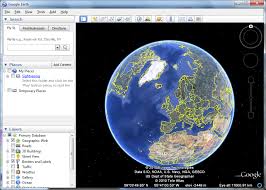
Google Earth – Download: A Comprehensive Guide
Are you ready to explore the world from the comfort of your own home? Look no further than Google Earth, a free software that allows you to travel virtually anywhere in the world using images and aerial photographs taken by satellites. In this article, we will guide you through the process of downloading and installing Google Earth on your computer or mobile device.
Google Earth: A Powerful Tool
Google Earth is more than just a mapping tool – it’s a powerful application that can help you visualize cities, roads, and buildings in 3D. With Street View, you can even walk around places and explore them as if you were there in person. Whether you’re a traveler, researcher, or simply someone who loves to explore new places, Google Earth is an essential tool that you won’t want to miss.
Minimum Requirements
Before you start downloading Google Earth, make sure your device meets the minimum requirements. For Windows users, you’ll need:
- Windows 7 or later
- 1 GHz processor (2 GHz dual-core or higher recommended)
- 2 GB RAM (4 GB recommended)
- 2 GB available hard drive space
- Internet connection
For macOS users, you’ll need:
- MacOS 10.8 Or later
- Intel 64-bit processor
- 2 GB RAM (4 GB recommended)
- 2 GB available hard drive space
- Internet connection
Downloading Google Earth
Now that we’ve covered the minimum requirements, let’s move on to the download process.
Google Earth – Download: Windows
- Go to the Google Earth website and click on the “Download Google Earth Pro” button.
- Click on the “Download” button to initiate the download process.
- Once the download is complete, open the file and follow the installation instructions.
Google Earth – Download: Macos
- Go to the Google Earth website and click on the “Download Google Earth Pro for Mac” button.
- Open the downloaded file and double-click on it to initiate the installation process.
- Follow the instructions to install Google Earth on your Mac.
Google Earth – Download: Android
- Go to the Google Play Store and search for “Google Earth”.
- Click on the “Install” button to download and install Google Earth on your device.
- Once installed, you can launch Google Earth from your app drawer or home screen.
Google Earth – Download: Ios/ipados
- Open the App Store and search for “Google Earth”.
- Click on the “Get” button to download and install Google Earth on your device.
- Once installed, you can launch Google Earth from your home screen.
Getting Started With Google Earth
Now that you have Google Earth installed on your device, it’s time to get started! Here are some tips to help you make the most out of this powerful tool:
- Use the mouse or touch interface to navigate through cities and places.
- Zoom in and out using the zoom controls.
- Use Street View to walk around places and explore them as if you were there in person.
Google Earth: A Must-have Tool
In conclusion, Google Earth is a must-have tool for anyone who loves to explore new places, research destinations, or simply wants to visualize cities and buildings in 3D. With its powerful features and user-friendly interface, it’s easy to see why Google Earth has become a staple of modern technology.
Frequently Asked Questions (FAQs)
- What is Google Earth?
Google Earth is a free software that allows you to travel virtually anywhere in the world using images and aerial photographs taken by satellites.
- What Are The Minimum Requirements For Downloading Google Earth?
The minimum requirements vary depending on your device, but generally include a Windows 7 or later operating system, 1 GHz processor, 2 GB RAM, and 2 GB available hard drive space.
- How do I Download Google Earth?
You can download Google Earth from the official website by clicking on the “Download” button and following the installation instructions.
- Is Google Earth Available For Mobile Devices?
Yes, Google Earth is available for both Android and iOS/iPadOS devices.
- What Are Some of The Key Features of Google Earth?
Some of the key features of Google Earth include Street View, 3D visualization, and navigation through cities and places.
- Can I Walk Around Places Using Google Earth?
Yes, you can use Street View to walk around places and explore them as if you were there in person.
- Is Google Earth Free?
Yes, Google Earth is a free software that can be downloaded from the official website.
- How do I Get Started With Google Earth?
To get started with Google Earth, simply follow the installation instructions, navigate through cities and places using the mouse or touch interface, and use Street View to walk around places.


