
How to Delete a Youtube Video Without an Account: A Step-by-step Guide
Are you facing a situation where you need to delete a YouTube video without having access to the account associated with it? This can be a frustrating experience, but don’t worry; we’ve got you covered. In this article, we’ll walk you through the steps to delete a video from YouTube without an account.
Why Would You Need to Delete a Video Without an Account?
There are several reasons why you might need to delete a video from YouTube without having access to the associated account. Perhaps the video was uploaded by someone else and contains content that is not suitable for public viewing. Maybe you’re trying to remove a video that violates copyright laws or contains sensitive information.
Reporting Copyright Infringement
If the video in question infringes on your copyright, you can use YouTube’s form to report the issue. Here’s how:
- Go to the YouTube Copyright Form.
- Select “Copyright” as the reason for reporting.
- Provide the URL of the video and a detailed description of why it infringes on your copyright.
Reporting Inappropriate Content
If you’ve come across a YouTube video that contains content that is not suitable for public viewing, such as violent or repugnant material, you can report it using the following steps:
- Open the YouTube app on your mobile device.
- Tap on the three dots under the video player.
- Select “Report” from the dropdown menu.
- Choose a reason for reporting, such as “Violent or repugnant content.”
- Fill out the required fields and submit your report.
Recovering a Forgotten Account
If you’re unable to access the account associated with the video you want to delete, you can try recovering it using these steps:
- Go to the Google Account Recovery Page.
- Select “Next” and follow the prompts.
- If necessary, provide additional information to verify your identity.
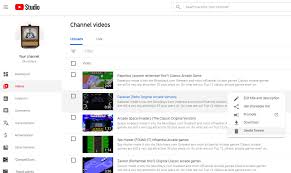
Deleting a Video From Your Channel
If you have access to the account associated with the video, but need help deleting it, here’s what you can do:
- Sign in to your YouTube account.
- Click on the gear icon next to the video title.
- Select “Delete” and confirm that you want to delete the video.
Conclusion
Deleting a YouTube video without an account can be challenging, but it’s not impossible. By following these steps, you should be able to report copyright infringement or inappropriate content, recover a forgotten account, or delete a video from your channel.
Frequently Asked Questions
- What Happens if I Report a Video That Doesn’t Violate Youtube’s Policies?
- If the reported video is reviewed and deemed not to violate any YouTube policies, no further action will be taken.
- How Long Does it Take For Youtube to Review a Reported Video?
- The review process can take anywhere from a few hours to several days or even weeks, depending on the complexity of the case.
- Can I Delete a Video That Has Been Removed Due to Copyright Infringement?
- Yes, if you’re the owner of the content being infringed upon, you can contact YouTube’s copyright department and request removal of the infringing video.
- What Happens if I’m Unable to Recover my Forgotten Account?
- If you’re unable to recover your account through the standard process, you may need to contact Google’s customer support for further assistance.
Additional Resources


