
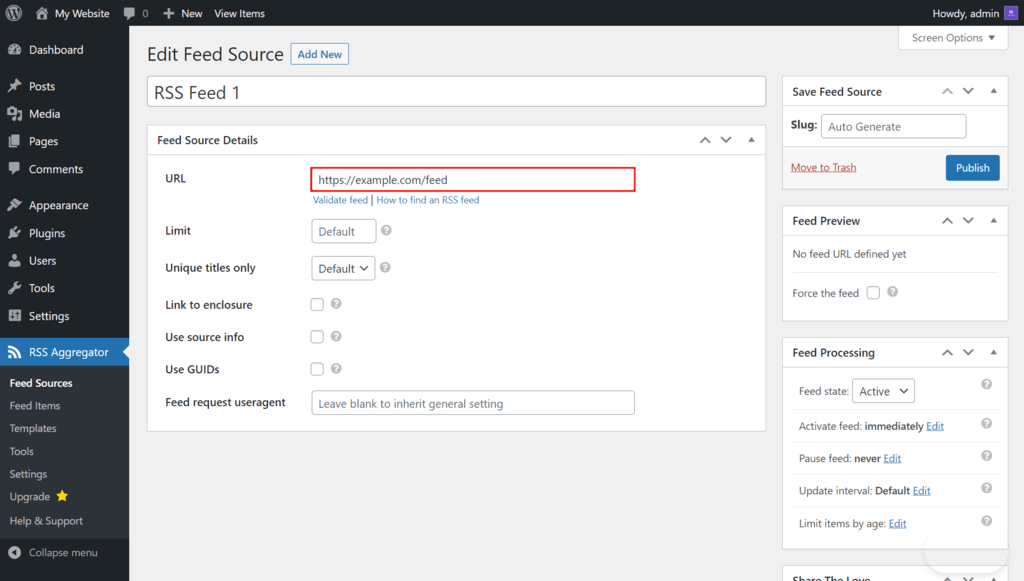
How to Create a Feed Rss: A Step-by-step Guide
Are you looking for ways to enhance your website’s functionality? Do you want to make it easier for users to access your content without having to visit your site directly? Look no further than creating a Feed RSS!
In this article, we will guide you through the process of creating a Feed RSS, exploring various services that can help you achieve this goal. Whether you’re a blogger, podcaster, or simply want to make your website more engaging, we’ve got you covered.
What is Feed Rss?
Feed RSS (Really Simple Syndication) is a format for delivering regularly updated content from a website in a standardized way. It allows users to subscribe to your feed and receive updates directly in their favorite news reader or app. This feature is particularly useful for bloggers, podcasters, and online publications that want to reach a wider audience.
Why Create a Feed Rss?
Creating a Feed RSS can bring numerous benefits to your website:
- Increased Engagement: By making it easy for users to access your content, you’ll see an increase in engagement and readership.
- Improved Seo: A well-optimized Feed RSS can improve your search engine rankings by providing a clear and concise summary of your content.
- Enhanced User Experience: Users will appreciate the ability to subscribe to your feed and receive updates without having to visit your site directly.
Step-by-step Guide to Creating a Feed Rss
In this section, we’ll explore various services that can help you create a Feed RSS for your website or podcast.
Newsloth
The first service on our list is Newsloth, which offers a Feed Builder feature. To get started:
- Sign up for a free trial using the “Sign Up” button.
- Select the type of subscription you prefer (Essential or Professional).
- Enter your email address and click on the “Sign Up” button.
- Click on the “Add some” button to add your website’s source feed.
- Select the relevant titles and click on the “Save source” button.
Your Feed RSS is now saved, and you can modify it at any time. You can also choose to create a feed compatible with services like Feedly by clicking on the “Feed options” menu.
Rapidfeeds
Rapidfeeds is another service that can help you create a Feed RSS for your website. To get started:
- Sign up for a free trial using the “Sign Up” button.
- Select the type of subscription you prefer (Basic or Enterprise).
- Enter your email address and password, then click on the “Sign Up” button.
- Click on the “Get Started” button to create a new feed.
- Enter the title, link, and description for your feed.
- Click on the “Create Feed” button.
Your Feed RSS is now created, and you can modify it at any time. You can also integrate it into your website by clicking on the applicable button.
Fivefilters
Fivefilters offers a Feed Creator feature that’s easy to use and accessible through their website. To get started:
- Sign up for a free trial using the “Sign Up” button.
- Select the type of subscription you prefer (Premium or Free).
- Click on the “Go to Feed Creator” button.
- Enter your website’s link in the relevant section.
- Click on the “Preview” button to see a trailer of your feed.
Copy and paste the HTML code provided to integrate it into your website.
Kill The Newsletter!
Kill The Newsletter! is another service that can help you create a Feed RSS for your podcast or website. To get started:
- Enter the name of your newsletter (to your liking).
- Click on the “Create Inbox” button.
- Select one of the two options provided (Sign up for the newsletter with a link or Subscribe to the Atom feed at followed by an XML file).
- Copy and paste the link provided into your favorite news reader or app.
How to Create a Feed Rss For Your Podcast
If you’re a podcaster, creating a Feed RSS is easier than ever! Use Rss.Com, which allows you to create a podcast feed with ease:
- Sign up for a free trial using the “Sign Up” button.
- Select the type of subscription you prefer (Free or Premium).
- Enter your email address and password, then click on the “Sign Up” button.
- Click on the “Recorded Free” button to create a new podcast feed.
- Enter the title, description, link, and image cover art for your podcast.
- Select the category and subcategory that best fit your podcast.
- Start adding episodes by clicking on the “New episode” button.
- Click on the “RSS Feed” button to gain access to your podcast’s feed.
Conclusion
Creating a Feed RSS is an excellent way to enhance your website’s functionality, improve user experience, and increase engagement. With various services like Newsloth, Rapidfeeds, Fivefilters, Kill the Newsletter!, and RSS.Com available, you can easily create a Feed RSS for your website or podcast.
By following these step-by-step guides, you’ll be able to make the most out of this feature and provide your users with an improved experience.
Frequently Asked Questions
- Q: What is Feed Rss?
A: Feed RSS (Really Simple Syndication) is a format for delivering regularly updated content from a website in a standardized way. - Q: Why Create a Feed Rss?
A: Creating a Feed RSS can increase engagement, improve SEO, and enhance user experience. - Q: Which Services Can Help me Create a Feed Rss?
A: Newsloth, Rapidfeeds, Fivefilters, Kill the Newsletter!, and RSS.Com are some of the services that offer Feed RSS creation capabilities.
We hope this article has provided you with a comprehensive guide to creating a Feed RSS for your website or podcast. Happy publishing!


