
Blocking Advertising on Youtube: A Comprehensive Guide
Are you tired of being bombarded by ads on YouTube? Do you want to enjoy your favorite videos without interruptions? Look no further! In this article, we will guide you through the process of blocking advertising on YouTube.
Why Block Advertising on Youtube?
YouTube is one of the most popular platforms for entertainment, with millions of users worldwide. However, as the platform’s popularity grew, so did the number of ads. While some users may find these ads annoying, others may see them as a necessary evil to fund their favorite creators. But what if you could enjoy your YouTube experience without these pesky ads?
How to Block Advertising on Youtube
Fortunately, there are several ways to block advertising on YouTube. Here are some options:
Blocking Ads on Pc
To block ads on your PC, follow these steps:
- Open YouTube and click on the three dots in the top right corner.
- Click on “Settings” and select “Video quality.”
- Choose a lower video quality to reduce ad load.
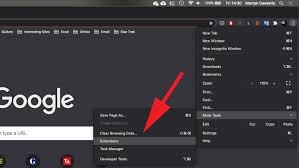
Alternatively, you can use an ad blocker extension like AdBlock or uBlock Origin.
Blocking Ads on Mobile (Android And Ios)
To block ads on your mobile device:
- Open the YouTube app and go to Settings.
- Scroll down to “Ad preferences” and select “Don’t show this ad again.”
- You can also use an ad blocker app like AdGuard or Blocker.
Blocking Ads on TV (Smart Tv)
If you’re using a Smart TV, follow these steps:
- Open the YouTube app and go to Settings.
- Scroll down to “Ad preferences” and select “Don’t show this ad again.”
- You can also use an ad blocker device like AdGuard.
Youtube Premium: The Ultimate Solution
But wait, there’s a better way! YouTube Premium is a subscription-based service that offers ad-free videos, exclusive content, and more. Here are some benefits of subscribing to YouTube Premium:
- Ad-free Videos: Enjoy your favorite videos without ads.
- Background Play: Watch videos in the background while using other apps.
- Offline Videos: Download videos for offline viewing.
- Youtube Music: Ad-free music streaming.
How Much Does Youtube Premium Cost?
The prices for YouTube Premium vary depending on your location and the type of subscription you choose:
- Individual Plan: $11.99/Month
- Family Plan: $17.99/Month (up to 6 accounts)
- Student Plan: $6.99/Month (with valid student ID)
Conclusion
Blocking advertising on YouTube is easier than you think! Whether you use a PC, mobile device, or Smart TV, there are ways to minimize ad interruptions. However, for the ultimate ad-free experience, consider subscribing to YouTube Premium. With its exclusive content and features, it’s definitely worth considering.
Frequently Asked Questions (FAQs)
- Q: Can I Block Ads on Youtube Without a Subscription?
A: Yes, you can use an ad blocker extension or app to block ads. - Q: How Much Does Youtube Premium Cost?
A: The prices for YouTube Premium vary depending on your location and the type of subscription you choose. - Q: Can I Cancel my Youtube Premium Subscription at Any Time?
A: Yes, you can cancel your subscription at any time. - Q: What Are The Benefits of Using an ad Blocker Extension or App?
A: Ad blockers can reduce ad load and improve browsing experience. - Q: Is Youtube Premium Available in All Countries?
A: No, YouTube Premium is not available in all countries. Check their website for more information. - Q: Can I Use Multiple Devices With a Single Youtube Premium Subscription?
A: Yes, you can use up to 6 accounts with a Family Plan subscription. - Q: How do I Cancel my ad Blocker Extension or App?
A: Follow the instructions provided by your browser or device. - Q: Can I Get a Refund For my Youtube Premium Subscription?
A: Check their website for more information on refunds and cancellations.
Note: The prices mentioned above may vary depending on your location and the type of subscription you choose.


