
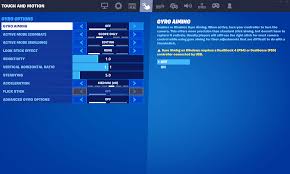
The Ultimate Guide to Better Settings For Fortnite
Are you a seasoned gamer looking to take your Fortnite gameplay to the next level? Do you want to know the secrets to dominating the competition in Battle Royale mode? Look no further! In this article, we’ll explore the best settings for Fortnite on PC, console, and mobile devices.
Understanding The Importance of Settings
Before we dive into the nitty-gritty details, it’s essential to understand why settings matter. The right settings can make a significant difference in your gaming experience, improving performance, graphics quality, and overall gameplay.
Best Settings For Fortnite on PC
If you’re playing Fortnite on PC, here are some essential settings to consider:
- Mouse Sensitivity: Adjust the mouse sensitivity to suit your playstyle. Most pro players prefer a higher sensitivity setting (around 8-9) for faster aiming.
- Cursor Speed: Set the cursor speed to around 800 DPI for smooth and precise movements.
- Keybinds: Assign keybinds for specific actions, such as building or shooting. This can help you react faster and more accurately in intense situations.
- Graphics Settings: Lowering graphics settings can improve performance, but be aware that this may compromise visual quality.
Best Settings For Fortnite on Console
If you’re playing Fortnite on console, here are some key settings to consider:
- Controller Sensitivity: Adjust the controller sensitivity to suit your playstyle.
- Visual Sensitivity: Set the visual sensitivity to around 4, and adjust the range multipliers to 2,0x for better aim control.
- Deadzone: Experiment with different deadzone settings to find the sweet spot that works best for you.
Best Settings For Fortnite on Mobile
If you’re playing Fortnite on mobile devices, here are some essential settings to consider:
- Tap Sensitivity: Adjust the tap sensitivity to suit your playstyle.
- Controller Layout: Experiment with different controller layouts to find the one that feels most comfortable and intuitive.
- Graphics Settings: Lowering graphics settings can improve performance, but be aware that this may compromise visual quality.
Tips For Competitive Players
As a competitive player, it’s essential to have a solid grasp of the game mechanics and settings. Here are some additional tips:
- Master Your Keybinds: Learn the optimal keybinds for specific actions, such as building or shooting.
- Experiment With Different Settings: Try out different settings to find what works best for you.
- Stay Up-to-date: Regularly check for updates and patches that may affect your settings.
Conclusion
In conclusion, having the right settings can make a significant difference in your Fortnite gameplay experience. By following these tips and experimenting with different settings, you’ll be well on your way to dominating the competition and becoming a pro player.
Frequently Asked Questions (FAQs)
- What Are The Best Settings For Fortnite on Pc?
The best settings for Fortnite on PC depend on individual playstyle preferences, but generally include higher mouse sensitivity, faster cursor speed, and optimized keybinds.
- How do I Improve my Aim in Fortnite?
To improve your aim in Fortnite, focus on adjusting your mouse sensitivity, practicing with different aiming techniques, and experimenting with visual sensitivity settings.
- What Are The Best Graphics Settings For Fortnite on Console?
Lowering graphics settings can improve performance on console devices, but be aware that this may compromise visual quality.
- How do I Customize my Controller Layout in Fortnite?
To customize your controller layout in Fortnite, experiment with different button assignments and sensitivity settings to find what works best for you.
- Can I Use a Third-party Controller With Fortnite?
Yes, many third-party controllers are compatible with Fortnite on console devices.
- What Are The Benefits of Using a High-end Gaming Mouse With Fortnite?
Using a high-end gaming mouse can provide faster cursor speeds, improved accuracy, and enhanced overall gaming experience in Fortnite.
- How Often Should I Update my Settings in Fortnite?
Regularly check for updates and patches that may affect your settings to ensure optimal performance.
- What Are The Best Settings For Mobile Devices Playing Fortnite?
Adjust tap sensitivity, experiment with different controller layouts, and lower graphics settings as needed to optimize gameplay on mobile devices.


