
The Ultimate Guide to Finding Your Lost Iphone: Tips And Tricks
Are you tired of worrying about losing your iPhone? Do you find yourself panicking at the thought of not being able to locate it? Well, you’re in luck! In this article, we’ll provide you with the ultimate guide on how to find your lost iPhone using various apps and methods.
The Official Apple App: Find My Iphone
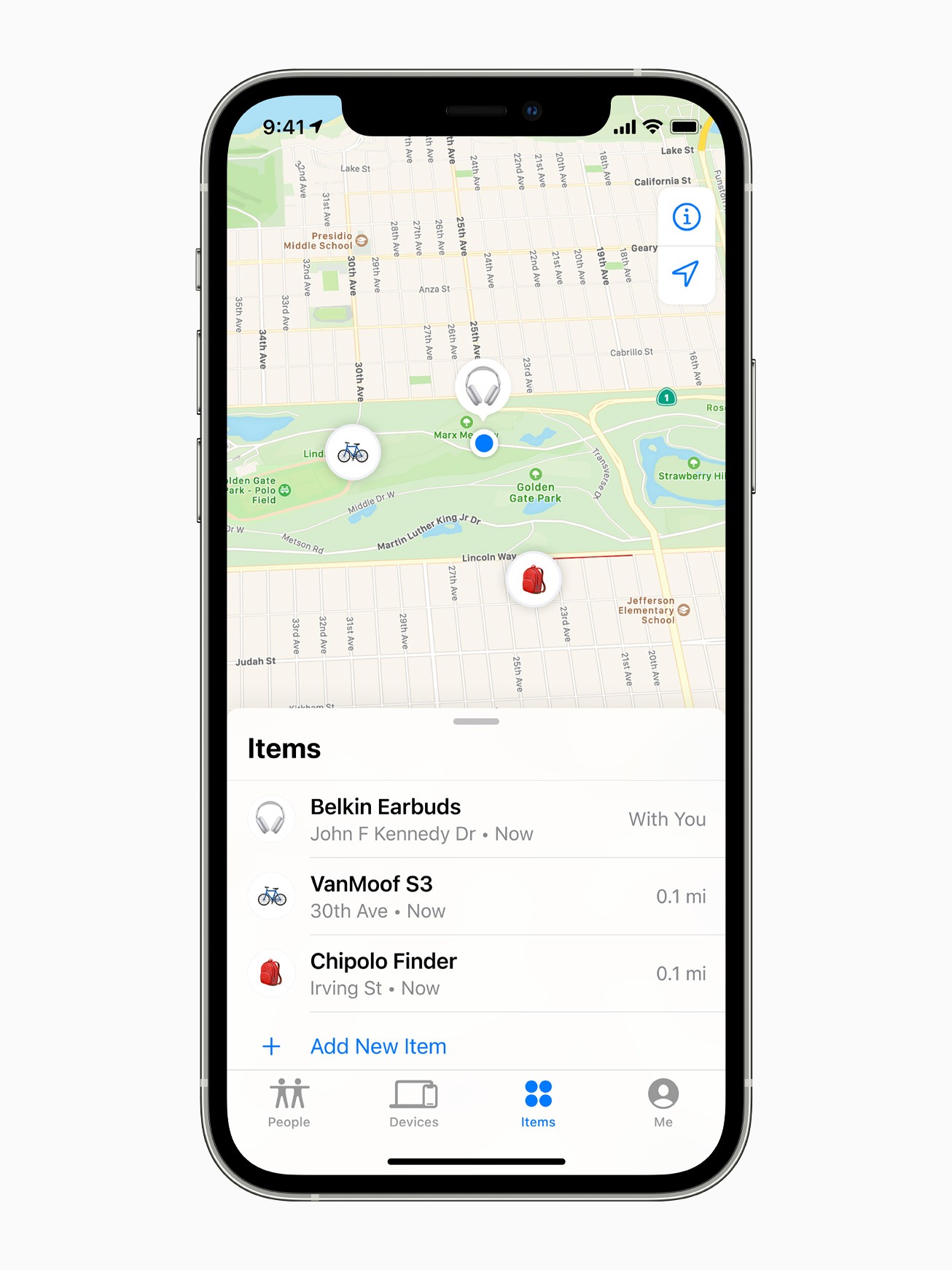
Before we dive into other apps, let’s talk about the official Apple app that can help you locate your iPhone. The “Find My” app is a free service that allows you to track the location of your iPhone, iPad, Mac, or Apple Watch. To use this app, make sure your device has an active internet connection and that you’ve enabled the “Share my Location” feature.
Here’s how to set it up:
- Open the Settings app on your iPhone.
- Tap on [your name] > Find My > Find My iPhone.
- Ensure that the toggle next to “Find My iPhone” is turned ON.
- Also, make sure the toggle next to “Share my Location” is turned ON.
Now, let’s talk about how to use the Find My app to locate your iPhone:
- Open the Find My app on your Mac or PC browser.
- Sign in with your Apple ID and password.
- The app will show you a map of your device’s location.
- If you want to narrow down the search, tap on “All Devices” > [your iPhone’s name] > [your iPhone’s location].
Other Helpful Apps to Locate Your Iphone
If you’re not satisfied with Apple’s Find My app or if you need more features, there are other apps that can help you locate your iPhone. Here are some of our top picks:
- Qustodio: This app is designed for parents who want to monitor their child’s online activity and location. It allows you to track the device’s location in real-time.
- Kroha: Another parental control app, Kroha allows you to locate your child’s device, set screen time limits, and block apps.
- Norton Family: This app provides a comprehensive solution for parents who want to monitor their child’s online activity. It includes features like location tracking, app blocking, and time management.
What Happens When Your Iphone Runs Out of Battery?
We’ve all been there – you’re out and about when your iPhone suddenly runs out of battery. Don’t worry; Apple’s Find My app can still help you locate it. However, this feature requires your device to have an active Bluetooth Low Energy (BLE) signal.
To use this feature:
- Ensure that your iPhone has the latest software version (iOS 15 or later).
- Make sure the chip of location U1 is present on your iPhone.
- Enable the “Find My” app and ensure that the toggle next to “Find My iPhone” is turned ON.
Tips For Locating a Lost Iphone
Here are some additional tips to help you locate your lost iPhone:
- Keep an eye out for your device in crowded areas, like malls or train stations.
- If you’re unable to find it, try using a map app to track its last known location.
- Don’t panic! Many people lose their iPhones and still manage to recover them.
Conclusion
Finding a lost iPhone can be stressful, but with the right apps and tips, it’s easier than ever. Remember to use Apple’s Find My app or other helpful apps like Qustodio, Kroha, or Norton Family to locate your device. Don’t forget to keep an eye out for your phone in crowded areas and try using a map app if you’re unable to find it.
Faqs
Q: What happens when my iPhone runs out of battery?
A: Apple’s Find My app can still help you locate it, but this feature requires an active Bluetooth Low Energy (BLE) signal.
Q: Do I need to pay for the apps mentioned in this article?
A: Some apps, like Qustodio and Kroha, require a subscription or payment. Norton Family is free, but its premium features require a paid plan.
Q: Can I use Apple’s Find My app on my PC browser?
A: Yes! You can sign in with your Apple ID and password to access the app.
Q: Will using one of these apps compromise my iPhone’s security?
A: No! These apps are designed to help you locate your device, not compromise its security.
Q: Can I use more than one app at a time to locate my iPhone?
A: Yes! You can use multiple apps simultaneously to increase the chances of finding your device.


