
Introducing Setapp: The Revolutionary Subscription-based Service For Mac Users
Are you tired of paying for individual apps, only to have them sit on your Mac, gathering dust? Do you wish there was a way to access a vast library of high-quality apps without breaking the bank? Look no further than Setapp, the innovative subscription-based service that’s changing the game for Mac users.
What is Setapp?
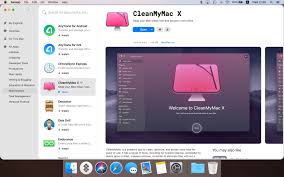
Setapp is a platform developed by MacPaw, the same company behind CleanMyMac X and other popular Mac optimization tools. This game-changing service allows you to access over 210 apps for both macOS and iOS/iPadOS without having to pay individual prices. With Setapp, you can enjoy the freedom to choose from an ever-growing library of professional-grade apps, all for a low monthly or annual fee.
How Does Setapp Work?
Signing up for Setapp is a breeze. Simply create an account on their official website, and you’ll be granted access to a vast array of apps. You can browse through the catalog, select the apps that suit your needs, and install them with ease. The best part? You can switch between different subscriptions, cancel at any time, or even upgrade to a family plan without hassle.
Features And Benefits
Setapp offers numerous benefits for Mac users:
- Huge Library: With over 210 apps to choose from, you’ll never run out of options.
- Cost-effective: Enjoy access to premium apps for a fraction of the cost.
- No Renewal Fees: Switch between subscriptions or cancel at any time without incurring renewal fees.
- Continuous Updates: The Setapp catalog is constantly updated with new and improved apps.
Popular Apps on Setapp
Some notable apps included in the Setapp library are:
- CleanMyMac X for optimization and cleaning
- Gemini for duplicate file removal
- Ulysses for professional writing
- IStat Menus for monitoring CPU, RAM, and other system components
- Meeter for online meetings
- Disk Drill for data recovery
- CleanShot X for professional screenshots
- RapidWeaver for website creation
Pricing Plans
Setapp offers various pricing plans to suit different needs:
- Monthly: $9.99/Month + VAT (drops to $8.99/Month with annual subscription)
- Annual: $8.99/Month + VAT (billed annually, saving 10% compared to the monthly plan)
- Family: $19.99/Month + VAT for four users, including one leader and three family members
Getting Started With Setapp
Ready to experience the convenience of Setapp? Here’s a step-by-step guide:
- Sign Up: Create an account on the official Setapp website.
- Download The Client: Get the Setapp client from their website.
- Install And Explore: Install the app, browse through the catalog, and start exploring.
Using Setapp on Iphone And Ipad
Setapp isn’t just limited to Mac; it also offers a range of iOS/iPadOS apps. To install them:
- Find Compatible Apps: Browse through the available apps for iOS/iPadOS.
- Install The App: Select an app, initiate the installation process on your iPhone or iPad.
Managing Your Subscription
You can manage your Setapp subscription easily:
- Cancel Renewal Fees: Disable automatic renewal to avoid any unexpected charges.
- Switch Between Subscriptions: Easily switch between different pricing plans.
- Add Extra Devices: Add devices to your account for an additional fee.
Troubleshooting And Support
Need help with Setapp? Visit their official support page or contact their team directly.
With its vast library of professional-grade apps, cost-effective pricing, and seamless management, Setapp is a game-changer for Mac users. Don’t miss out on this opportunity to elevate your productivity and enjoy the freedom of access to top-notch apps without breaking the bank.
Frequently Asked Questions
Q: What is Setapp?
A: Setapp is a subscription-based service that offers access to over 210 high-quality apps for both macOS and iOS/iPadOS.
Q: How much does it cost?
A: Pricing plans include $9.99/Month (dropping to $8.99/Month with annual subscription), $19.99/Month (family plan), and more.
Q: Can I cancel my subscription at any time?
A: Yes, you can switch between different pricing plans or cancel your subscription without incurring renewal fees.
Q: Do I need to install individual apps manually?
A: No, Setapp allows for easy installation of apps through the client.
Q: Are there any limitations on usage or features?
A: No, all apps are fully functional with no restrictions or limitations.
Q: Can I use Setapp on multiple devices?
A: Yes, you can associate up to two devices with your account and add extra devices for an additional fee.


