
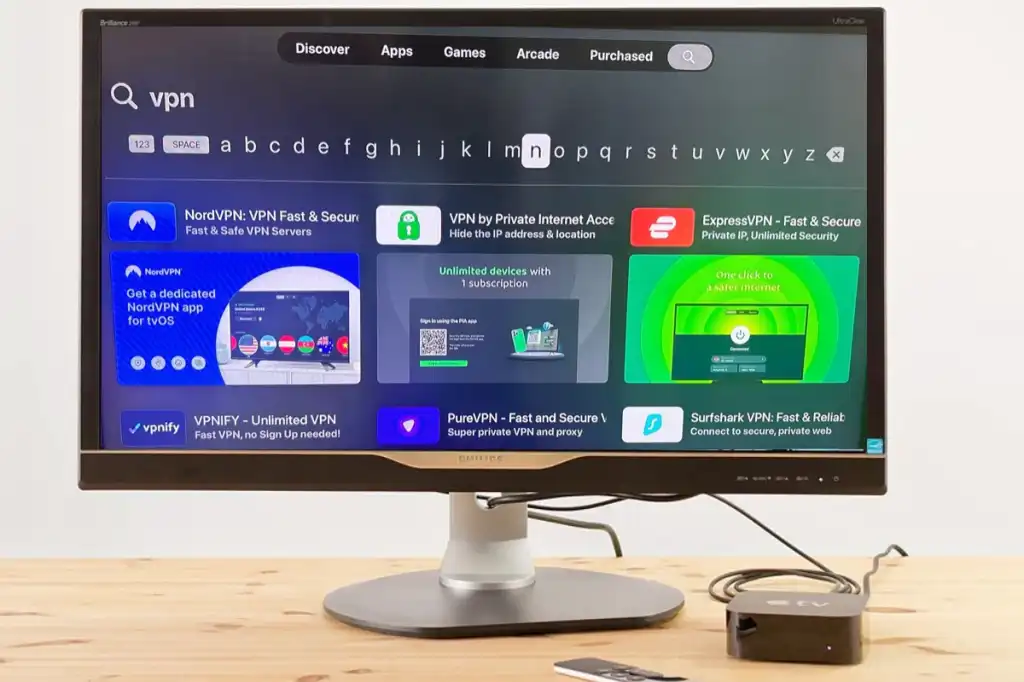
How to Use Vpn on Apple Tv: A Step-by-step Guide
Are you tired of being limited by geographical restrictions when using your favorite streaming apps on Apple TV? Do you want to access foreign catalogues, but don’t know how? Look no further! In this article, we’ll show you how to use a VPN on Apple TV, and why it’s essential for a seamless viewing experience.
What is a Vpn And Why Do I Need It?
A VPN (Virtual Private Network) is a “virtual private tunnel” that encrypts your connection, camouflages your geographic position, and allows you to bypass regional restrictions and censorships. With the latest versions of tvOS, you can now use a VPN on Apple TV by installing an app specifically designed for this purpose.
Why Use a Vpn on Apple Tv?
Using a VPN on Apple TV offers several benefits:
- Access Foreign Catalogues: Bypass geographical restrictions and access content not available in your region.
- Safer Connection: Encrypt your internet traffic to avoid unwanted tracking or data breaches.
- Faster Streaming: Optimize your streaming experience with minimal buffering and lag.
Top Vpns For Apple TV
We’ve selected the best VPN services compatible with Apple TV, ensuring a seamless viewing experience. Here are our top picks:
- Nordvpn
- Expressvpn
How to Use Nordvpn on Apple TV
To use NordVPN on Apple TV, follow these steps:
- Sign up for a NordVPN account on their official website.
- Download and install the NordVPN app from the App Store.
- Launch the app, sign in, and agree to the terms.
- Scan the QR code displayed on your TV using your smartphone or tablet.
- Complete the access process by entering the verification code shown on your Apple TV.
How to Use Expressvpn on Apple TV
To use ExpressVPN on Apple TV, follow these steps:
- Sign up for an ExpressVPN account on their official website.
- Download and install the ExpressVPN app from the App Store.
- Launch the app, sign in, and choose your preferred server location.
- Select the “Connect” button to activate your VPN connection.
Choosing The Right Vpn
When selecting a VPN service for Apple TV, consider the following factors:
- Server Locations: Opt for a VPN with servers in multiple countries to access various catalogues.
- Speed And Performance: Choose a VPN that prioritizes speed and minimizes lag.
- Security Features: Select a VPN that offers robust security features, such as encryption, kill switch, and password manager.
Frequently Asked Questions
- Q: What is The Best Vpn For Apple Tv?
A: Our top picks are NordVPN and ExpressVPN. - Q: How do I Install a Vpn on Apple Tv?
A: Download and install the app from the App Store, following the provided instructions. - Q: Can I Use Multiple Vpns on Apple Tv?
A: Yes, but ensure that each VPN is installed and functioning correctly. - Q: Will Using a Vpn Slow Down my Streaming Experience?
A: Most reputable VPNs are designed to optimize your streaming experience, with minimal impact on speed.
Conclusion
Using a VPN on Apple TV offers numerous benefits, including access to foreign catalogues, safer connections, and faster streaming. With our top picks – NordVPN and ExpressVPN – you can enjoy a seamless viewing experience without worrying about geographical restrictions or data breaches. Follow the step-by-step guides provided in this article to get started with your preferred VPN service today!
Best Vpns For Apple TV
- Nordvpn
- Expressvpn
How to Use Nordvpn on Apple TV
- Sign up for a NordVPN account
- Download and install the app from the App Store
- Launch the app, sign in, and agree to terms
- Scan the QR code displayed on your TV using your smartphone or tablet
- Complete access process by entering verification code shown on your Apple TV
How to Use Expressvpn on Apple TV
- Sign up for an ExpressVPN account
- Download and install the app from the App Store
- Launch the app, sign in, and choose preferred server location
- Select “Connect” button to activate VPN connection


