
How to Start a Conversation on Instagram: A Step-by-step Guide
Are you tired of swiping through Instagram without actually starting meaningful conversations? Look no further! In this article, we’ll guide you through the process of starting a conversation on Instagram with confidence and style.
Why Starting a Conversation on Instagram Matters
In today’s digital age, social media has become an integral part of our lives. With over 1 billion active users on Instagram alone, it’s no wonder why this platform has become a hotbed for connections and conversations. Whether you’re looking to start a conversation with someone new or simply want to deepen your relationships with existing friends, starting a conversation on Instagram can be a great way to break the ice.
Understanding Instagram’s Private Messaging System
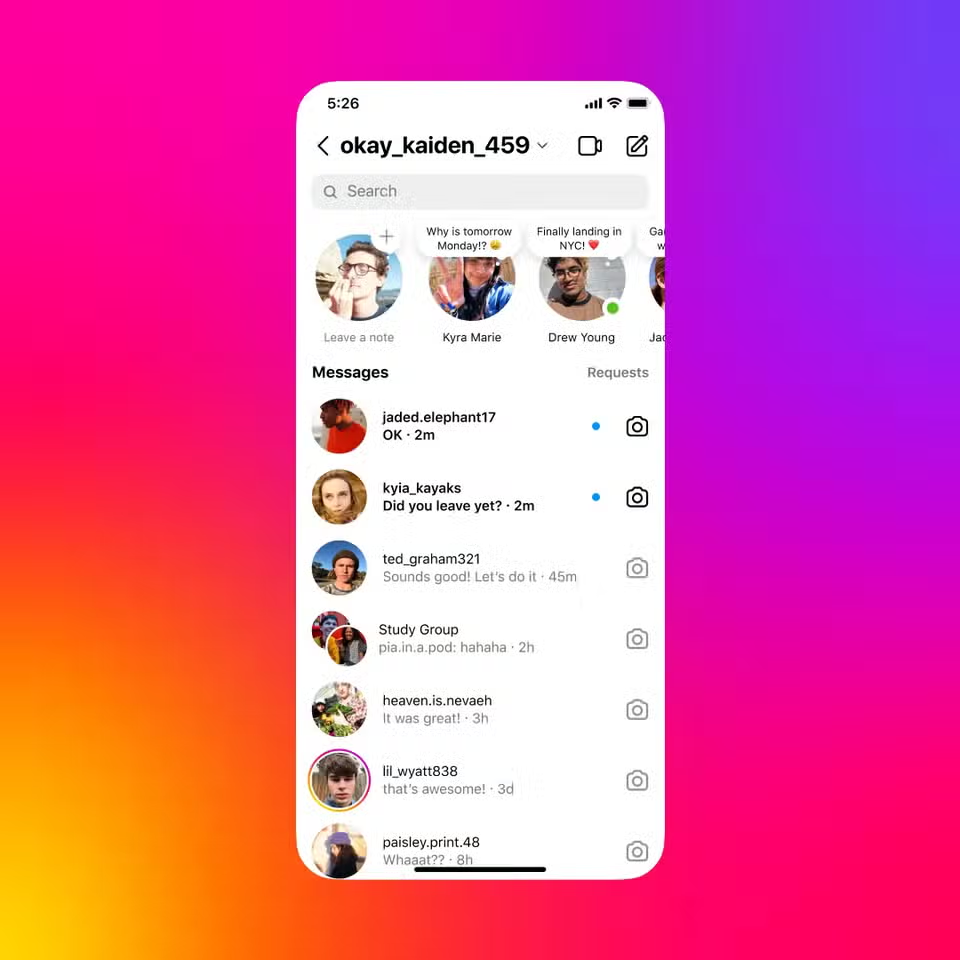
Before we dive into the nitty-gritty of starting a conversation on Instagram, let’s quickly review how their private messaging system works. To access the chat feature, follow these simple steps:
- Open Instagram: Launch the app and navigate to your home screen.
- Tap on The Chat Icon: Find the chat icon in the top right corner of your screen. This will take you to your direct messages section.
- Select a Contact: Choose the person you want to start a conversation with by tapping on their name or searching for them using the search bar.
How to Start a Conversation on Instagram
Now that we’ve covered the basics, let’s dive into the fun part – starting a conversation! Here are some tips and tricks to help you get started:
Tip 1: Use The Right Tone
When starting a conversation on Instagram, it’s essential to use a friendly and approachable tone. Avoid coming across as too formal or stiff, as this can put the other person off.
Tip 2: Take Cue From Their Content
Take a look at the person’s profile, including their bio, photos, and stories. This will give you an idea of what they’re interested in and what kind of conversation to have with them.
Tip 3: Be Original
Don’t be afraid to be creative when starting your message. Avoid using generic or overused phrases that might not resonate with the other person.
Tip 4: Use Emojis Wisely
Emojis can add a fun and playful touch to your messages, but use them sparingly to avoid coming across as immature or unprofessional.
How to Start a Conversation on Instagram With a Boy or Girl
When starting a conversation with someone you’re interested in, it’s essential to be respectful and considerate of their feelings. Here are some tips for starting a conversation on Instagram with a boy or girl:
Tip 1: Take Cue From Their Content
Just like with anyone else, take a look at the person’s profile and get an idea of what they’re interested in.
Tip 2: Be Respectful
Remember to be respectful and considerate when starting your message. Avoid coming across as too pushy or aggressive.
Tip 3: Use Humor Wisely
Humor can be a great way to break the ice, but use it sparingly to avoid coming across as immature or unprofessional.
How to Start a Conversation on Instagram From PC
Starting a conversation on Instagram from your PC is just as easy as starting one from your mobile device. Here’s how:
- Access Your Account: Log in to your Instagram account using your computer.
- Navigate to The Chat Section: Find the chat icon at the top of your screen and click on it.
- Select a Contact: Choose the person you want to start a conversation with by clicking on their name or searching for them using the search bar.
Frequently Asked Questions
Here are some frequently asked questions about starting a conversation on Instagram:
- Q: How do I Know if Someone is Interested in Starting a Conversation?
A: Pay attention to how they respond (or don’t respond) to your messages. - Q: What’s The Best Way to Start a Conversation With Someone You’ve Never Met Before?
A: Start by taking cue from their content and using a friendly, approachable tone. - Q: Can I Use Instagram’s Chat Feature on my Pc?
A: Yes! You can access the chat feature directly from your Instagram account on your computer.
Conclusion
Starting a conversation on Instagram doesn’t have to be intimidating or daunting. By following these simple steps and tips, you’ll be well on your way to breaking the ice with confidence and style. Remember to always be respectful, considerate, and original when starting a conversation, and don’t be afraid to show off your personality.
The Ultimate Guide to Starting a Conversation on Instagram
- How to Start a Conversation on Instagram: A Step-by-Step Guide
- Why Starting a Conversation on Instagram Matters
- Understanding Instagram’s Private Messaging System
- How to Start a Conversation on Instagram
- Tips And Tricks For Starting a Conversation on Instagram
- How to Start a Conversation on Instagram With a Boy or Girl
- How to Start a Conversation on Instagram From PC
- Frequently Asked Questions


