
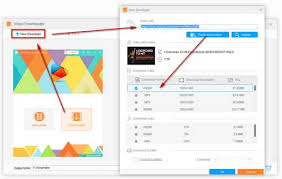
How to Save Video From Internet: A Comprehensive Guide
Are you tired of watching your favorite videos on the internet only to have them disappear into thin air? Do you wish you could save them for later, or even share them with friends and family? Look no further! In this article, we will explore the various ways to save video from the internet, whether you’re using a PC, Mac, Android, or iPhone.
Understanding Copyright Laws
Before we dive into the nitty-gritty of saving videos, it’s essential to understand that not all videos on the internet can be saved. Many videos are protected by copyright laws, which prohibit downloading and sharing without permission. Always check the website’s terms and conditions before attempting to save a video.
Saving Videos on PC
There are several ways to save videos on your PC:
Video Downloadhelper
This is a popular browser extension available for Google Chrome, Microsoft Edge, and Mozilla Firefox. It allows you to download videos from various websites, including YouTube, Vimeo, and more. Simply install the extension, select the video you want to download, and choose the format and quality you prefer.
Pros: Easy to use, supports multiple formats, free to use with limitations.
Cons: Limited functionality in free version, may not work on all websites.
Jdownloader
This is a free and open-source download manager that can save videos from various websites. It’s available for Windows, macOS, and Linux. Simply install the program, select the video you want to download, and choose the format and quality you prefer.
Pros: Free to use, supports multiple formats, no limitations.
Cons: May require technical knowledge, not as user-friendly as Video DownloadHelper.
Saving Videos on Mac
If you’re using a Mac, you can save videos using the same methods as PC users:
Video Downloadhelper
This extension is also available for Safari and Chrome browsers. Simply install the extension, select the video you want to download, and choose the format and quality you prefer.
Pros: Easy to use, supports multiple formats, free to use with limitations.
Cons: Limited functionality in free version, may not work on all websites.
Jdownloader
This download manager is also available for Mac. Simply install the program, select the video you want to download, and choose the format and quality you prefer.
Pros: Free to use, supports multiple formats, no limitations.
Cons: May require technical knowledge, not as user-friendly as Video DownloadHelper.
Saving Videos on Android
If you’re using an Android device, you can save videos using the Total app:
Total
This is a free app available on the Google Play Store and other alternative stores. Simply download and install the app, select the video you want to download, and choose the format and quality you prefer.
Pros: Easy to use, supports multiple formats, free to use.
Cons: May have limitations in free version, not as user-friendly as Video DownloadHelper.
Saving Videos on Iphone
If you’re using an iPhone, you can save videos using the Total app:
Total
This is a free app available on the App Store. Simply download and install the app, select the video you want to download, and choose the format and quality you prefer.
Pros: Easy to use, supports multiple formats, free to use.
Cons: May have limitations in free version, not as user-friendly as Video DownloadHelper.
Conclusion
Saving videos from the internet is a straightforward process that can be achieved using various methods. Whether you’re using a PC, Mac, Android, or iPhone, there are several apps and extensions available that can help you save your favorite videos for later. Remember to always check the website’s terms and conditions before attempting to save a video.
Frequently Asked Questions
- What is The Best Method For Saving Videos?
- The best method depends on your device and preferences. Video DownloadHelper and JDownloader are popular options for PC users, while Total is a great choice for Android and iPhone users.
- Are There Any Limitations to Saving Videos?
- Yes, many videos on the internet are protected by copyright laws, which prohibit downloading and sharing without permission.
- Can I Save Videos From All Websites?
- No, not all websites allow video downloadling. Some websites may have restrictions or limitations on downloading content.
- Is it Safe to Use These Methods?
- Yes, most of these methods are safe and secure. However, always be cautious when using third-party apps and extensions.
- Can I Save Videos in Different Formats?
- Yes, many of these methods allow you to choose the format and quality of the video you want to download.
- Are There Any Alternatives to Total?
- Yes, there are several alternative apps available for Android and iPhone users that can help you save videos.
- Can I Use These Methods on my Tablet or E-reader?
- Yes, many of these methods can be used on tablets and e-readers as well.
Conclusion
Saving videos from the internet is a simple process that can be achieved using various apps and extensions. Whether you’re using a PC, Mac, Android, or iPhone, there are several options available that can help you save your favorite videos for later. Always check the website’s terms and conditions before attempting to save a video, and remember to use caution when using third-party apps and extensions.


