
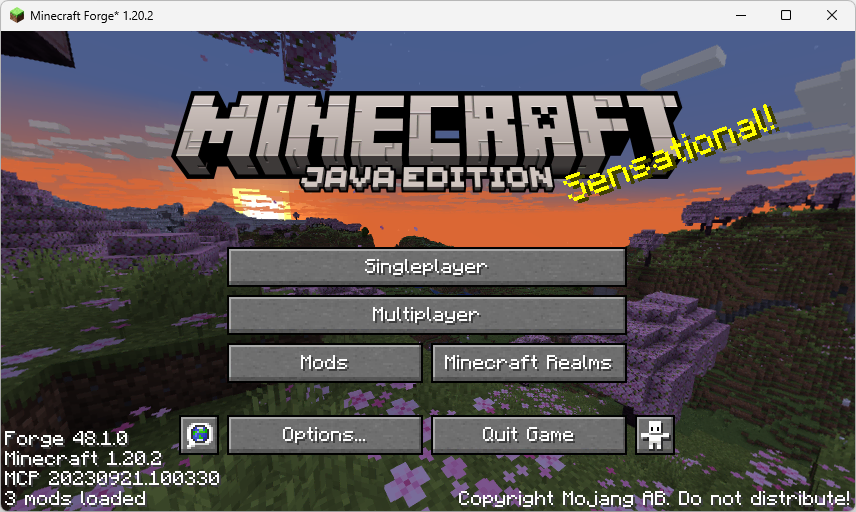
How to Download Mods on Minecraft: A Comprehensive Guide
Are you a Minecraft enthusiast looking to take your gaming experience to the next level? Look no further! In this article, we’ll guide you through the process of downloading mods on Minecraft, covering various platforms and versions.
What Are Mods?
Mods, or modifications, are custom-made content created by the community that can be installed on Minecraft to enhance gameplay. They can add new features, blocks, items, and even entire game modes. With mods, you can experience a whole new world of possibilities in the beloved sandbox game.
Downloading Mods on Minecraft Java Edition
If you’re playing Minecraft on PC with the Java Edition, follow these steps:
- Open Forge: Go to the official Forge website and download the latest version for your operating system (Windows or macOS).
- Install Forge: Run the installer and follow the prompts to install Forge.
- Select Your Game Version: Choose the version of Minecraft you want to use with Forge, such as 1.12.2.
- Download Mods: Go to the CurseForge website or another reputable mod hosting site and search for mods compatible with your game version.
- Install Mods: Download the mod files and copy them into the correct folder (usually
C:\Users\[name]\AppData\Roaming\.Minecraft\modson Windows).
Downloading Mods on Minecraft Bedrock Edition
If you’re playing Minecraft on PC, Xbox, or mobile devices with the Bedrock Edition, follow these steps:
- Access Marketplace: Open Minecraft and go to the Marketplace tab.
- Browse Mods: Search for mods compatible with your game version.
- Download And Install Mods: Select a mod, download it, and install it directly within the game.
Downloading Mods on Minecraft Ps4 Edition
If you’re playing Minecraft on PS4, follow these steps:
- Access Marketplace: Go to the PlayStation Store and search for Minecraft mods.
- Purchase And Download Mods: Purchase and download mods from the store.
Downloading Mods on Minecraft Nintendo Switch Edition
If you’re playing Minecraft on Nintendo Switch, follow these steps:
- Access Marketplace: Open Minecraft and go to the Marketplace tab.
- Browse Mods: Search for mods compatible with your game version.
- Download And Install Mods: Select a mod, download it, and install it directly within the game.
Tips And Reminders
- Always download mods from reputable sources to avoid malware or viruses.
- Make sure you have the correct version of Minecraft installed before attempting to download mods.
- Be cautious when installing mods, as some may not be compatible with your game version.
- If you encounter issues with mods, try reinstalling Forge or checking the mod’s compatibility.
Conclusion
Downloading mods on Minecraft can enhance your gaming experience and provide endless hours of entertainment. Remember to always follow the correct procedures for each platform and version, and be mindful of potential risks when installing mods. Happy modding!


