
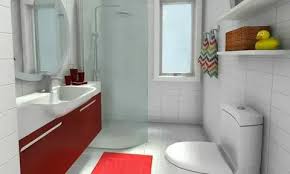
The Ultimate Guide to Projecting Your Dream Bath
Are you planning to renovate or build a new house? One of the most crucial phases is designing your dream bath, but it can be overwhelming with so many details to consider. Fear not! With modern technology on your side, you can now project and design your perfect bathroom using various mobile apps available for both iOS and Android devices.
In this comprehensive guide, we’ll take you through the best mobile apps that allow you to create a 3D representation of your bath, choose materials and finishes, and visualize the final outcome. We’ll also explore some fantastic PC applications that can help you project your dream bathroom with ease.
Mobile Apps For Projecting Your Dream Bath
Room Planner (Android/iOS/iPadOS)
The Room Planner app is an excellent tool to project your bath, not just limited to bathrooms but also other rooms like living rooms, bedrooms, and kitchens. This free app allows you to modify existing blueprints or start from scratch with a blank slate.
Key Features:
- Add furniture and accessories
- Export designs in 3D format
- Access to a vast library of articles and photos
- Cost calculation for materials and labor
Houzz (Android/iOS/iPadOS)
Houzz is one of the leading online platforms for home design and remodeling. Its mobile app offers inspiration from millions of high-resolution images, with features like:
Key Features:
- Browse a vast library of bathroom designs
- Filter results by style, location, budget, and more
- Share your favorite designs on social media
Mybathroom (Android/iOS)
MyBathroom is an official app from Sanitas Troesch, a leading manufacturer of bathroom furniture. This free app allows you to design your bath with precision, choosing materials, colors, and accessories.
Key Features:
- Choose from pre-designed forms or create custom shapes
- Add furniture, fixtures, and accessories
- Visualize designs in 3D format
Other Great Apps For Projecting Your Dream Bath
There are many more apps to explore, each with its unique features. Some notable mentions include:
- Planner 5D: A comprehensive app for creating and customizing room plans, furniture, and other elements.
- Homestyler: A free app that allows you to project your home design using augmented reality.
- Home Design 3D: A user-friendly app for designing rooms in 2D or 3D formats.
PC Applications For Projecting Your Dream Bath
Sweethome 3D (Windows/macOS/Linux)
This free software is a powerful tool for creating and customizing room designs, allowing you to visualize the final outcome in 3D format.
Key Features:
- Create floor plans and add furniture
- Visualize rooms in 2D or 3D formats
- Compatible with various operating systems
Sketchup (Windows/macOS)
This professional-grade software is ideal for designing homes, including bathrooms. SketchUp offers a wide range of free tools for creating blueprints.
Key Features:
- Design in both 2D and 3D formats
- Integrate multiple free instruments
- Compatible with Windows and macOS
Ikea Home Planner (Online)
This online application allows you to furnish your bathroom with IKEA furniture, accessories, and other elements. Visualize the final outcome in 2D or 3D formats.
Key Features:
- Browse a vast library of IKEA products
- Add furniture, fixtures, and accessories
- Visualize designs in 2D or 3D formats
In conclusion, projecting your dream bath is now easier than ever with these fantastic mobile apps and PC applications. Whether you’re a seasoned professional or a DIY enthusiast, these tools will guide you through the design process, allowing you to create a stunning bathroom that reflects your style.
Frequently Asked Questions (FAQs)
- What Are The Best Mobile Apps For Projecting my Dream Bath?
The top three recommended mobile apps are Room Planner, Houzz, and MyBathroom.
- Can I Use These Apps on Both Ios And Android Devices?
Yes, most of these apps are available on both iOS and Android platforms.
- Do I Need to Have Professional Knowledge to Use These Apps?
No, these apps are designed for users of all skill levels, from DIY enthusiasts to professionals.
- Can I Export my Designs in 3D Format?
Yes, many of these apps allow you to export your designs in 3D format.
- Are There Any Costs Associated With Using These Apps?
Some apps offer free versions or trials, while others require a subscription or one-time payment.
- Can I Use These Apps on my PC as Well?
Yes, some of the mentioned apps have PC counterparts or are available online.
- How do I Choose The Best App For my Needs?
Consider your design requirements, skill level, and desired features when selecting an app.
- Are There Any Tutorials or Guides to Help me Learn How to Use These Apps?
Yes, most of these apps come with built-in tutorials or have online resources available to assist you in getting started.


