
Unlocking The Secrets of Icloud: A Comprehensive Guide
Are you curious about what’s stored on your iCloud account? Do you want to know how to access, manage, and even delete files and data from this cloud storage service? Look no further! In this article, we’ll delve into the world of iCloud and provide you with a comprehensive guide on how to see what’s on your iCloud account.
What is Icloud?
ICloud is a cloud storage service provided by Apple that allows users to store and access their data, files, and applications from any device connected to the internet. With iCloud, you can access your photos, contacts, calendars, reminders, and more from anywhere, at any time.
How to See What’s on Your Icloud Account
Now that we’ve covered what iCloud is, let’s move on to the fun part – seeing what’s stored on your account! There are several ways to do this, depending on your device and operating system. Here are the steps for each:
Ios/ipados
If you’re using an iPhone or iPad, follow these steps to see what’s on your iCloud account:
- Go to Settings > [Your Name] > iCloud.
- Tap “iCloud” again to view all the services and data stored on your account.
- Swipe down to see a chart showing how much space is used by each service.
Macos
If you’re using a Mac, follow these steps to see what’s on your iCloud account:
- Click on the Apple logo in the top left corner of your screen and select “System Preferences.”
- Click on “iCloud” and enter your Apple ID and password.
- You’ll see a list of all the services and data stored on your account.
Web
You can also access your iCloud account through any web browser. Here’s how:
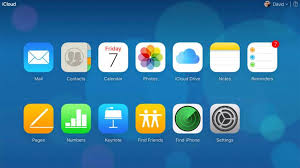
- Go to icloud.Com and sign in with your Apple ID and password.
- Click on “iCloud Drive” to view all the files and folders stored on your account.
Windows
If you’re using a Windows PC, follow these steps to see what’s on your iCloud account:
- Download and install the official iCloud for Windows app from the Microsoft Store.
- Sign in with your Apple ID and password.
- You’ll see a chart showing how much space is used by each service.
What Can I See on My Icloud Account?
Once you’ve accessed your iCloud account, you can view various types of data and files, including:
- Photos and videos
- Contacts and calendar events
- Reminders and notes
- Files and folders stored in iCloud Drive
- Email and contacts
You can also manage and delete these items as needed.
Tips And Tricks
Here are some additional tips and tricks to keep in mind when using iCloud:
- You can access your iCloud account from any device connected to the internet.
- Make sure you’re signed in with the correct Apple ID and password to avoid confusion.
- Be aware of storage limits and consider upgrading to a larger plan if needed.
- Take advantage of features like iCloud Photo Library and iCloud Drive to sync and share files across devices.
Troubleshooting
If you encounter any issues or have questions about your iCloud account, here are some troubleshooting steps to try:
- Check the Apple Support website for answers to common questions.
- Contact Apple Support directly through phone, email, or chat.
- Visit an Apple Store for in-person support.
- Use online forums and communities to connect with other users who may have experienced similar issues.
Conclusion
In this article, we’ve explored the world of iCloud and provided a comprehensive guide on how to see what’s stored on your account. Whether you’re using an iPhone, iPad, Mac, or Windows PC, accessing your iCloud account is easy and straightforward. Remember to take advantage of features like iCloud Drive and iCloud Photo Library to sync and share files across devices.
Frequently Asked Questions
Here are some additional FAQs to help you better understand iCloud:
- Q: What is Icloud?
A: ICloud is a cloud storage service provided by Apple that allows users to store and access their data, files, and applications from any device connected to the internet. - Q: How do I See What’s on my Icloud Account?
A: You can access your iCloud account through Settings (iOS/iPadOS), System Preferences (macOS), or a web browser (icloud.Com). - Q: Can I Delete Files And Data From my Icloud Account?
A: Yes, you can manage and delete items stored on your iCloud account as needed. - Q: What Happens if I Forget my Apple ID Password?
A: If you forget your Apple ID password, visit the Apple Support website for help or contact Apple Support directly through phone, email, or chat. - Q: Can I Access my Icloud Account From Multiple Devices at Once?
A: Yes, you can access your iCloud account from any device connected to the internet.
We hope this article has helped you better understand how to use iCloud and troubleshoot common issues. If you have any further questions or concerns, feel free to ask!


