
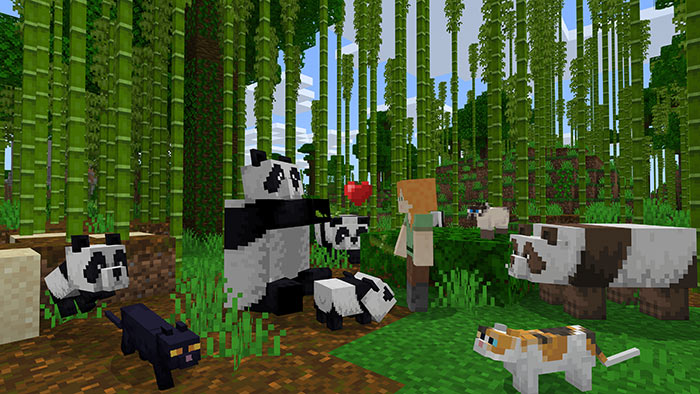
Transforming Your Avatar Into an Animal on Minecraft: A Step-by-step Guide
Are you tired of being a plain human in the world of Minecraft? Do you want to unleash your inner beast and explore the game with a unique perspective? Look no further! In this article, we’ll guide you through the process of transforming your avatar into an animal using a mod.
Why Choose Minecraft For Animal Transformation?
Minecraft offers a vast and immersive world that is perfect for exploration. With its blocky graphics and endless possibilities, it’s a great platform to experience the thrill of being an animal. Plus, with mods available, you can customize your gameplay experience to suit your preferences.
What You Need to Get Started
To transform your avatar into an animal, you’ll need to download and install Minecraft Forge, a modding platform that allows you to run various mods in Minecraft Java Edition. Don’t worry if this sounds technical; we’ll walk you through the process step-by-step.
Step 1: Downloading Minecraft Forge
- Head over to the official Minecraft Forge website (www.Minecraftforge.Net) and click on the “Download” button.
- Choose the correct version of Forge that matches your Minecraft Java Edition installation.
- Click on the “.Jar” file to download it.
Step 2: Installing Minecraft Forge
- Double-click on the downloaded .Jar file to open it in a file explorer.
- Follow the prompts to install Forge. This may involve creating a new folder for Minecraft Forge in your “AppData/Roaming” directory.
Step 3: Downloading The Changeling Mod
- Visit the CurseForge website (www.Curseforge.Com) and search for the Changeling mod.
- Click on the download button to grab the .Jar file.
- Extract the contents of the .Jar file into your Minecraft mods folder.
Step 4: Installing The Dominionlib Mod
- Visit the same CurseForge website (www.Curseforge.Com) and search for the DominionLib mod.
- Click on the download button to grab the .Jar file.
- Extract the contents of the .Jar file into your Minecraft mods folder.
Step 5: Launching Minecraft With Forge
- Launch Minecraft using the “Forge” profile in your launcher.
- Create a new world or join an existing one.
- Once in-game, click on the Minecraft icon (represented by a diamond) and select “Run Minecraft with Forge”.
Step 6: Acquiring The Changeling Skin
- To transform into an animal, you’ll need to defeat a baby creature, which will drop its skin for you to collect.
- Alternatively, press the ‘B’ key on your keyboard to access the mod’s menu and choose a skin from the list.
Step 7: Transforming Into an Animal
- Once you’ve acquired the Changeling skin, select it and click on the “Morph” button to transform into the chosen animal.
- Get ready to experience the world of Minecraft in a whole new way!
Frequently Asked Questions (FAQs)
-
Q: What’s The Difference Between Minecraft Forge And Other Mods?
A: Minecraft Forge is a modding platform that allows you to run various mods in Minecraft Java Edition. -
Q: Can I Transform Into Any Animal Using This Method?
A: Yes, with the Changeling mod, you can transform into a wide variety of animals, including popular creatures like cats and dogs. -
Q: How do I Come Back to Being Human After Transforming Into an Animal?
A: Simply press the ‘Esc’ key on your keyboard and then click on the “Morph” button again to switch back to your human form. -
Q: Can I Use This Method in Minecraft Creative Mode?
A: Yes, this method works perfectly fine in Minecraft Creative mode. -
Q: Are There Any Risks Associated With Using Mods Like Changeling And Dominionlib?
A: As long as you download mods from reputable sources (like CurseForge) and follow the installation instructions carefully, you should be able to enjoy modding Minecraft without any issues.
Conclusion
Transforming your avatar into an animal in Minecraft can add a whole new level of excitement and depth to your gameplay experience. With this step-by-step guide, we hope to have empowered you to take control of your character’s transformation and explore the world with a fresh perspective.
Remember to always follow proper installation procedures for mods and be cautious when downloading files from the internet. Happy modding!


