
The Ultimate Guide to Listening Music: Top Programs And Services
Are you a music lover looking for the best programs and services to listen to your favorite tunes? Look no further! In this article, we’ll explore the top options for listening music on your computer, smartphone, or tablet.
Top Programs For Listening Music on Windows
- Itunes: A popular program for managing your digital music library, playing music, and organizing playlists.
- Windows Media Player: A free media player that allows you to play audio files, create playlists, and manage your music library.
- Foobar2000: A versatile music player that supports a wide range of file formats and has advanced features like tag editing and plugin support.
Top Programs For Listening Music on Macos
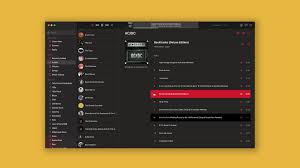
- Music: The default music app on macOS that allows you to play, organize, and sync your music library with Apple devices.
- Vlc Media Player: A free media player that plays audio and video files in various formats without the need for codecs.
Streaming Services
- Spotify: A popular streaming service that offers access to millions of songs, playlists, and podcasts.
- Apple Music: A music streaming service that allows you to listen to millions of songs, create playlists, and discover new artists.
- Amazon Music: A streaming service that offers a vast music library, podcasts, and personalized recommendations.
Free Apps For Listening Music on Android And Ios
- Vlc: A free media player app that plays audio and video files in various formats.
- Music (iOS): The default music app on iOS devices that allows you to play, organize, and sync your music library with other Apple devices.
Other Notable Mentions
- Foobar2000: Also available for Android, this versatile music player offers advanced features like tag editing and plugin support.
- Reader Musical (Android): A free app that plays MP3 files and allows you to organize and categorize your music library.
Choosing The Right Program or Service
With so many options available, it can be overwhelming to choose the right program or service for listening music. Consider the following factors:
- Availability: Choose a program or service that is compatible with your device’s operating system.
- Features: Consider the features you need, such as playlist management, audio editing, and streaming capabilities.
- Cost: Some programs and services offer free versions or trials, while others require subscription fees.
Conclusion
In conclusion, there are many great options for listening music on your computer, smartphone, or tablet. Whether you prefer programs like iTunes, Windows Media Player, or VLC Media Player, or streaming services like Spotify, Apple Music, or Amazon Music, there’s something for everyone. By considering the factors mentioned above, you can choose the best program or service to meet your music listening needs.
Frequently Asked Questions
- What is The Best Music Streaming Service?
- The answer depends on personal preferences and requirements. Spotify, Apple Music, and Amazon Music are popular options.
- Can I Listen to Music Offline With These Programs And Services?
- Yes, some programs like iTunes and Windows Media Player allow you to download music for offline listening.
- Do These Programs And Services Support All Audio Formats?
- Most of the programs and services mentioned support a wide range of audio formats, including MP3, AAC, M4A, WAV, and WMA.
- Are These Programs And Services Free?
- Some programs like VLC Media Player are free, while others like iTunes require subscription fees or one-time payments.
- Can I Use These Programs And Services on Multiple Devices?
- Yes, many of the programs and services mentioned allow you to sync your music library across multiple devices.
- Do These Programs And Services Offer Personalized Recommendations?
- Some programs and services like Spotify and Apple Music offer personalized recommendations based on your listening habits.
- Can I Edit Audio Files With These Programs And Services?
- Yes, some programs like foobar2000 and VLC Media Player allow you to edit audio files, including tag editing and audio enhancements.
Additional Resources
For more information on music streaming services and programs, check out the following resources:
- Our article on Music Streaming Services: A Comparison of Spotify, Apple Music, And Amazon Music
- Our guide on How to Download Itunes For Free
- Our tutorial on Using Vlc Media Player to Listen to Music


