
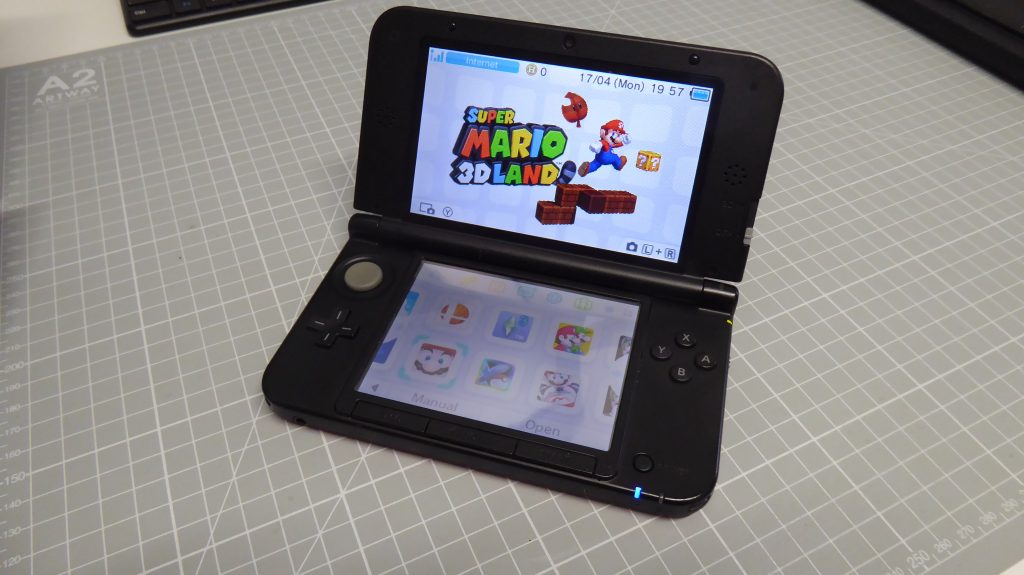
The Ultimate Guide to Modding Your Nintendo 3DS: Unlocking Its Full Potential
Are you ready to unlock the true potential of your Nintendo 3DS? Look no further! In this comprehensive guide, we’ll walk you through the process of modding your 3DS, allowing you to access a whole new world of possibilities.
What is Modding?
Modding refers to the process of modifying or customizing a device or software to enhance its functionality. In the case of the Nintendo 3DS, modding allows users to access and install homebrew applications, emulators, and other content not officially available on the console.
Why Should I Mod My 3DS?
Modding your 3DS offers numerous benefits, including:
- Access to a vast library of homebrew games and applications
- Ability to play games from other regions without regional locks
- Customization options for your console’s appearance and behavior
- Enhanced performance and stability
Which 3DS Model Should I Mod?
The modding process is similar across all 3DS models, including the original 3DS, New 3DS, 2DS, and XL variants. However, some mods may be more compatible with certain models or firmware versions.
Step-by-step Guide to Modding Your 3DS
To mod your 3DS, you’ll need:
- A microSD card (at least 4GB)
- A computer with Python installed
- The MSET9 exploit package
Follow these steps:
- Prepare Your Microsd Card: Insert the microSD card into your computer and copy the contents of the Release.Zip file to its root directory.
- Install Mset9 Exploit Package: On your 3DS, go to the home screen and access the Settings menu. Navigate to Management > Nintendo 3DS > Data Management, then insert the microSD card and wait for the console to recognize it. Once recognized, launch the MSET9 exploit package from the Homebrew Launcher.
- Configure Luma3ds: Follow the on-screen instructions to configure Luma3DS, which will guide you through the installation process.
Tips And Precautions
- Make sure your 3DS is updated to the latest firmware version (at least 11.17.0-50E).
- Use a reliable microSD card with at least 4GB of storage space.
- Be cautious when installing new software or applications, as they may pose security risks if not properly verified.
Conclusion
Modding your Nintendo 3DS can unlock its full potential and provide access to a world of possibilities. By following this guide, you’ll be able to explore the vast library of homebrew games and applications available for the console.
Frequently Asked Questions (FAQs)
- Q: What is Modding?
A: Modding refers to the process of modifying or customizing a device or software to enhance its functionality. - Q: Why Should I Mod my 3DS?
A: Modding your 3DS offers numerous benefits, including access to homebrew games and applications, ability to play games from other regions without regional locks, customization options, and enhanced performance and stability. - Q: Which 3DS Model Can be Modded?
A: The original 3DS, New 3DS, 2DS, and XL variants can all be modded using the same process. - Q: What is Mset9 Exploit Package?
A: The MSET9 exploit package is a tool used to install Luma3DS on your 3DS. - Q: How do I Configure Luma3ds?
A: Follow the on-screen instructions provided by Luma3DS to configure it correctly. - Q: What Are Some Precautions to Take When Modding my 3DS?
A: Make sure your 3DS is updated to the latest firmware version, use a reliable microSD card with at least 4GB of storage space, and be cautious when installing new software or applications.
Additional Resources
For more information on modding your Nintendo 3DS, please visit:


