
Understanding Point-of-sale (POS) Payments: A Comprehensive Guide
Are you tired of navigating complex payment systems? Look no further! In this article, we’ll delve into the world of POS payments, exploring how to use these systems effectively for both vendors and buyers.
What is a Point-of-sale (POS)?
A POS system is an electronic device that enables businesses to process transactions and manage their finances. It’s used by vendors to receive payments from customers and by buyers to make purchases using various payment methods.
How to Use The Pos System: A Step-by-step Guide
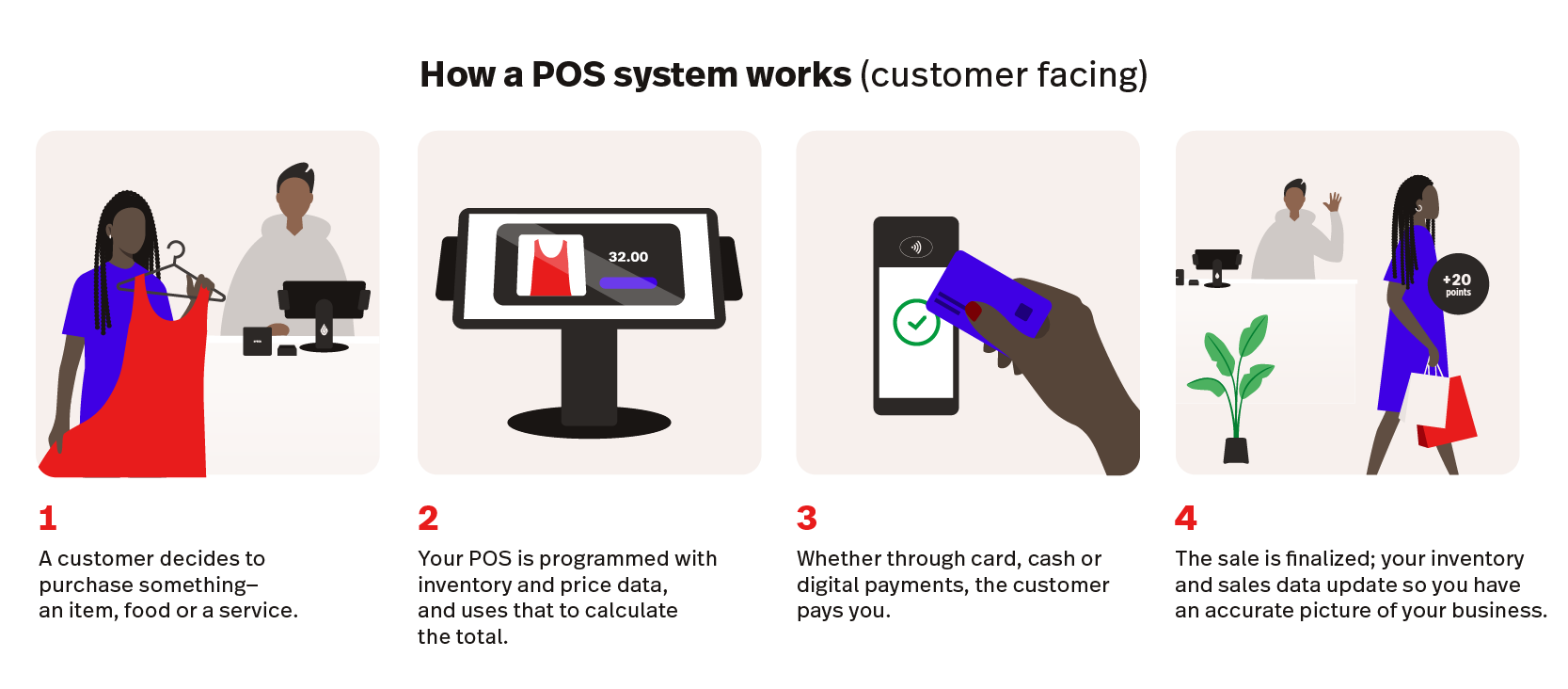
Using a POS system is relatively straightforward. Here’s a step-by-step guide on how to use it:
- Connect The Pos Device: Ensure that your POS device is connected to the internet or a stable network connection.
- Access The Pos App: Open the POS app on your smartphone or tablet, and log in using your credentials.
- Initiate a Transaction: Tap on the “New Transaction” button, enter the transaction details, and select the payment method.
- Process The Payment: The buyer will then need to insert their card into the reader or tap it with their phone if they have enabled contactless payments.
- Confirm The Payment: Once the payment is processed, the POS system will display a confirmation message.
Using The Pos System: Tips And Tricks
Here are some additional tips and tricks for using the POS system effectively:
- Always ensure that your POS device is connected to a stable network connection before processing transactions.
- Use the correct payment method according to the buyer’s preference.
- Double-check the transaction details to avoid errors.
- Keep your POS app updated with the latest software updates.
Popular Pos Systems: A Comparison
There are several popular POS systems available in the market. Here’s a comparison of some of the most well-known ones:
- Sumup: SumUp is a popular POS system that offers a range of features, including contactless payments and mobile processing.
- Nexi: Nexi is another popular POS system that offers advanced features such as encryption and secure payment processing.
- Ingenico: Ingenico is a well-established POS system that offers a range of features, including contactless payments and mobile processing.
Conclusion
Using the POS system can seem daunting at first, but with this comprehensive guide, you’ll be able to navigate it like a pro. Remember to always follow the manufacturer’s instructions and stay up-to-date with the latest software updates. By following these tips and tricks, you’ll be able to process transactions efficiently and effectively.
Frequently Asked Questions
Here are some frequently asked questions about using the POS system:
- What is The Difference Between a Pos System And an Epos System?
A POS system is used for processing transactions in a physical store, while an EPOS system is used for processing transactions online. - How do I Troubleshoot Common Issues With my Pos System?
You can refer to your user manual or contact the manufacturer’s customer support team for assistance. - What Are The Benefits of Using a Pos System For Small Businesses?
Using a POS system can help small businesses process transactions efficiently and effectively, reducing the risk of errors and increasing customer satisfaction.
Conclusion
In conclusion, using a POS system is an essential tool for any business looking to streamline their payment processing. By following this comprehensive guide, you’ll be able to navigate the complexities of POS payments with ease. Remember to always stay up-to-date with the latest software updates and follow the manufacturer’s instructions.


