
How to Watch Movies on Your Pc: A Step-by-step Guide
Are you a movie buff looking for ways to watch your favorite films on your computer? Look no further! In this article, we will explore the various options available to you, from free programs to paid streaming services.
Understanding Movie Streaming
Before we dive into the details, let’s first understand what movie streaming is. Movie streaming refers to the process of watching movies and TV shows over the internet without having to download them onto your device. This has become increasingly popular in recent years due to the rise of streaming services such as Netflix and Amazon Prime.
Free Programs to Watch Movies on PC
If you’re looking for free programs to watch movies on your PC, here are a few options:
Vlc (Windows/MacOS/Linux)
One of the most popular free media players available is VLC. This program can play a wide range of video formats and is compatible with multiple platforms, including Windows, MacOS, and Linux.
To install VLC, simply download it from the official website and follow the installation instructions. Once installed, you can open VLC and select the movie file you want to watch.
Film And TV (Windows)
Another free program to watch movies on your PC is Film and TV. This program comes pre-installed on Windows 10 and Windows 11 operating systems. To use it, simply search for “film” in the start menu and select the Film and TV app.
Once opened, you can browse through various movie and TV show categories, including free options with ads.
Iina (macOS)
For MacOS users, there’s another great option called IINA. This program is also free and open-source, allowing you to play a wide range of video formats.
To install IINA, download it from the official website and follow the installation instructions. Once installed, you can open IINA and select the movie file you want to watch.
Paid Streaming Services
If you’re willing to pay for streaming services, here are some popular options:
Amazon Prime Video (Windows/MacOS)
One of the most popular paid streaming services is Amazon Prime Video. This service offers a wide range of movies and TV shows, including exclusive content available only to Amazon Prime subscribers.
To access Amazon Prime Video on your PC, simply download the app from the Microsoft Store or Mac App Store and log in with your Amazon account credentials.
Apple TV (macOS/Windows)
Another popular paid streaming service is Apple TV. This service offers a wide range of movies and TV shows, including exclusive content available only to Apple TV+ subscribers.
To access Apple TV on your PC, simply download the app from the Microsoft Store or Mac App Store and log in with your Apple ID credentials.
Other Options
If you’re not interested in paying for streaming services or want more options, here are a few other alternatives:
Disney+ (Windows)
One of the newest paid streaming services is Disney+. This service offers a wide range of movies and TV shows from Disney, Pixar, Marvel, and Star Wars.
To access Disney+, simply download the app from the Microsoft Store and log in with your Disney account credentials.
Netflix (Windows)
Another popular paid streaming service is Netflix. This service offers a wide range of movies and TV shows, including exclusive content available only to Netflix subscribers.
To access Netflix on your PC, simply download the app from the Microsoft Store or log in with your Netflix account credentials.
Youtube
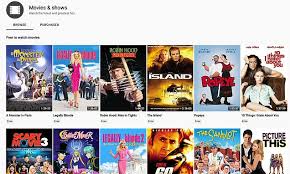
Finally, you can also use YouTube as a free option to watch movies and TV shows. While it’s not exclusively a movie streaming service, YouTube has become increasingly popular for watching videos online.
To access YouTube on your PC, simply navigate to youtube.Com and search for the movie or TV show you want to watch.
Conclusion
In conclusion, there are many options available to watch movies on your PC, from free programs like VLC and Film and TV to paid streaming services like Amazon Prime Video and Netflix. We hope this article has helped you find the best option for your needs.
Faqs
Here are some frequently asked questions about watching movies on your PC:
Q: What is movie streaming?
A: Movie streaming refers to the process of watching movies and TV shows over the internet without having to download them onto your device.
Q: Which free programs can I use to watch movies on my PC?
A: Some popular free options include VLC, Film and TV, and IINA.
Q: What are some paid streaming services that offer movie content?
A: Services like Amazon Prime Video, Apple TV, Disney+, Netflix, and YouTube offer a wide range of movie and TV show content.
Q: Can I use YouTube to watch movies on my PC?
A: Yes, you can use YouTube as a free option to watch movies and TV shows online.
Q: What are some other options for watching movies on my PC?
A: Some popular alternatives include downloading movies from the internet or using a media player software.
Q: Can I download movies onto my PC for offline viewing?
A: Yes, you can download movies onto your PC using services like Amazon Prime Video and Netflix, or by downloading them directly from websites that offer free content.


