
How to Modify a Pdf File: A Step-by-step Guide
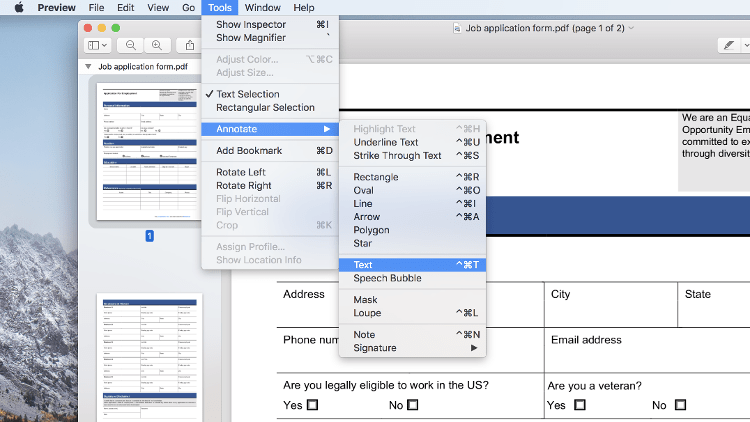
Are you looking for a way to modify a PDF file without spending hours searching online? Look no further! In this article, we will guide you through the process of modifying a PDF file using various software and online tools.
What is a Pdf File?
A PDF (Portable Document Format) file is a type of digital document that can be viewed on any device with a PDF viewer. It’s commonly used for sharing documents, presentations, and other types of content.
Why Modify a Pdf File?
There are several reasons why you might need to modify a PDF file:
- You want to add or remove text from the document.
- You need to change the layout or design of the document.
- You want to convert the document to a different format, such as Word or PowerPoint.
Software For Modifying Pdf Files
There are several software programs available that can help you modify a PDF file. Here are some of the most popular ones:
Libreoffice
LibreOffice is a free and open-source office suite that includes a PDF editor. It’s available for Windows, macOS, and Linux.
- Go to the official website and download the software.
- Open the program and select “PDF” from the menu.
- Choose the file you want to modify and click “Open”.
- Use the editing tools to add or remove text, images, and other elements.
Pdfill Free Pdf Tools
PDFill is a free software that allows you to edit PDF files. It’s available for Windows only.
- Go to the official website and download the software.
- Open the program and select “New Project” from the menu.
- Choose the file you want to modify and click “Open”.
- Use the editing tools to add or remove text, images, and other elements.
Wondershare PDFelement is a paid software that allows you to edit PDF files. It’s available for Windows and macOS.
- Go to the official website and download the software.
- Open the program and select “New Project” from the menu.
- Choose the file you want to modify and click “Open”.
- Use the editing tools to add or remove text, images, and other elements.
Other Software
There are several other software programs available that can help you modify a PDF file. Some of them include:
- Adobe Acrobat
- Foxit PhantomPDF
- Nitro Pro
Online Tools For Modifying Pdf Files
In addition to the software programs mentioned above, there are also several online tools available that can help you modify a PDF file. Here are some of the most popular ones:
Ilovepdf
ILovePDF is an online tool that allows you to edit PDF files for free.
- Go to the official website and select “PDF Editor” from the menu.
- Choose the file you want to modify and click “Upload”.
- Use the editing tools to add or remove text, images, and other elements.
Smallpdf
SmallPDF is another online tool that allows you to edit PDF files for free.
- Go to the official website and select “PDF Editor” from the menu.
- Choose the file you want to modify and click “Upload”.
- Use the editing tools to add or remove text, images, and other elements.
Mobile Apps For Modifying Pdf Files
There are also several mobile apps available that can help you modify a PDF file. Here are some of the most popular ones:
Xodo Pdf
Xodo PDF is an app available for Android and iOS devices.
- Download the app from the App Store or Google Play.
- Open the app and select “Edit” from the menu.
- Choose the file you want to modify and click “Open”.
- Use the editing tools to add or remove text, images, and other elements.
Adobe Acrobat Reader
Adobe Acrobat Reader is an app available for Android and iOS devices.
- Download the app from the App Store or Google Play.
- Open the app and select “Edit” from the menu.
- Choose the file you want to modify and click “Open”.
- Use the editing tools to add or remove text, images, and other elements.
Conclusion
Modifying a PDF file can be a daunting task, but with the right software or online tool, it’s easy as pie. Whether you’re using LibreOffice, PDFill FREE PDF Tools, Wondershare PDFelement, or one of the many online tools available, you can rest assured that your document will look great in no time.
Faqs
Q: Can I modify a PDF file without installing software?
A: Yes, there are several online tools available that allow you to edit PDF files for free.
Q: Is it possible to convert a PDF file to a different format, such as Word or PowerPoint?
A: Yes, some of the software programs mentioned above can help you convert a PDF file to a different format.
Q: Can I use mobile apps to modify PDF files?
A: Yes, there are several mobile apps available that allow you to edit PDF files on-the-go.
Q: Are there any free software options available for modifying PDF files?
A: Yes, LibreOffice and PDFill FREE PDF Tools are two free software options available for modifying PDF files.
Q: Can I use Adobe Acrobat Reader to modify a PDF file?
A: Yes, Adobe Acrobat Reader is an app that allows you to edit PDF files on your mobile device.
Q: Is it possible to add or remove text from a PDF file using online tools?
A: Yes, many of the online tools mentioned above allow you to add or remove text from a PDF file.
Q: Can I use Wondershare PDFelement to modify a PDF file?
A: Yes, Wondershare PDFelement is a paid software that allows you to edit PDF files on your computer.


