
The Ultimate Guide to Downloading Fonts: A Step-by-step Tutorial
Are you tired of using the same old fonts in your writing, presentations, or designs? Do you want to add some flair and personality to your work without breaking the bank? Look no further! In this comprehensive guide, we’ll walk you through the process of downloading fonts for free, exploring various websites, installation procedures, and troubleshooting tips.
Understanding Fonts
Before we dive into the nitty-gritty, let’s quickly cover the basics. Fonts are digital files that contain a set of characters, symbols, or graphics used to display text on screens or print them on paper. There are thousands of fonts available online, each with its unique style, size, and character set.
Why Download Free Fonts?
Downloading free fonts can be a game-changer for writers, designers, artists, and anyone looking to add some visual interest to their work. With so many amazing fonts out there, you can:
- Enhance the readability and aesthetic appeal of your writing or presentations
- Experiment with different font styles and sizes to convey tone, mood, or emphasis
- Save money by avoiding expensive font purchases
The Best Websites For Downloading Fonts
- Google Fonts: This is one of the most popular and user-friendly font platforms out there. With a vast collection of free fonts, Google Fonts allows you to browse, filter, and download fonts with ease.
- Dafont: Another well-known website, DaFont offers an impressive array of free fonts, including serif, sans-serif, script, and display fonts.
- 1001 Free Fonts: This site features a vast collection of free fonts, categorized by style, size, and color.
- Font Squirrel: A popular platform for designers and developers, Font Squirrel offers high-quality, web-friendly fonts for free download.
- Abstractfonts: If you’re looking for unique, handmade fonts with a touch of personality, Abstractfonts is the perfect place to explore.
How to Download Fonts From Google Fonts
To download fonts from Google Fonts, follow these steps:
- Visit the Google Fonts website (www.Google.Com/fonts)
- Browse or search for the font you want to download
- Click on the “Select” button next to the font name
- Choose the desired style and weights (if available)
- Click on the “Download” button
How to Download Fonts From Dafont
To download fonts from DaFont, follow these steps:
- Visit the DaFont website (www.Dafont.Com)
- Browse or search for the font you want to download
- Click on the “Download” button next to the font name
- Choose your preferred format (usually .Ttf or .Otf)
- Click on the “Save as” button to save the font file
How to Download Fonts From 1001 Free Fonts
To download fonts from 1001 Free Fonts, follow these steps:
- Visit the 1001 Free Fonts website (www.1001Freefonts.Com)
- Browse or search for the font you want to download
- Click on the “Download” button next to the font name
- Choose your preferred format (usually .Ttf or .Otf)
- Click on the “Save as” button to save the font file
How to Install Fonts
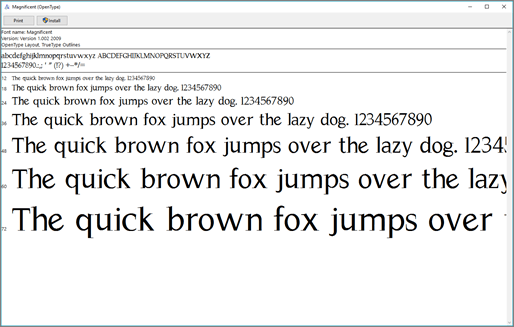
Once you’ve downloaded the fonts, follow these steps to install them:
- Windows: Extract the font files from the compressed zip folder and copy them into the “C:\Windows\Fonts” folder.
- Mac: Extract the font files from the compressed zip folder and copy them into the “Library/Fonts” folder.
Troubleshooting Tips
If you encounter any issues during installation, here are some troubleshooting tips:
- Make sure to extract the font files correctly
- Check if the font file is corrupted or incomplete
- Restart your computer after installation
- Try installing the font in a different location
Conclusion
Downloading fonts for free can be a fun and creative way to enhance your writing, presentations, or designs. With these step-by-step guides, you’ll be able to explore various websites, download fonts, and install them on your computer with ease.


