
How to Create a Netflix Account: A Step-by-step Guide
Are you ready to dive into the world of streaming video content? Look no further! In this article, we will guide you through the process of creating a Netflix account on various devices.
What is Netflix?
Netflix is a popular online streaming platform that offers a wide variety of TV shows and movies. With a subscription, you can access thousands of titles from anywhere in the world.
Types of Netflix Accounts
Before we dive into the step-by-step guide, let’s take a look at the different types of Netflix accounts available:
- Standard With Advertising: This is the cheapest plan, which costs 5.49 Euros per month. You’ll get to watch content with advertising interruptions.
- Standard: This plan costs 12.99 Euros per month and allows you to watch all content in HD quality on up to two devices at a time.
- Premium: This is the most expensive plan, which costs 17.99 Euros per month. You’ll get to watch all content in 4K+HDR quality with Dolby Atmos audio on up to four devices at a time.
How to Create a Netflix Account
Creating an Account on PC
- Go to the Netflix website (www.Netflix.Com) and click on “Sign Up” in the top right corner.
- Enter your email address, password, and other required information.
- Choose your subscription plan (Standard with Advertising, Standard, or Premium).
- Pay for your subscription using a valid payment method (credit card, PayPal, etc.).
Creating an Account on Smart TV
- Make sure you have the Netflix app installed on your Smart TV.
- Launch the app and select “Sign Up” from the menu.
- Enter your email address and password.
- Choose your subscription plan and pay for it.
Creating an Account on Mobile Devices (Android, Ios)
- Download the Netflix app from the Google Play Store or Apple App Store.
- Launch the app and sign up with your email address and password.
- Choose your subscription plan and pay for it.
How to Create a Netflix Account Extra
If you already have a Netflix account and want to add an extra user, follow these steps:
- Go to the Netflix website (www.Netflix.Com) or launch the app on your Smart TV.
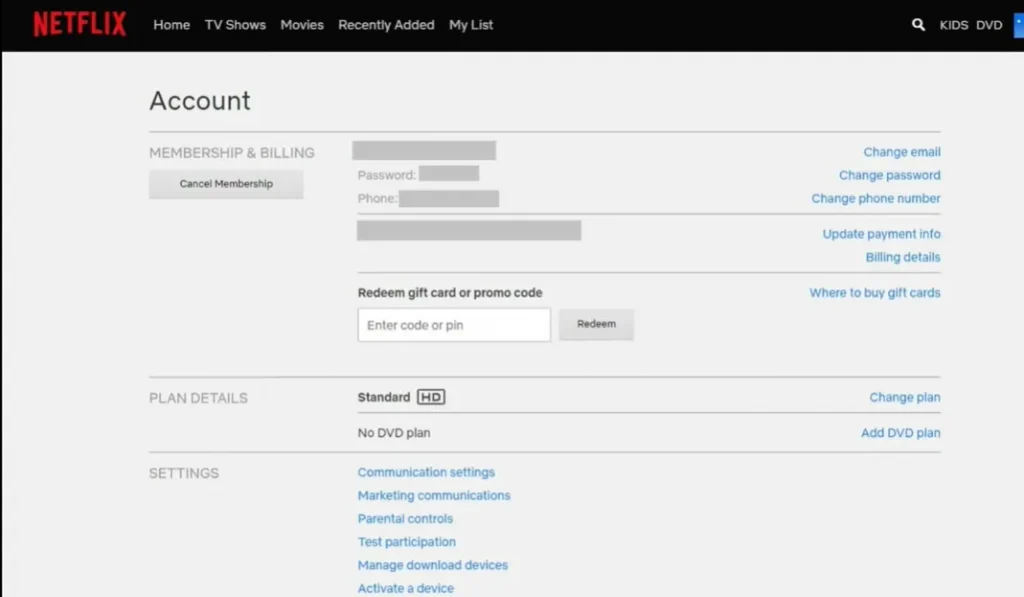
- Select “Account” from the menu and choose “Add Extra User”.
- Fill out the required information for the new user (name, email address, password).
- Pay for the extra user subscription.
How to Create a Netflix Account Without Paying
Unfortunately, Netflix no longer offers free trials or proof periods. However, you can try using gift cards to pay for your subscription and then cancel before the credit runs out. Alternatively, ask someone who already has a Netflix account to create an extra profile for you.
Frequently Asked Questions (FAQs)
- Q: How do I Cancel my Netflix Subscription?
A: To cancel your subscription, go to the Netflix website (www.Netflix.Com), select “Account”, and choose “Cancel Subscription”. - Q: Can I Share my Netflix Account With Others?
A: Yes, you can add up to two extra users to your account, depending on your subscription plan. - Q: How do I Change my Netflix Password?
A: Go to the Netflix website (www.Netflix.Com), select “Account”, and choose “Change Password”. - Q: Can I Watch Netflix on Multiple Devices at Once?
A: Yes, with a Premium subscription, you can watch content on up to four devices simultaneously. - Q: How do I Troubleshoot Issues With my Netflix Account?
A: Check the Netflix website (www.Netflix.Com) for troubleshooting guides and contact customer support if needed.
Conclusion
Creating a Netflix account is easy! With this step-by-step guide, you should now be able to sign up on various devices. Remember to choose your subscription plan carefully and consider adding an extra user to share the cost with others. If you have any further questions or encounter issues with your account, don’t hesitate to contact Netflix customer support.
Final Tips
- Make sure to read our detailed guide on how to use Netflix for the most out of your streaming experience.
- Consider using a VPN to bypass geo-restrictions and access content from around the world.
Happy streaming!


