
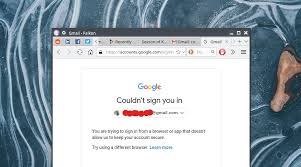
Google Not Working: Troubleshooting Guide
Are you tired of Google not working? Do you want to find out why your favorite search engine is not functioning properly? Look no further! In this article, we will guide you through the troubleshooting process to help you resolve the issue.
What to Do When Google Won’t Work
Before we dive into the solutions, let’s understand what might be causing the problem. Google can encounter issues due to various reasons such as server problems, internet connection issues, or account-related problems. In this article, we will explore each of these possibilities and provide you with practical solutions.
Checking Server Status
The first step is to check if there are any server-related issues affecting Google. You can use tools like Downdetector to see if other users are experiencing the same problem.
- Visit Downdetector and search for Google.
- If you find that many users are experiencing issues with Google, it’s likely a server-related problem.
- In this case, there’s not much you can do but wait for Google’s team to resolve the issue.
Verifying Internet Connection
If Google is working fine on other devices or browsers, the issue might be with your internet connection. Here are some steps to troubleshoot:
- Check your Wi-Fi connection: Make sure you’re connected to a stable network.
- Restart your router: This simple step can resolve many connectivity issues.
- Check for malware: Malware can cause internet connection problems.
- Contact your ISP: If none of the above steps work, contact your internet service provider (ISP) to check if there are any outages or maintenance in your area.
Resolving Google Account Issues
Are you experiencing problems with your Google account? Here are some tips to help you resolve the issue:
- Check for typos: Make sure you’ve entered the correct password and username.
- Recover your account: If you can’t remember your password, follow these steps to recover it.
- Check for parental control limitations: Sometimes, parental control settings can block access to Google.
Troubleshooting Google Maps Issues
Google Maps not working? Don’t worry! Here are some tips to help you resolve the issue:
- Check server status: As mentioned earlier, use tools like Downdetector to see if there are any server-related issues.
- Enable location services: Make sure location services are enabled on your device for Google Maps to work correctly.
- Clear cache and data: Sometimes, clearing the cache and data of Google Maps can resolve issues.
Solving Google Chrome Issues
Is Google Chrome not working? Here are some tips to help you resolve the issue:
- Check for malware: Malware can cause browser-related problems.
- Reset Chrome settings: Clearing the cache and data of Chrome can sometimes resolve issues.
- Reinstall Chrome: If none of the above steps work, try reinstalling Chrome.
Troubleshooting Google Play Issues
Google Play not working? Don’t worry! Here are some tips to help you resolve the issue:
- Update the store: Sometimes, updating the Google Play Store can resolve issues.
- Reinstall the app: Try reinstalling the app to see if it resolves the issue.
- Clear cache and data: Clearing the cache and data of the app can sometimes resolve issues.
Conclusion
In this article, we’ve covered various scenarios where Google might not be working properly. We’ve provided you with practical solutions to troubleshoot server-related issues, internet connection problems, account-related issues, Google Maps issues, Google Chrome issues, and Google Play issues.
By following these steps, you should be able to resolve most of the common issues affecting Google. If none of these tips work, it’s likely a more complex issue that requires professional help.
Faqs
Here are some frequently asked questions related to Google not working:
- Q: Why is Google Not Working?
A: Google can encounter issues due to various reasons such as server problems, internet connection issues, or account-related problems. - Q: How do I Check if There Are Any Server-related Issues Affecting Google?
A: You can use tools like Downdetector to see if other users are experiencing the same problem. - Q: Why is my Internet Connection Slow?
A: There could be various reasons for a slow internet connection, including malware or ISP outages. - Q: How do I Recover my Google Account?
A: Follow these steps to recover your Google account if you’ve forgotten your password or username. - Q: Why is Google Maps Not Working?
A: Google Maps might not be working due to server-related issues, location services being disabled, or cache and data problems. - Q: How do I Reset Chrome Settings?
A: Clearing the cache and data of Chrome can sometimes resolve issues. - Q: Why is Google Play Not Working?
A: Google Play might not be working due to update-related issues, reinstalling the app, or clearing cache and data problems.
I hope you found this article helpful! If you have any further questions or concerns, feel free to ask.


