
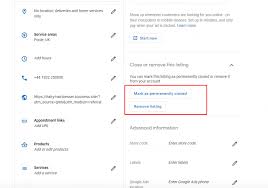
Disabling a Google Account: A Step-by-step Guide
Are you tired of dealing with issues related to your Google account? Do you want to know how to disable it temporarily or delete it permanently? Look no further! In this article, we’ll guide you through the process of disabling and deleting a Google account, including the steps for various devices such as Android smartphones, iPhones, PCs, and Macs.
What Does Disabling a Google Account Mean?
Disabling a Google account means that you can suspend or put it on hold temporarily. This option is useful when you’re experiencing issues with your account or need to take a break from using Google services. When an account is disabled, you won’t be able to access Google services such as Gmail, Google Drive, and Google Calendar.
How to Disable Services Associated With Your Google Account
To disable services associated with your Google account, follow these steps:
- Log in to your Google account on a computer or mobile device.
- Click on the settings icon (gear) in the top right corner of the page.
- Select “Data and personalization” from the menu.
- Scroll down to the “Download your data” section.
- Click on the “Create export” button.
- Choose which services you want to disable by selecting the corresponding boxes next to each service.
- Select how you want to receive the exported data (email or Google Drive, Dropbox, OneDrive, or Box).
- Choose whether to compress the file into a ZIP or TGZ format and select the row dimensions for the backup.
- Click on the “Next” button to initiate the export process.
How to Disable a Google Account on an Android Device
To disable a Google account on an Android device:
- Go to Settings > Accounts & synchronization (or Users and accounts).
- Select the Google account you want to disable.
- Tap on the three dots at the top right corner of the screen.
- Select “Remove account.”
- Confirm that you want to remove the account.
How to Disable a Google Account on an Iphone or Ipad
To disable a Google account on an iPhone or iPad:
- Go to Settings > Mail, Contacts, Calendars (or Accounts & Passwords).
- Select “Gmail” or your Google account name.
- Tap on “Delete Account.”
- Confirm that you want to delete the account.
How to Disable a Google Account on a PC
To disable a Google account on a Windows 10 PC:
- Click on the Start button and select “Settings.”
- Go to Accounts > Your email and accounts.
- Select the Google account you want to disable.
- Click on the “Manage” button next to the account name.
- Scroll down to the bottom of the page and click on the “Delete account” link.
How to Disable a Google Account on a Mac
To disable a Google account on a Mac:
- Go to System Preferences > Internet Accounts (or Accounts).
- Select the Google account you want to disable.
- Click on the minus sign at the bottom of the window.
- Confirm that you want to delete the account.
How to Delete a Google Account Permanently
To delete a Google account permanently, follow these steps:
- Go to the Google account settings page on a computer or mobile device.
- Click on “Delete account” and confirm your decision.
Important Considerations Before Deleting a Google Account
Before deleting a Google account, consider the following:
- Make sure you’ve backed up any important data associated with your Google account.
- Think about how deleting your account will affect other services that use Google authentication (e.G., Android devices).
- If you’re experiencing issues with your account, it’s best to try resolving them before deleting your account.
Conclusion
Disabling or deleting a Google account can be a straightforward process, but it’s essential to understand the implications of each option. By following these steps and considering the potential consequences, you’ll be able to make informed decisions about your Google account.
Faqs
- What Happens When I Disable my Google Account?
When you disable your Google account, you won’t be able to access Google services such as Gmail, Google Drive, and Google Calendar. - Can I Recover a Disabled Google Account?
Yes, you can reactivate a disabled Google account after resolving the issues that led to its suspension. - How do I Delete a Google Account Permanently?
To delete a Google account permanently, go to the Google account settings page and click on “Delete account.” - Will Deleting my Google Account Affect Other Services That Use Google Authentication?
Yes, deleting your Google account may impact services like Android devices or apps that rely on Google authentication. - Can I Recover Data From a Deleted Google Account?
Unfortunately, no. When you delete a Google account, all associated data is permanently erased and cannot be recovered. - What Happens to my Google Drive Files When I Delete my Account?
Your Google Drive files will still exist after deleting your account, but they’ll be disconnected from your Google account. - Can I Disable Services Associated With my Google Account Without Disabling The Entire Account?
Yes, you can selectively disable services like Gmail or Google Calendar while keeping other services active. - Will Disabling my Google Account Affect my Youtube Channel?
Disabling your Google account may impact your YouTube channel, especially if it’s linked to your Google account for authentication purposes.
By understanding these FAQs and following the steps outlined in this article, you’ll be able to make informed decisions about your Google account and take control of your online presence.


