
Managing Appointments With Clients: Tips And Tricks
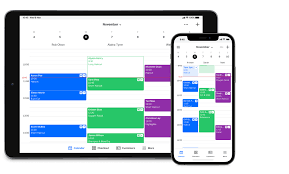
As a professional, managing appointments with clients can be a daunting task, especially when it comes to organization and communication. In this article, we’ll explore the best ways to manage your appointments using various apps and tools.
The Importance of Organization
Effective time management is essential for any business or profession. With so many tasks and responsibilities on your plate, it’s easy to get overwhelmed. That’s why using an app or tool specifically designed for appointment management can be a lifesaver. These tools allow you to organize your schedule, set reminders, and communicate with clients in a seamless way.
Google Calendar: A Top Choice
One of the most popular and user-friendly apps for managing appointments is Google Calendar. This app is available on both Android and iOS devices, as well as on the web. With Google Calendar, you can create events, invite clients, and set reminders all from one place. The best part? It’s free!
Todoist: A Powerful Tool
Another great option is Todoist, a task management tool that also allows for appointment scheduling. This app is compatible with both Android and iOS devices, as well as on the web. With Todoist, you can create lists of tasks, set deadlines, and even assign reminders to yourself or clients.
Other Great Options
If Google Calendar and Todoist aren’t quite what you’re looking for, there are plenty of other apps available that can help with appointment management. Some great options include:
- Any.Do: A simple and intuitive app for managing appointments and tasks.
- List of The Pledge: An easy-to-use app for creating lists of activities, including appointments.
- Calendar Business Diary: A feature-rich app for scheduling appointments and managing your diary.
Apps For Forwarding Reminders
If you want to forward reminders to clients automatically, there are also apps available that can help with this. Some great options include:
- Goldie: An app specifically designed for forwarding reminders and notifications.
- Simplybook: A comprehensive appointment management tool that allows for automatic reminder forwarding.
Why Choose an App?
Choosing an app for managing appointments can be a great way to streamline your workflow and improve communication with clients. With the right app, you can:
- Save time by automating tasks
- Reduce stress and overwhelm
- Improve client satisfaction through effective communication
Conclusion
Managing appointments with clients can be a challenge, but with the right tools and strategies, it doesn’t have to be. By using apps like Google Calendar, Todoist, or Any.Do, you can stay organized, communicate effectively, and provide top-notch service to your clients.
Frequently Asked Questions (FAQs)
- What Are Some Great Options For Appointment Management?
- Google Calendar, Todoist, Any.Do, List of the Pledge, and Calendar Business Diary.
- How Can I Forward Reminders to Clients Automatically?
- Use apps like Goldie or SimplyBook that allow for automatic reminder forwarding.
- Why Should I Choose an App For Appointment Management?
- To save time, reduce stress, and improve client satisfaction through effective communication.
- What Are The Benefits of Using Google Calendar?
- It’s free, user-friendly, and allows for seamless scheduling and reminder setting.
- How Can I Integrate Todoist With my Calendar?
- Simply create a new task in Todoist and assign it to your calendar to schedule an appointment.
- What Are Some Tips For Managing Appointments Effectively?
- Use a calendar or app specifically designed for appointment management, set reminders, and communicate clearly with clients.
- How Can I Prioritize my Tasks And Appointments?
- Use Todoist’s prioritization feature or Google Calendar’s color-coding system to categorize your tasks and appointments.
- What if I Need Help Finding The Right App For Me?
- Check out online reviews, ask colleagues or friends for recommendations, or try out a few different options to see which one works best for you.
Bonus Tips
- Always use a calendar or app specifically designed for appointment management
- Set clear expectations with clients regarding communication and reminders
- Prioritize tasks and appointments using color-coding or prioritization features
- Automate tasks whenever possible to save time and reduce stress
I hope this article has been helpful in exploring the world of appointment management!


