
The Ultimate Guide to Downloading Apk Files on Android Devices
Are you tired of searching for your favorite apps on the Google Play Store? Do you want to download and install APK files on your Android device without any hassle? Look no further! In this comprehensive guide, we will walk you through the process of downloading and installing APK files on your Android smartphone or tablet.
What Are Apk Files?
Before we dive into the nitty-gritty, let’s first understand what APK files are. An APK file is a package file format used by the Android operating system to distribute and install apps. These files contain all the necessary components of an app, including its code, resources, and manifest file.
Why Download Apk Files?
There are several reasons why you might want to download APK files on your Android device:
- You can’t find a particular app on the Google Play Store.
- You want to install apps that are not available in your region.
- You want to access older versions of an app before they’re removed from the store.
Where to Download Apk Files?
Now, let’s talk about where you can download APK files. There are several websites and stores where you can find and download APK files, including:
- Google Play Store
- Amazon Appstore
- F-Droid (a free and open-source app store)
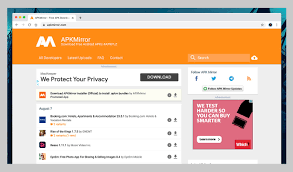
- APKMirror (a popular website for downloading APK files)
How to Download Apk Files on Android Devices
Once you’ve found a reliable source for APK files, it’s time to download and install them on your Android device. Here’s a step-by-step guide:
- Find The Apk File: Search for the app you want to download on the website or store of your choice.
- Download The Apk File: Click on the “Download” button to begin downloading the APK file to your device.
- Allow Installation From Unknown Sources: Go to Settings > Security and toggle on the option that says “Unknown sources.” This will allow you to install apps from outside the Google Play Store.
- Install The Apk File: Open the downloaded APK file using a file manager app like ES File Explorer or Solid Explorer.
- Grant Permissions: When prompted, grant permissions for the app to access various system features.
How to Install Aab, Xapk With Obb And Apks Files on Android
If you’re looking to download apps that are not available in your region or want to install older versions of an app, you might come across files with extensions like AAB, XAPK with OBB, or APKS. Here’s how to install these files on your Android device:
- Download The Installer: Download the Split APKs Installer (or KNOW) app from the Google Play Store or F-Droid.
- Install The Installer: Install the installer app and grant it necessary permissions.
- Select The Apk File: Open the Split APKs Installer and select the APK file you want to install.
- Choose The Installation Method: Choose how you want to install the APK file, either by using the built-in installer or by downloading the installation files separately.
How to Download Apk Files on PC
If you’re looking to download APK files on your PC, there are several options available:
- Use an Android emulator like BlueStacks.
- Install the Windows Subsystem for Android (WSA) on Windows 11.
- Manually install APK files using the ADB tool.
How to Download Apk Files on Fire TV
If you’re looking to download APK files on your Fire TV, here’s what you need to do:
- Enable Unknown Sources: Go to Settings > System and toggle on the option that says “Unknown sources.”
- Download The Apk File: Download the APK file using a browser or an app like Apps2Fire.
- Install The Apk File: Install the APK file using the Downloader app.
How to Download Apk Files on Android TV
If you’re looking to download APK files on your Android TV, here’s what you need to do:
- Enable Unknown Sources: Go to Settings > System and toggle on the option that says “Unknown sources.”
- Download The Apk File: Download the APK file using a browser or an app like Apps2Fire.
- Install The Apk File: Install the APK file using the Downloader app.
Conclusion
Downloading and installing APK files on Android devices can be a bit tricky, but with this guide, you should have no problem navigating the process. Remember to always download APK files from reputable sources and follow the necessary permissions prompts to avoid any issues. Happy downloading!
Frequently Asked Questions (FAQs)
- Q: What Are Apk Files?
A: APK files are package file formats used by the Android operating system to distribute and install apps. - Q: Why Download Apk Files?
A: You can download APK files to install apps that are not available in your region or access older versions of an app before they’re removed from the store. - Q: Where Can I Download Apk Files?
A: You can download APK files from websites like Google Play Store, Amazon Appstore, F-Droid, and APKMirror. - Q: How do I Install Aab, Xapk With Obb And Apks Files on Android?
A: Use the Split APKs Installer (or KNOW) app to install these types of files. - Q: Can I Download Apk Files on Pc?
A: Yes, you can use an Android emulator like BlueStacks or manually install APK files using the ADB tool. - Q: How do I Download Apk Files on Fire Tv?
A: Enable unknown sources and download the APK file using a browser or app like Apps2Fire. - Q: Can I Download Apk Files on Android Tv?
A: Yes, enable unknown sources and download the APK file using a browser or app like Apps2Fire.
Final Tips
- Always download APK files from reputable sources to avoid any issues with malware or viruses.
- Be cautious when installing apps from outside the Google Play Store, as they may not be compatible with your device.
- Follow the necessary permissions prompts to ensure smooth installation and operation of the app.


