
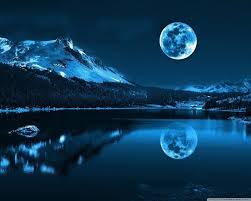
The Ultimate Guide to Finding Free HD Desktop Wallpapers
Are you tired of searching for high-quality desktop wallpapers that match your style? Look no further! In this article, we’ll take you on a journey through the best websites to find free HD desktop wallpapers that will make your computer screen shine.
Why Bother With High-resolution Wallpapers?
Before we dive into the good stuff, let’s talk about why high-resolution wallpapers are important. With the rise of 4K monitors and larger screens, it’s essential to have wallpapers that look crisp and clear. Low-resolution images can appear pixelated and unappealing, which is a shame when you’re trying to create a visually stunning desktop experience.
Unsplash: A Treasure Trove of High-resolution Wallpapers
First up, we have Unsplash, a website that boasts an incredible collection of high-quality photos in various resolutions. With over 1 million images to choose from, you’ll find something to suit every taste and style.
- How to Download HD Wallpapers From Unsplash:
- Simply visit the Unsplash website and search for the type of image you’re looking for.
- Click on the image that catches your eye and select the resolution you want (HD, dual screen, or other).
- Right-click on the image and save it to your computer.
Deviantart: A Hub For Creative And Unique Wallpapers
Next up is DeviantArt, a platform where artists showcase their work. You’ll find an incredible array of wallpapers that are both creative and unique.
- How to Download HD Wallpapers From Deviantart:
- Visit the DeviantArt website and search for the type of image you’re looking for (art, photography, or other).
- Click on the image that catches your eye and select the resolution you want.
- Right-click on the image and save it to your computer.
Social Wallpapering: Where Creativity Meets Community
Social Wallpapering is a website where users can share and download wallpapers. With a vast collection of images, you’ll find something to suit every taste and style.
- How to Download HD Wallpapers From Social Wallpapering:
- Visit the Social Wallpapering website and search for the type of image you’re looking for.
- Click on the image that catches your eye and select the resolution you want.
- Right-click on the image and save it to your computer.
Wallpaperswide: A One-stop Shop For All Your Wallpapers Needs
Last but not least, we have WallpapersWide, a website that boasts an incredible collection of wallpapers in various resolutions. With categories like games, natures, motors, and more, you’ll find something to suit every taste and style.
- How to Download HD Wallpapers From Wallpaperswide:
- Visit the WallpapersWide website and search for the type of image you’re looking for.
- Click on the image that catches your eye and select the resolution you want.
- Right-click on the image and save it to your computer.
How to Set HD Wallpapers as Your Desktop Background
Now that you’ve downloaded your favorite wallpapers, let’s talk about how to set them as your desktop background. Here are some quick tips:
- Windows 10/11:
- Right-click on an empty space on your desktop.
- Select “Personalize.”
- Click on the “Background” tab.
- Select the image you want from your saved files.
- Choose the settings you like (position, size, etc.).
- Macos:
- Right-click on an empty space on your desktop.
- Select “Desktop.”
- Click on the “+” button to add a new background.
- Select the image you want from your saved files.
- Choose the settings you like (position, size, etc.).
Conclusion
Finding the perfect HD wallpapers for your desktop can be a challenge, but with these websites and tips, you’ll never have to search again. From Unsplash’s vast collection of photos to DeviantArt’s creative and unique wallpapers, you’ll find something to suit every taste and style.
So go ahead, explore these websites, and set your new favorite HD wallpaper as your desktop background. Your computer screen will thank you!
Frequently Asked Questions
- What is the best website for finding free HD wallpapers?
- Unsplash is an excellent resource for high-quality photos in various resolutions.
- How do I download HD wallpapers from Unsplash?
- Simply visit the Unsplash website, search for the image you want, and right-click on it to save it to your computer.
- Can I use DeviantArt’s wallpapers for commercial purposes?
- Yes, many artists on DeviantArt offer their work for commercial use. Be sure to check the individual artist’s permissions before using their images.


