
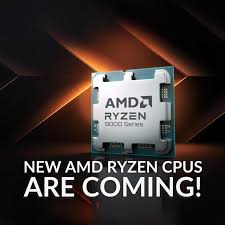
Better Cpu Gaming: A Guide to Shopping (September 2024)
Are you a passionate gamer looking to assemble a PC dedicated to gaming but unsure which processor to acquire? Do you have an existing configuration that’s been around for a year or more and no longer adapts to modern video games? If so, this guide will help you choose the best CPU for gaming and identify current trends in the market.
Choosing a Cpu For Gaming
Selecting the right CPU is crucial for an optimal gaming experience. It’s essential to define the final use of the processor before making a purchase. In your case, it seems that the primary purpose is gaming. Now, let’s discuss some fundamental aspects to consider when choosing a CPU:
- Intel or Amd: Both Intel and AMD are prominent producers of CPUs for desktop and laptop computers (portable). The choice between them depends on various factors, including socket compatibility, budget, and performance requirements.
- Socket Compatibility: Ensure that the new processor is compatible with your motherboard’s socket. If the sockets don’t match, the CPU won’t fit properly, rendering it useless.
- Ram Compatibility: Confirm that the processor can support the quantity and speed of RAM you plan to use. Upgrading or acquiring new RAM requires ensuring compatibility with your chosen CPU.
- Overclocking: Consider whether overclocking is essential for your gaming needs. Some CPUs are designed to be overclocked, while others may not benefit from this feature.
Cpu Families And Generations
Both Intel and AMD have various families of processors with different generations. The most recent generations tend to offer better performance and efficiency. For example:
- Intel Core i5 And i7: These mid-to-high-end processors are suitable for gaming, content creation, and other demanding tasks.
- Amd Ryzen 5, 7, And 9: AMD’s Ryzen series is also popular among gamers and enthusiasts, offering a range of options from budget-friendly to high-performance.
Socket Types
Different socket types are used by Intel and AMD processors. The socket type determines which CPU can be installed on the motherboard. Common socket types include:
- Lga 1700: This socket type is used for Intel Core i5 and i7 processors.
- Am4: This socket type is used for AMD Ryzen 5, 7, and 9 processors.
Tdp (Thermal Design Power)
TDP measures the maximum amount of heat a CPU can generate. Look for CPUs with lower TDPs to reduce power consumption and heat generation.
Core Count And Thread Number
Modern games require at least 4 cores or more. Consider choosing a CPU with multiple cores and threads to handle demanding game requirements.
Cache Size And Type
The cache is a small amount of memory built into the CPU for faster access to frequently used data. Look for CPUs with larger caches to improve performance.
Integrated Gpu (iGPU)
Some CPUs come with integrated GPUs, which can be useful for basic graphics tasks but may not provide sufficient performance for demanding games. Consider adding a dedicated GPU for better gaming experiences.
In conclusion, selecting the right CPU for your gaming needs requires careful consideration of various factors, including socket compatibility, RAM requirements, overclocking needs, and CPU families. By understanding these aspects, you can choose a processor that suits your budget and provides an optimal gaming experience.
Faqs
- What is the best CPU for gaming?
- The best CPU for gaming depends on your specific needs and budget. Consider factors like socket compatibility, RAM requirements, overclocking needs, and CPU families.
- Can I use a high-performance CPU with an integrated GPU for demanding games?
- No, high-performance CPUs with integrated GPUs may not provide sufficient performance for demanding games. It’s recommended to add a dedicated GPU for better gaming experiences.
- How do I ensure socket compatibility between my motherboard and CPU?
- Check the technical documentation of your motherboard and CPU to confirm socket compatibility. If the sockets don’t match, the CPU won’t fit properly.
- What is TDP (Thermal Design Power), and how does it affect my gaming experience?
- TDP measures the maximum amount of heat a CPU can generate. Look for CPUs with lower TDPs to reduce power consumption and heat generation.
- Can I overclock any CPU, or are there specific requirements?
- Some CPUs are designed to be overclocked, while others may not benefit from this feature. Research your chosen CPU’s specifications before attempting overclocking.
Please note that the answers provided above are general in nature and might not cover all possible scenarios. It’s always best to consult the technical documentation of your specific components or seek advice from experts in the field.


