
How to Identify And Report a Hacked Facebook Profile
Are you worried that your Facebook account has been hacked? Do you suspect that someone is using your profile without your permission? You’re not alone. Many people have experienced this problem, and it’s essential to know how to identify and report a hacked Facebook profile.
What is a Hacked Facebook Profile?
A hacked Facebook profile refers to an account that has been compromised by an unauthorized person or entity. This can happen when someone guesses your password, uses malware to gain access to your account, or even steals your device to access your Facebook account.
Symptoms of a Hacked Facebook Profile
Here are some common symptoms that indicate your Facebook account has been hacked:
- You receive emails from Facebook stating that someone has accessed your account without your permission.
- Your friends and family report seeing posts or comments on your profile that you didn’t make.
- Your password or login information is changed without your knowledge.
How to Identify a Hacked Facebook Profile
To identify if your Facebook profile has been hacked, follow these steps:
- Check Your Account Activity: Look for any suspicious activity on your account, such as changes to your profile picture, cover photo, or contact information.
- Verify Login History: Check the “Security and Login” section of your account settings to see if someone has accessed your account without your permission.
- Look For Unfamiliar Devices: See if any unfamiliar devices have been used to access your Facebook account.
Reporting a Hacked Facebook Profile
If you suspect that your Facebook profile has been hacked, report it immediately to prevent further unauthorized activity. Here’s how:
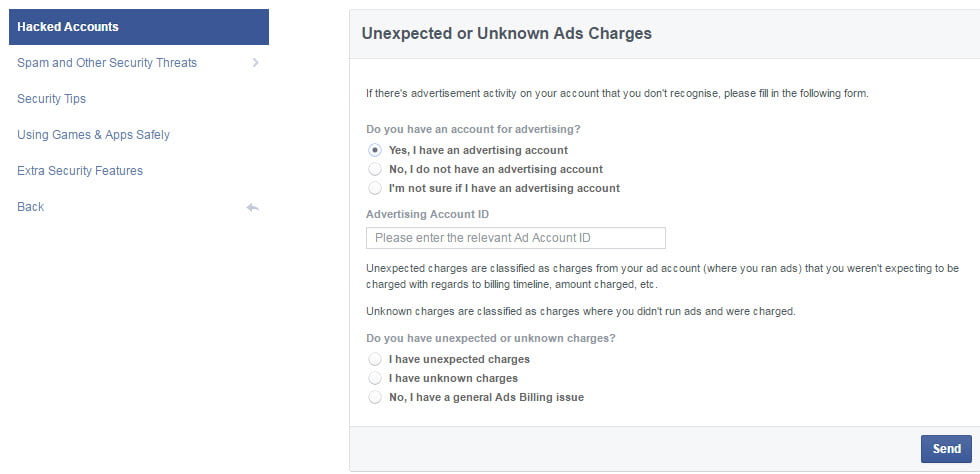
- Click on The “Security And Login” Section: Access this section by clicking on the three dots at the top right corner of your Facebook page.
- Select “Report Hacked Account”: Click on this option to initiate the process of reporting a hacked account.
- Provide Required Information: Fill out the form with your account details, including your email address and password.
Protecting Your Facebook Profile From Hackers
To prevent hackers from accessing your Facebook profile, follow these best practices:
- Use strong and unique passwords for all accounts, especially sensitive ones like social media.
- Enable two-factor authentication (2FA) to add an extra layer of security to your account.
- Be cautious when clicking on links or downloading attachments from unknown sources.
- Regularly review your Facebook activity and report any suspicious behavior.
Conclusion
Identifying and reporting a hacked Facebook profile requires immediate attention to prevent further unauthorized access. By following the steps outlined in this article, you can protect yourself from potential security threats and maintain control over your online presence.
Frequently Asked Questions
- Q: How do I Identify if my Facebook Account Has Been Hacked?
A: To identify a hacked Facebook profile, check for suspicious activity on your account, verify login history, and look for unfamiliar devices that have accessed your account. - Q: What Should I do if I Suspect my Facebook Account Has Been Hacked?
A: Report the incident to Facebook immediately by clicking on the “Security and Login” section and selecting “Report Hacked Account.” Provide required information to initiate the process. - Q: How Can I Prevent Hackers From Accessing my Facebook Profile?
A: Use strong and unique passwords, enable two-factor authentication (2FA), be cautious when interacting with unknown sources, and regularly review your Facebook activity. - Q: What Are The Consequences of Not Reporting a Hacked Facebook Account?
A: Failure to report a hacked account can lead to further unauthorized access, potentially exposing sensitive information or compromising personal relationships.


