
How to Test Your Adsl Speed: A Step-by-step Guide
Are you tired of slow internet speeds? Do you want to know how fast your ADSL connection really is? Look no further! In this article, we will guide you through the process of testing your ADSL speed using various online tools and software.
Understanding Adsl Speed
Before we dive into the testing process, let’s understand what ADSL speed means. ADSL (Asymmetric Digital Subscriber Line) is a type of broadband internet connection that uses existing phone lines to provide high-speed internet access. The speed of your ADSL connection depends on several factors, including the quality of your line, the distance between your modem and the nearest exchange, and the number of devices connected to your network.
Preliminary Information
Before starting the testing process, there are a few things you should know:
- This tutorial is focused on testing ADSL speed, but the methods described can be applied to other types of internet connections as well.
- To get accurate results, ensure that no heavy downloads or uploads are taking place during the test period.
- If you’re using a Wi-Fi connection, try to position your device close to the router for optimal performance.
Tools to Test Adsl Speed
Now that we’ve covered the basics, let’s explore the tools available to test your ADSL speed:
1. Speedtest.net (Ookla)
The first tool on our list is Speedtest.Net, a popular online platform provided by Ookla. This website uses advanced algorithms to measure your internet speed and provide detailed results.
- Visit Speedtest.Net in your web browser.
- Click the “Go” button to initiate the test.
- Wait for the test to complete, which should take only a few seconds.
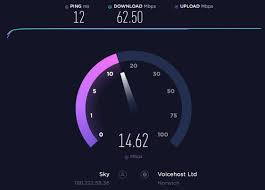
- Your results will be displayed on the screen, showing your download and upload speeds, as well as ping latency.
2. Google Speed Test
Google also offers a built-in speed test feature within its search engine. This tool is easy to use and provides accurate results.
- Go to Google.Com in your web browser.
- Type “speed test” in the search bar and press Enter.
- Click the “Test my connection” button.
- Wait for the test to complete, which should take around 30 seconds.
- Your results will be displayed on the screen, showing your download and upload speeds, as well as ping latency.
3. Fast.com
Fast.Com is another online platform provided by Netflix that allows you to test your internet speed. This tool is simple to use and provides accurate results.
- Visit Fast.Com in your web browser.
- Click the “Go” button to initiate the test.
- Wait for the test to complete, which should take only a few seconds.
- Your results will be displayed on the screen, showing your download speed.
4. In.me.sys
In.ME.Sys is a free software provided by AGCOM that allows you to monitor your internet connection’s performance over a 24-hour period. This tool provides detailed insights into your connection’s speed and stability.
- Download and install In.ME.Sys on your computer.
- Follow the on-screen instructions to set up the software.
- Wait for the test to complete, which should take around 24 hours.
- Your results will be displayed on the screen, showing detailed information about your connection’s speed and stability.
5. Other Instruments
There are other online tools available that can help you test your ADSL speed, including:
- Speedtest.Net (iOS and Android apps)
- Google Speed Test (iOS and Android apps)
- Fast.Com (iOS and Android apps)
Conclusion
Testing your ADSL speed is a straightforward process that can be done using various online tools and software. By following the steps outlined in this guide, you should be able to determine the speed of your connection and identify any potential issues.
Frequently Asked Questions
- Q: What is The Average Adsl Speed?
A: The average ADSL speed varies depending on several factors, including the quality of your line, distance between your modem and the nearest exchange, and number of devices connected to your network. Generally, ADSL speeds range from 1-8 Mbps. - Q: How Often Should I Test my Adsl Speed?
A: It’s recommended to test your ADSL speed regularly (at least once a month) to ensure that your connection is performing optimally. - Q: Can I Use Other Internet Connections For Testing Purposes?
A: Yes, you can use other types of internet connections (e.G., Fiber optic, cable) for testing purposes. The methods described in this guide can be applied to various types of internet connections.
Feel free to ask if you need any further clarification.


