
Unlocking The Power of Unicredit Cards: A Comprehensive Guide
Are you a UniCredit cardholder seeking to unlock its full potential? Look no further! In this article, we will delve into the world of UniCredit cards, exploring their various types, features, and benefits. Whether you’re looking to activate your card, understand how to use it abroad, or discover new ways to make payments, this guide has got you covered.
Understanding Unicredit Cards
UniCredit offers a wide range of cards designed to meet the diverse needs of its customers. From credit cards to debit cards, and from local to international usage, each card is tailored to provide maximum convenience and flexibility.
Types of Unicredit Cards
- V Pay: A contactless payment card that allows for easy transactions at merchants who accept V Pay.
- Flexia Card: A credit card designed for those seeking a higher level of protection and rewards.
- Bancomat Pay: A digital payment solution that enables users to make payments without the need for physical cards.
Activating Your Unicredit Card
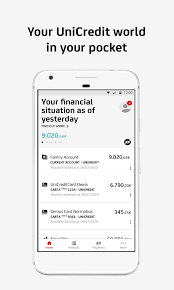
- App Activation: The simplest way to activate your card is through the UniCredit app, available for both Android and iPhone devices.
- Open the app and access it with your credentials.
- Tap on the card you wish to activate and follow the instructions to complete the process.
- Branch Activation: Visit a UniCredit branch where an operator will assist you in activating your card.
Using Your Unicredit Card Abroad
- International Transactions: With a UniCredit International MyOne card, you can make payments and withdrawals worldwide without any issues.
- The activation process for international cards is the same as that for local cards.
- Contactless Payments: When using your contactless card abroad, you may encounter some difficulties with transactions not being processed correctly.
- Simply follow the standard procedure for contactless payments.
Troubleshooting Common Issues
- Chip Nfc Malfunzionamento: If your chip becomes faulty, visit a UniCredit branch to have it replaced.
- Contactless Payments Not Working: Ensure that your card’s NFC chip is functioning correctly and try again.
- Card Replacement: In cases where the replacement of the card is required, follow the instructions provided by UniCredit.
Additional Features
- Google Pay And Apple Pay Integration: Some UniCredit cards are compatible with Google Pay and Apple Pay, allowing for contactless payments using your smartphone or smartwatch.
- Buddybank Account: A free account offered by UniCredit that comes with a credit card associated with it.
Conclusion
Activating and using your UniCredit card can seem daunting at first, but this guide has provided you with the necessary information to navigate these processes confidently. Whether you’re looking to use your card for local or international transactions, we hope this article has been helpful in unlocking its full potential.
Frequently Asked Questions (FAQs)
- Q: How do I Activate my Unicredit Card?
A: You can activate your card through the UniCredit app or by visiting a UniCredit branch. - Q: Can I Use my Contactless Unicredit Card Abroad?
A: Yes, but you may experience some difficulties with transactions not being processed correctly. - Q: How do I Troubleshoot Common Issues With my Unicredit Card?
A: Refer to the troubleshooting section above for answers to common problems. - Q: What Are The Benefits of Having a Unicredit International Myone Card?
A: With this card, you can make payments and withdrawals worldwide without any issues. - Q: How do I Integrate my Unicredit Card With Google Pay or Apple Pay?
A: Check if your card is compatible with these services and follow the instructions provided.


