
How to Download Ringtones on Iphone Without PC
Are you tired of using your computer to download ringtones on your iPhone? Well, you’re in luck because today we’ll be discussing how to do just that! In this article, we will explore the various ways to download ringtones directly from your iPhone, without the need for a computer.
What Are Ringtones?
Before we dive into the nitty-gritty of downloading ringtones on your iPhone, let’s first define what ringtones actually is. A ringtone refers to a custom-made sound that you can set as a ringtone on your phone.
Why Download Ringtones on Your Iphone?
There are several reasons why you might want to download ringtones on your iPhone. For one, it’s a great way to personalize your phone and make it stand out from the crowd. Additionally, downloading ringtones can be a fun and creative way to express yourself and show off your personality.
Method 1: Downloading Ringtones From The Internet
One of the easiest ways to download ringtones on your iPhone is by using the internet. You can search for ringtone websites or apps that offer free downloads of various sound files. Some popular options include:
- Zedge: A popular portal that offers a wide variety of ringtones, as well as other personalization options for your phone.
- Audiko: Another online service dedicated to ringtones, with a vast collection of sounds to choose from.
- Tones7: A website that offers a range of ringtones in various musical genres and sound effects.
Method 2: Downloading Ringtones Using Apps
In addition to downloading ringtones directly from the internet, you can also use apps specifically designed for this purpose. Some popular options include:
- RingTune: An app that offers a wide range of ringtones in various genres, with the option to purchase additional sounds.
- Ringtones For iPhone!: Another app that allows you to download and set ringtones as your ringtone, with the added feature of creating custom-made tones.
- Ringtone Maker — Tuunes: An app that offers a vast collection of ringtones in various genres, with the option to create custom-made sounds.
Method 3: Creating Your Own Ringtones Using Garageband
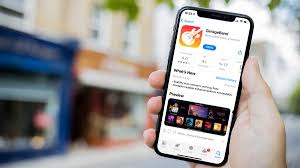
If you’re feeling creative and want to make your own ringtones, you can use the GarageBand app on your iPhone. This app allows you to create and edit music and audio files, including setting them as a ringtone for your phone.
How to Use Garageband to Create Ringtones
To create ringtones using GarageBand, follow these steps:
1. Open GarageBand on your iPhone and select the “Create a New Project” option.
2. Choose the type of project you want to create (e.G., Ringtone, podcast, etc.).
3. Select the audio file you want to use as the base for your ringtones.
4. Edit the audio file by adding effects, filters, or other enhancements.
5. Export the edited audio file as a new ringtones.
6. Set the ringtones as your ringtone by going to Settings > Sounds and Haptics > Ringtone.
Conclusion
In conclusion, downloading ringtones on your iPhone is easier than you might think! With the various methods discussed in this article, you can personalize your phone with custom-made sounds that reflect your personality. Whether you choose to download ringtones from the internet or create your own using GarageBand, there’s no denying that having a unique ringtone can make all the difference.
Frequently Asked Questions
Here are some frequently asked questions related to downloading ringtones on your iPhone:
Q: Can I download ringtones without using a computer?
A: Yes, you can download ringtones directly from your iPhone by using apps or websites specifically designed for this purpose.
Q: What is the difference between a ringtone and a ringtones?
A: A ringtone refers to a custom-made sound that you can set as a ringtone on your phone. While ringtones are typically short audio clips, ringtones can be longer and more complex.
Q: Can I create my own ringtones using GarageBand?
A: Yes, you can use GarageBand to create and edit music and audio files, including setting them as a ringtone for your phone.
Q: Are there any costs associated with downloading ringtones on my iPhone?
A: While some apps may charge for additional features or premium sounds, you can download free ringtones from various websites and apps.


