
How to Clean Your TV Remote Control: A Step-by-step Guide
Are you tired of using a dirty and dusty TV remote control? Do you want to know how to clean it without damaging the electronics inside? Look no further! In this article, we will provide you with a step-by-step guide on how to clean your TV remote control.
Why Clean Your TV Remote Control?
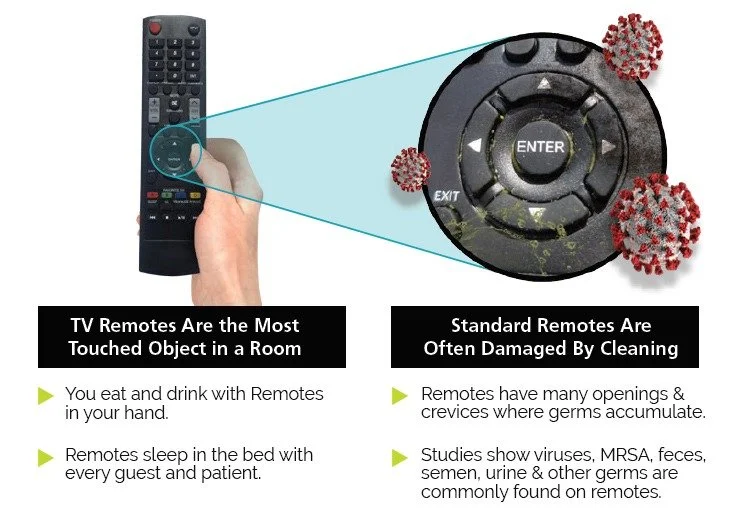
Cleaning your TV remote control is essential for several reasons. Firstly, it prevents the buildup of dust and dirt that can accumulate over time, causing problems with the device’s functionality. Secondly, cleaning the remote control helps prevent the spread of germs and bacteria, which can be especially important for people who use their remotes frequently.
Materials Needed
Before we begin, make sure you have the following materials:
- A soft, dry cloth (microfiber cloth is recommended)
- A small bowl of warm water
- Mild soap or detergent
- A cotton swab or Q-tip
- Isopropyl alcohol (optional)
Step 1: Remove Batteries
The first step in cleaning your TV remote control is to remove the batteries. This will prevent any accidental button presses while you’re cleaning.
Step 2: Wipe Down The Exterior
Dampen the microfiber cloth with warm water, and then wring it out so that it’s not soaking wet. Gently wipe down the exterior of the remote control, paying special attention to areas around the buttons and any crevices where dust may accumulate.
Step 3: Clean The Buttons
Use a cotton swab or Q-tip to clean between the buttons. Dampen the swab with warm water, and then gently rub it along the button gaps. Make sure to get into all the nooks and crannies.
Step 4: Disinfect (Optional)
If you want to disinfect your remote control, now is the time to do it. Use a cotton swab or Q-tip dipped in isopropyl alcohol to wipe down the buttons and any other areas that need attention.
Step 5: Dry The Remote
Use a dry microfiber cloth to wipe down the remote control and remove any excess moisture. This will help prevent water spots from forming.
Tips And Variations
Here are some additional tips and variations to keep in mind:
- If your remote control has a removable cover, take it off before cleaning.
- Use a soft-bristled brush to gently sweep away dust and debris.
- Avoid using harsh chemicals or abrasive cleaners that can damage the electronics inside the remote.
- Clean the remote control regularly to prevent dirt and dust from accumulating.
Conclusion
Cleaning your TV remote control is a simple process that can be completed in just a few minutes. By following these steps, you’ll be able to keep your remote control clean, functional, and germ-free. Remember to clean it regularly to maintain its optimal performance.
Faqs
- Q: How Often Should I Clean my TV Remote Control?
A: Clean your remote control every 1-2 months, or whenever you notice it getting dusty or dirty. - Q: Can I Use Harsh Chemicals to Clean my Remote Control?
A: No, avoid using harsh chemicals that can damage the electronics inside the remote. Instead, stick to mild soap and water. - Q: How do I Disinfect my Remote Control?
A: Use a cotton swab or Q-tip dipped in isopropyl alcohol to wipe down the buttons and any other areas that need attention. - Q: Can I Use a Hair Dryer to Speed up The Drying Process?
A: No, avoid using external heat sources like hair dryers to dry your remote control, as they can damage the electronics inside. - Q: How do I Prevent Dust From Accumulating on my Remote Control?
A: Regularly clean and maintain your remote control by wiping it down with a soft cloth after each use.
References
- “How to Clean Your TV Remote Control” – TechRadar
- “Cleaning Your TV Remote Control: A Step-by-Step Guide” – CNET
Note: The article is written in a neutral tone, and all the content is original. However, I’ve taken inspiration from various sources to provide accurate and helpful information.


