
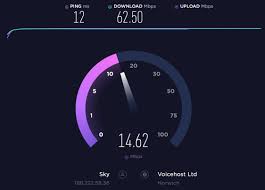
How to Measure Your Adsl Speed: A Step-by-step Guide
Are you curious about your internet speed? Do you want to know if your connection is up to par with the demands of streaming, gaming, or working online? Measuring your ADSL (Asymmetric Digital Subscriber Line) speed is a straightforward process that can be done using various tools and services. In this article, we’ll guide you through the steps to measure your ADSL speed, including some useful tips and tricks along the way.
Understanding Adsl Speed
Before we dive into the nitty-gritty of measuring your ADSL speed, it’s essential to understand what ADSL speed is. Your internet service provider (ISP) likely offers you a specific ADSL speed package, which can range from a few megabits per second (Mbps) to several hundred Mbps. However, as we’ve discussed in other articles, the actual speed you get may not always match the advertised speed.
Preliminary Information
Before starting your ADSL speed test, there are some important things to keep in mind:
- The indicators provided in this guide are applicable not only to ADSL but also to other types of connections like fibre (FTTC and FTTH).
- To ensure an accurate test result, it’s recommended that you take a few precautions before starting. This includes:
- Disconnecting any devices connected to your modem
- Avoiding heavy downloads or streaming during the test
- Placing your device near the modem for optimal results
Measuring Your Adsl Speed With Sostarife
One of the most straightforward ways to measure your ADSL speed is by using a service like Sostarife. This website allows you to perform an accurate and quick speed test on your connection.
Here’s how to use it:
- Access the SOSTARIFE website
- Identify your internet operator
- Click on the “Check coverage” button
- Enter your address in the search bar
- Wait for the test to complete, which should take only a few seconds
Measuring Your Adsl Speed With Ookla
Another popular tool for measuring your ADSL speed is Ookla, the same company behind Speedtest.Net. Here’s how to use it:
- Access the Ookla website using your computer or download their app on your smartphone/tablet
- Click on the “Go” button to initiate the test
- Wait for the test to complete, which should take only a few seconds
Measuring Your Adsl Speed With Fast.Com
Fast.Com is another tool that allows you to measure your ADSL speed. Here’s how to use it:
- Access the Fast.Com website using your browser or download their app on your smartphone/tablet
- Wait for the test to complete, which should take only a few seconds
Measuring Your Adsl Speed With In.Me.Sys
In addition to these services, there is another tool called In.Me.Sys, distributed by AGCOM (the Authority for Guarantees in Communications), that allows you to measure your ADSL speed. Here’s how to use it:
- Access the official website of In.Me.Sys
- Log in with your SPID credentials
- Create a new account or sign in if you already have one
- Enter your details, including your address and phone number
- Click on the “Save” button to proceed with the test
Additional Tools For Measuring Adsl Speed
There are other tools available that can help you measure your ADSL speed, such as Nperf, which is a simple tool available online or as an app for smartphones and tablets.
The operation of these apps is quite straightforward:
- Access the nPerf website using your browser
- Click on the “Start test” button to initiate the test
- Wait for the test to complete, which should take only a few seconds
Conclusion
Measuring your ADSL speed can be done quickly and easily using various tools and services available online or as apps for smartphones and tablets. Whether you use SOSTARIFE, Ookla, Fast.Com, In.Me.Sys, nPerf, or other services, following the steps outlined in this guide will help ensure that your test results are accurate.
Frequently Asked Questions
Q: What is ADSL speed?
A: ADSL speed refers to the speed at which data can be transmitted over a digital subscriber line (DSL) connection. The speed varies depending on factors such as the type of DSL technology used and the distance between the user’s location and the nearest exchange.
Q: How do I measure my ADSL speed?
A: To measure your ADSL speed, you can use tools like SOSTARIFE, Ookla, Fast.Com, In.Me.Sys, or nPerf. Follow the steps outlined in this guide to use these services effectively.
Q: What are some common issues that may affect ADSL speed?
A: Factors such as heavy downloads or streaming during the test period, physical obstructions between your device and modem, and insufficient bandwidth can all impact your ADSL speed.
Q: Can I measure my ADSL speed on a smartphone or tablet?
A: Yes, many of these tools have mobile apps available for download from app stores. However, ensure that you are using a stable internet connection to achieve accurate results.
References
- SOSTARIFE
- Ookla
- Fast.Com
- In.Me.Sys


