
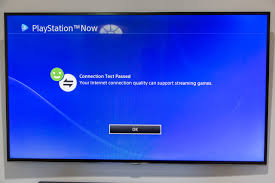
Playstation Now: A Comprehensive Guide
As a gamer, you’re probably excited about the latest developments in cloud gaming. Sony’s PlayStation Now (PS Now) has been around since 2015, but it’s recently become an integral part of the PlayStation Plus (PS Plus) service. In this guide, we’ll explore what PS Now is, how it works, and what you can expect from this exciting new feature.
What is Playstation Now?
PlayStation Now is a cloud gaming service that allows you to play a vast library of games on your console or PC without the need for physical copies. It’s essentially a streaming service that lets you access hundreds of titles, including some of the most popular and critically acclaimed games in the industry.
How Does Playstation Now Work?
PS Now uses a cloud-based architecture to stream games directly to your device. This means that the game is processed on remote servers and then sent to your console or PC over the internet. The service uses advanced compression algorithms to minimize latency and ensure a smooth gaming experience.
Playstation Now: Prices And Plans
PS Now has undergone some changes recently, with Sony integrating it into the PS Plus subscription model. Here are the current prices and plans:
- Monthly Subscription: €16.99 Per month (includes access to hundreds of games, including PS1, PS2, PS3, and PS4 titles)
- Quarterly Subscription: €49.99 Every 3 months
- Annual Subscription: €119.99 Per year
How Does Playstation Now Work on My Console?
To use PS Now on your console, follow these steps:
- Ensure you have a stable internet connection (at least 5 Mbps for 1080p resolution)
- Log in to your PSN account
- Navigate to the PS Now section of the store
- Select the game you want to play and click “Initiate”
- Wait for the game to load, which may take a few minutes
How Does Playstation Now Work on My Pc?
To use PS Now on your PC, follow these steps:
- Ensure you have a stable internet connection (at least 15 Mbps for 1080p resolution)
- Log in to your PSN account
- Download and install the PS Now client from the official Sony website
- Launch the client and select the game you want to play
- Wait for the game to load, which may take a few minutes
How Do I Cancel My Playstation Now Subscription?
To cancel your PS Now subscription, follow these steps:
- Log in to your PSN account on your console or PC
- Navigate to the “Account Management” section
- Select “Subscriptions”
- Find and select the PS Now subscription you want to cancel
- Follow the prompts to complete the cancellation process
Playstation Now: Games And Availability
The games available on PS Now are constantly updating, but here’s what you can expect:
- Ps1, Ps2, Ps3, And Psp Titles: Over 300 classic games from Sony’s archives
- Ps4 And Ps5 Titles: A growing library of modern games, including some exclusive titles
- PC Games: A selection of PC games that are not available on the PlayStation platform
Conclusion
PlayStation Now is an exciting new feature that brings cloud gaming to your console or PC. With its vast library of games and user-friendly interface, it’s a must-have for any gamer looking to experience the best of the PS1, PS2, PS3, and PS4 libraries. Whether you’re a seasoned gamer or just starting out, PS Now is definitely worth checking out.
Faqs
Q: What are the system requirements for playing games on my console?
A: You’ll need a stable internet connection (at least 5 Mbps) and a PSN account.
Q: Can I play games on my PC using PS Now?
A: Yes, you can use the PS Now client to play games on your PC.
Q: How do I cancel my PS Now subscription?
A: Log in to your PSN account and navigate to the “Account Management” section to find and select the subscription you want to cancel.
Q: Are there any discounts for long-term subscriptions?
A: Yes, you can save money by subscribing for longer periods (quarterly or annually).
Q: Can I play games on multiple devices at once?
A: No, each device requires a separate subscription to use PS Now.
Q: Is my data safe when using PS Now?
A: Yes, Sony ensures that your account and game data are secure.
Q: How do I troubleshoot issues with PS Now?
A: Contact the PlayStation support team or check the official PlayStation website for troubleshooting guides.


