
Graphic Design Software: A Comprehensive Guide
Are you an aspiring artist or a seasoned designer looking to explore new tools? Look no further! In this article, we’ll delve into the world of graphic design software, covering the best programs for Windows, macOS, and Linux.
What is Graphic Design Software?
Graphic design software refers to computer programs used to create visual content such as illustrations, graphics, logos, and typography. These tools can be used for both personal and professional projects, from designing business cards to creating intricate digital art.
Top Graphic Design Software For Windows
- Gimp: The prime among the graphic design software is GIMP, a free and open-source program available for Windows, macOS, and Linux.
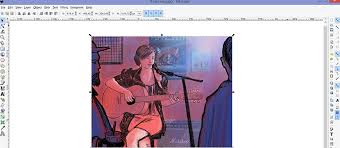
- Inkscape: Another popular option is Inkscape, a vector graphics editor that’s compatible with Windows, macOS, and Linux.
Other Graphic Design Software For Windows
- Krita: A free and open-source painting and image editing software that’s perfect for illustrators and digital artists.
- Photoshop: The industry-standard graphic design software, available for Windows and macOS, but requires a subscription to access its full features.
Graphic Design Software For Macos
- Adobe Illustrator: A powerful vector graphics editor that’s part of the Adobe Creative Cloud suite.
- Sketchup: A 3D modeling software that’s ideal for architects, engineers, and designers who need to create complex models.
Vector Graphics Software
- Gravit Designer: A free graphic design software that offers a range of features and tools, including vector graphics editing.
- Coreldraw Graphics Suite: A professional-grade graphic design software that includes vector graphics editing, photo editing, and other features.
- Affinity Designer: A powerful vector graphics editor that’s part of the Affinity Creative Suite.
3D Graphic Design Software
- Blender: The best free 3D creation software available for Windows, macOS, and Linux.
- Freecad: A free and open-source CAD software that’s ideal for engineers, architects, and designers who need to create complex models.
Online Graphic Design Software
- Photopea: A free online graphic design software that offers a range of features and tools, including photo editing and vector graphics editing.
- Pixlr: A web-based graphic design software that offers a range of features and tools, including photo editing and vector graphics editing.
- Canva: A popular online graphic design software that’s ideal for non-designers and professionals alike.
Mobile Graphic Design Software
- Adobe Creative Cloud Express: A mobile app that allows users to create graphic designs on-the-go.
- Concepts: A mobile app that offers a range of features and tools, including graphic design and vector graphics editing.
- 3DC.Io: A mobile app that allows users to create 3D models and animations.
Conclusion
Graphic design software has come a long way in recent years, offering a wide range of tools and features for both personal and professional use. Whether you’re an aspiring artist or a seasoned designer, there’s a graphic design software out there for you. Experiment with different programs to find the one that suits your needs and style.
Faqs
- What is The Best Graphic Design Software For Beginners?
- GIMP is an excellent option for beginners, offering a wide range of features and tools at no cost.
- Which Graphic Design Software Offers The Most Advanced Features?
- Adobe Creative Cloud Suite, including Photoshop and Illustrator, offers the most advanced features and tools.
- What Are The Best Online Graphic Design Software Options?
- Photopea, Pixlr, and Canva are popular online graphic design software options that offer a range of features and tools.
- Can I Use Mobile Graphic Design Software On-the-go?
- Yes, mobile graphic design software such as Adobe Creative Cloud Express, Concepts, and 3DC.Io allow users to create graphic designs on-the-go.
- What Are The System Requirements For Graphic Design Software?
- System requirements vary depending on the software, but most modern computers and laptops can run graphic design software with ease.
- Are There Any Free Graphic Design Software Options Available?
- Yes, several free graphic design software options are available, including GIMP, Inkscape, and Krita.
- Can I Use Graphic Design Software For Non-designer Purposes?
- Absolutely! Graphic design software can be used for a wide range of purposes, from creating social media graphics to designing business cards.
I hope this article has provided you with a comprehensive guide to graphic design software. Happy designing!


