
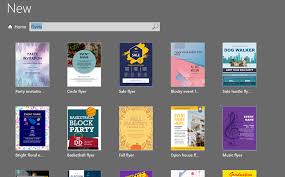
Creating flyers online has never been easier, thanks to the variety of tools available today. Whether you’re planning an event, launching a promotion, or spreading the word about a community activity, creating a professional-looking flyer is essential. Even if you’re not a graphic designer, you can now craft eye-catching and functional flyers using online platforms. In this guide, we’ll explore several user-friendly services to help you create the perfect flyer.
So, let’s dive in!
Why Create Flyers Online?
Gone are the days when you needed expensive software or a professional graphic designer to create a flyer. With modern online tools, even beginners can create stunning flyers without any prior experience. These platforms come with templates, easy-to-use features, and customization options that make the process simple and fast.
Benefits of Creating Flyers Online
- Cost-Efficient: Most tools offer free versions with templates and designs.
- User-Friendly: Even those without design experience can create professional-quality flyers.
- Versatility: Customize templates to fit any occasion.
- Access Anywhere: Create and edit flyers from any device with an internet connection.
Best Online Platforms for Creating Flyers
1. Canva: The Go-To Flyer Maker
Canva is one of the most popular online graphic design platforms, perfect for both beginners and professionals. Its intuitive interface allows users to easily create everything from social media posts to presentations—and, of course, flyers.
Key Features of Canva:
- Thousands of templates for flyers.
- Drag-and-drop functionality.
- Free version available; Pro version unlocks additional features.
- Large library of stock images, graphics, and fonts.
How to Create a Flyer on Canva:
- Sign up for free on Canva’s website.
- Choose “Flyer” from the templates.
- Customize the flyer using elements like text, images, and icons.
- Download your flyer in various formats (PNG, PDF, etc.).
2. Adobe Express: Professional Designs in Minutes
Adobe Express offers a robust toolset for creating professional-looking flyers. The platform provides a user-friendly interface similar to Canva but with Adobe’s signature flair for design.
Key Features of Adobe Express:
- Thousands of flyer templates.
- Seamless integration with Adobe’s creative suite.
- Premium version available, offering advanced features and additional templates.
How to Use Adobe Express:
- Register or log in to Adobe Express.
- Choose a template or start from scratch.
- Add text, images, and graphics to personalize your flyer.
- Download your flyer in high-quality formats like JPG or PDF.
3. VistaCreate: Flyers with a Professional Touch
VistaCreate is an easy-to-use platform tailored for non-designers who want to achieve professional results. VistaCreate offers a plethora of flyer templates for any occasion, along with intuitive design tools.
Key Features of VistaCreate:
- Free version available.
- Access to thousands of free templates.
- Extensive collection of stock photos, videos, and music.
- Simple drag-and-drop interface.
Steps to Create a Flyer with VistaCreate:
- Sign up at VistaCreate.
- Choose “Flyer” from the template options.
- Customize your flyer by adding text, photos, and graphic elements.
- Download and share your flyer.
Tip: VistaCreate offers a Pro version for $10/month, which includes access to additional design tools and templates.
How to Choose the Right Platform for Your Needs
The decision on which platform to use depends on your specific needs. Here are some pointers to help guide you:
For Beginners:
- Canva: Best for those who need a simple, drag-and-drop interface.
- VistaCreate: Ideal for first-time users looking for a vast template collection.
For Professionals:
- Adobe Express: Great for those already familiar with Adobe products.
For Frequent Flyers:
- VistaCreate and Adobe Express: Offer premium versions that unlock additional templates and customization options.
Customization Tips for Your Flyers
Customizing your flyer is key to making it stand out. Here are some tips to ensure your design looks polished and professional:
1. Use High-Quality Images
Poor-quality images can ruin an otherwise well-designed flyer. Most platforms provide access to high-resolution stock photos, but you can also upload your own.
2. Keep Text Clear and Concise
The main purpose of a flyer is to communicate information quickly. Stick to essential details and make sure your text is easy to read.
3. Balance Text and Images
Too much text or too many images can overwhelm your audience. Strive for balance by ensuring that images complement the text, and vice versa.
4. Choose the Right Colors
Colors evoke emotions, so choose them wisely. For example, red conveys urgency, while blue suggests calmness. Match your color scheme with the message of your flyer.
5. Use Call-to-Action (CTA)
Every flyer should include a strong CTA, guiding your audience on what to do next. Whether it’s “Visit Our Website” or “Sign Up Now,” make it prominent and clear.
Historical Context of Flyers in Marketing
Flyers have been a marketing staple for centuries, dating back to the 18th century when they were used to advertise political events and public announcements. As print technology evolved, so did the flyer, becoming a key tool in business promotions and event advertising.
Today, while the medium has shifted from print to digital, the purpose remains the same: quick dissemination of information. Online flyer makers now allow for instant creation and distribution, saving businesses time and money.
Common Mistakes to Avoid When Creating Flyers
1. Overloading with Information
Too much information can confuse your audience. Focus on key points, and provide a URL or QR code for further details.
2. Poor Font Choices
Fonts that are too fancy or difficult to read will detract from your message. Stick to clear, simple fonts for the body text, and save decorative fonts for headings.
3. Ignoring the Target Audience
Your flyer should appeal to the audience you’re trying to reach. Tailor your design and message to fit their preferences and needs.
4. Skipping Proofreading
Errors in grammar or spelling can make your flyer appear unprofessional. Always proofread before finalizing your design.
Conclusion
Creating flyers online is easier than ever with platforms like Canva, Adobe Express, and VistaCreate. These tools offer a wide range of customizable templates and features that allow anyone, from novices to pros, to design beautiful and effective flyers. Whether you’re promoting an event, product, or service, these tools make it easy to create a flyer that will catch attention and drive results.
FAQs
-
What’s the best platform for creating flyers for free?
Canva is often regarded as the best free platform due to its large selection of templates and intuitive design tools. -
Can I create flyers using a mobile app?
Yes, most platforms like Canva, Adobe Express, and VistaCreate offer mobile apps for designing on the go. -
Are there any professional templates available for free?
All platforms mentioned offer free professional templates, though additional premium templates are available with paid plans. -
How do I ensure my flyer stands out?
Use high-quality images, bold headlines, clear CTAs, and a balanced color scheme to make your flyer visually appealing. -
Can I print my flyer after creating it online?
Yes, you can download your flyer in a printable format, such as PDF, and print it using a standard printer. -
Do I need design experience to create a flyer?
No, these platforms are designed to be user-friendly, even for beginners. -
What file formats can I download my flyer in?
Most platforms allow downloads in PDF, PNG, JPG, and other common formats. -
Are there any time limits on using free accounts?
No, free accounts on platforms like Canva and VistaCreate don’t expire, though they may have limitations on features and templates.


