
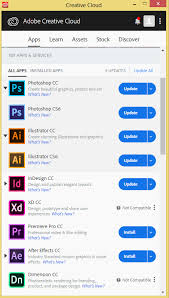
Adobe Creative Cloud Subscription: A Comprehensive Guide
Are you considering subscribing to Adobe Creative Cloud? With various plans to choose from, it can be overwhelming to decide which one suits your needs. In this article, we will guide you through the process of subscribing to Adobe Creative Cloud and provide detailed information on each plan.
Introduction to Adobe Creative Cloud
Adobe Creative Cloud is a suite of creative applications that includes popular tools like Photoshop, Illustrator, and After Effects. These programs are available for subscription, with various plans catering to different needs. Whether you’re a student, educator, or professional, there’s a plan that suits your requirements.
Plans And Subscriptions
Adobe offers several plans for individuals and organizations:
- Single User Plan: This plan is ideal for individual users who need access to Adobe Creative Cloud applications. The cost of this plan varies depending on the subscription duration: 12 Euros/month (IVA included) or 24,39 euros/month (IVA included).
- Company Plan: Designed for businesses and organizations, this plan offers comprehensive access to Adobe Creative Cloud applications. Pricing is available in two variants: 73,49 Euros/month (IVA excluded) or 32,41 euros/month (IVA excluded), depending on the specific needs.
- Student And Teacher Plan: This plan is tailored for students, educators, and educational institutions. It provides access to Adobe Creative Cloud applications at discounted rates: 36,59 Euros/month (IVA included) for a full kit, or 19,83 euros/month (IVA included) for a single app.
How to Subscribe to Adobe Creative Cloud
Subscribing to Adobe Creative Cloud is a straightforward process:
- Visit the official website of Adobe.
- Select your preferred plan based on your needs.
- Enter your email address and password to create an account or log in if you already have one.
- Choose your payment method (credit/debit card, PayPal, etc.) And fill out the necessary details.
- Confirm your subscription by clicking the blue “Start” button.
Subscription Process
The subscription process for Adobe Creative Cloud is easy to follow:
- Access the Adobe website using a browser.
- Click on the “Acquire” button next to the plan you want to subscribe to.
- Fill out the required details, including your email address and password.
- Select your preferred payment method and fill out the necessary information.
- Confirm your subscription by clicking the blue “Accept” button.
Canceling a Subscription
If you need to cancel your Adobe Creative Cloud subscription, follow these steps:
- Access the Adobe website using a browser.
- Log in to your account or create a new one if needed.
- Go to the “My Account” page and select the plan you want to cancel.
- Click on the “Cancel Plan” button.
- Confirm the cancellation by clicking the blue “Confirm” button.
Troubleshooting
If you encounter any issues while subscribing or canceling your subscription, you can:
- Visit the Adobe support page for assistance.
- Contact Adobe directly using their contact form.
- Reach out to Adobe’s customer service team for help resolving any problems.
Conclusion
Subscribing to Adobe Creative Cloud is a great way to access powerful creative applications. By choosing the right plan and following the subscription process, you can unlock your full potential as a creator. If you encounter any issues, don’t hesitate to reach out to Adobe’s support team for assistance.
Frequently Asked Questions (FAQs)
- Q: What Are The Different Plans Available For Adobe Creative Cloud?
A: There are several plans available, including Single User, Company, Student and Teacher, and School/University plans. - Q: How Much Does a Single User Plan Cost?
A: The cost of a single user plan varies depending on the subscription duration, with prices starting at 12 euros/month (IVA included) or 24,39 euros/month (IVA included). - Q: Can I Cancel my Adobe Creative Cloud Subscription And Get a Refund?
A: Yes, you can cancel your subscription within 14 days of signing up to receive a complete refund. - Q: How do I Subscribe to Adobe Creative Cloud?
A: To subscribe, visit the official website, select your preferred plan, enter your email address and password, choose your payment method, and confirm your subscription. - Q: Can I Renew my Subscription Using The Creative Application Cloud Desktop?
A: Yes, you can renew your subscription using the Creative Cloud Desktop app, which comes installed by default with Adobe applications. - Q: What Happens if I Cancel my Subscription After 14 Days?
A: If you cancel your subscription after 14 days, you will be debited a 50% fee of the remaining contract value and service will continue until the end of the monthly billing cycle. - Q: How do I Troubleshoot Issues With my Adobe Creative Cloud Subscription?
A: You can visit the Adobe support page for assistance or contact their customer service team directly using their contact form. - Q: Can I Get Help From Adobe’s Support Team if I’m Having Trouble With my Subscription?
A: Yes, you can reach out to Adobe’s support team for help resolving any issues related to your subscription.


