
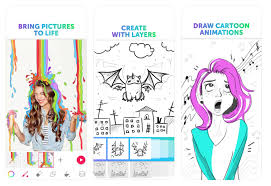
Unlocking Creativity: The Best Apps For Animation
Are you an aspiring animator or cartoonist looking to bring your creations to life? Look no further! In this article, we’ll explore the best apps for animation that will help you unlock your creativity and turn your imagination into a reality.
With the advancement of technology, creating animations has become more accessible than ever. Gone are the days when expensive software and expert knowledge were required. Today, with just a smartphone or tablet, you can create stunning animations using various apps available on the market.
What is an App For Animation?
An app for animation is a mobile application that allows users to create, edit, and share animated videos or images. These apps often come with a range of features, such as drawing tools, animations effects, and editing capabilities, making it easy to bring your imagination to life.
Top Apps For Animation
Here are some of the top apps for animation that you should try:
Flipaclip (Android/iOS/iPadOS)
The first app on our list is FlipaClip, a 2D animation app available for Android and iOS devices. This app is easy to use, even for beginners, and comes with a range of features, such as drawing tools, animations effects, and editing capabilities.
How to Use Flipaclip
To get started with FlipaClip, simply download the app from the App Store or Google Play Store. Once installed, follow these steps:
- Tap on the + icon at the bottom right corner to create a new animation.
- Choose the type of animation you want to create (e.G., Cartoon, comic, or illustration).
- Select the drawing tool and start creating your animation frame by frame.
- Use the editing features to add animations effects, transitions, and soundtracks.
Storyz (Android/iOS/iPadOS)
Another popular app for animation is StoryZ, which allows you to create stunning digital animations from photos. This app comes with a range of features, such as animated GIFs, video export, and editing capabilities.
How to Use Storyz
To use StoryZ, follow these steps:
- Download the app from the App Store or Google Play Store.
- Tap on the + icon at the bottom right corner to create a new animation.
- Choose the type of animation you want to create (e.G., Animated GIF, video, or live photo).
- Select the photo from your gallery and start editing it using the various features available.
Toontastic 3D (Android/iOS)
For those interested in creating 3D animations, Toontastic 3D is an excellent choice. This app comes with a range of features, such as 3D animation tools, characters, backgrounds, and editing capabilities.
How to Use Toontastic 3D
To use Toontastic 3D, follow these steps:
- Download the app from the App Store or Google Play Store.
- Tap on the + icon at the bottom right corner to create a new animation.
- Choose the type of animation you want to create (e.G., Cartoon, comic, or illustration).
- Select the 3D animation tool and start creating your animation frame by frame.
Bot3d Editor (iOS/iPadOS)
For those interested in creating 3D animations on their iPad or iPhone, Bot3D Editor is a great choice. This app comes with a range of features, such as 3D animation tools, characters, backgrounds, and editing capabilities.
How to Use Bot3d Editor
To use Bot3D Editor, follow these steps:
- Download the app from the App Store.
- Tap on the + icon at the bottom right corner to create a new animation.
- Choose the type of animation you want to create (e.G., Cartoon, comic, or illustration).
- Select the 3D animation tool and start creating your animation frame by frame.
Hype Text (Android/iOS/iPadOS)
For those interested in creating animated texts, Hype Text is an excellent choice. This app comes with a range of features, such as animated GIFs, video export, and editing capabilities.
How to Use Hype Text
To use Hype Text, follow these steps:
- Download the app from the App Store or Google Play Store.
- Tap on the + icon at the bottom right corner to create a new animation.
- Choose the type of animation you want to create (e.G., Animated GIF, video, or live photo).
- Select the text and start editing it using the various features available.
Conclusion
Creating animations has never been easier with the best apps for animation available on the market today. Whether you’re an aspiring animator or cartoonist, these apps will help you unlock your creativity and bring your imagination to life. So why wait? Download one of these amazing apps today and start creating stunning animations that will captivate your audience!
Faqs
Q: What are the best apps for animation?
A: FlipaClip, StoryZ, Toontastic 3D, Bot3D Editor, Hype Text, and many more.
Q: Which app is best for beginners?
A: FlipaClip is an excellent choice for beginners, as it’s easy to use and comes with a range of features.
Q: Can I create 3D animations using these apps?
A: Yes, Toontastic 3D and Bot3D Editor allow you to create stunning 3D animations.
Q: How do I export my animation?
A: Most of these apps allow you to export your animation as a video or GIF file.
Q: Can I use these apps on my iPad or iPhone?
A: Yes, all the mentioned apps are available for both Android and iOS devices.
Q: Are these apps free to download?
A: Some of these apps are free to download, while others require a subscription or one-time payment.
Q: Can I use these apps on my computer?
A: Most of these apps have desktop versions available for Windows and macOS.


