
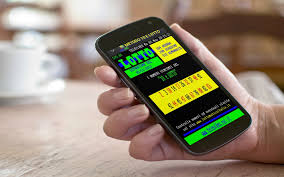
The Ultimate Guide to Playing 10eLotto: A Comprehensive Review
Are you tired of manually filling out your 10eLotto ticket every time? Do you want to check if you’ve won without having to log in to the official website? Look no further! In this article, we’ll explore the best apps for playing and controlling 10eLotto on your mobile device.
Introduction
Playing 10eLotto can be a thrilling experience, but it can also be time-consuming. With the rise of mobile technology, it’s now possible to play and control 10eLotto from the comfort of your own home. In this guide, we’ll review the top apps for playing and controlling 10eLotto, making it easier than ever to participate in this popular lottery game.
The Best Apps For Playing 10eLotto
- My Lotteries: It’s Official
- This is the official app for playing 10eLotto and other associated games like Batch and MillionDAY.
- You can download it on iOS/iPadOS from the App Store or on Android devices from the Google Play Store.
- With this app, you can create an account, play 10eLotto, and even check your winnings without having to log in to the official website.
How to Use My Lotteries: It’s Official
- Step 1: Download And Install The App
- Go to the App Store or Google Play Store and download the app.
- Once installed, open the app and tap on “Play” to start playing 10eLotto.
How to Play 10eLotto With My Lotteries: It’s Official
- Step 2: Create an Account
- Tap on “Account Gambling” and then on “Recorded.”
- Select Lottomatica as your account provider.
- You can either use SPID or classic recording to create your account.
The Benefits of Using My Lotteries: It’s Official
- Convenience: With this app, you can play 10eLotto and other associated games from the comfort of your own home.
- Time-saving: No more manually filling out your ticket every time!
- Easy to Use: The app is user-friendly, making it easy for anyone to play and control their 10eLotto tickets.
Other Apps For Controlling 10eLotto
- It’s Check Official
- This app allows you to check if your 10eLotto ticket has won without having to log in to the official website.
- You can download it on Android devices from the Google Play Store or on iOS/iPadOS from the App Store.
How to Use It’s Check Official
- Step 1: Download And Install The App
- Go to the Google Play Store or App Store and download the app.
- Once installed, open the app and tap on “Check Vincite” to check your winnings.
The Benefits of Using It’s Check Official
- Quick And Easy: This app allows you to quickly and easily check if your 10eLotto ticket has won.
- Convenient: No more having to log in to the official website to check your winnings!
Conclusion
In conclusion, playing and controlling 10eLotto on your mobile device has never been easier! With My Lotteries: It’s Official and other associated apps, you can play 10eLotto from the comfort of your own home. No more manually filling out your ticket every time or having to log in to the official website to check your winnings!
Frequently Asked Questions
-
Q: What is The Best App For Playing 10eLotto?
A: My Lotteries: It’s Official is the best app for playing 10eLotto. -
Q: Can I Use Other Apps to Control my 10eLotto Ticket?
A: Yes, there are other apps available that allow you to check if your 10eLotto ticket has won without having to log in to the official website. -
Q: How do I Create an Account With My Lotteries: It’s Official?
A: To create an account, tap on “Account Gambling” and then on “Recorded.” Select Lottomatica as your account provider. -
Q: Can I Use Spid or Classic Recording to Create my Account?
A: Yes, you can either use SPID or classic recording to create your account with My Lotteries: It’s Official. -
Q: What Are The Benefits of Using My Lotteries: It’s Official?
A: The benefits of using My Lotteries: It’s Official include convenience, time-saving, and ease of use. -
Q: How do I Check if my 10eLotto Ticket Has Won With It’s Check Official?
A: To check if your 10eLotto ticket has won, tap on “Check Vincite” in the app. -
Q: Can I Download My Lotteries: It’s Official And Other Associated Apps From The Google Play Store or App Store?
A: Yes, you can download My Lotteries: It’s Official and other associated apps from the Google Play Store or App Store. -
Q: What is The Best App For Checking my 10eLotto Winnings?
A: It’s Check Official is the best app for quickly and easily checking if your 10eLotto ticket has won. -
Q: Can I Use Other Apps to Play 10eLotto And Associated Games?
A: Yes, there are other apps available that allow you to play 10eLotto and associated games from the comfort of your own home. -
Q: Are My Lotteries: It’s Official And Other Associated Apps Easy to Use?
A: Yes, My Lotteries: It’s Official and other associated apps are user-friendly and easy to use!


